
AdsCrawl vs Scrapfly vs Data Miner: Which Scraper Fits?
Compare AdsCrawl, Scrapfly, and Data Miner across browser control, screenshots, extraction, and no-code workflows to pick the right scraping tool.
AdsCrawl vs Scrapfly vs Data Miner: Which Scraper Fits?
Choosing between AdsCrawl, Scrapfly, and Data Miner usually comes down to one question: do you need a programmable browser, a managed scraping stack, or a click-driven extension? Scrapfly and Data Miner are both credible tools, but they solve different problems. This comparison breaks down where each one is strong, where AdsCrawl has a supported edge, and which option fits your workflow.
What each tool actually is
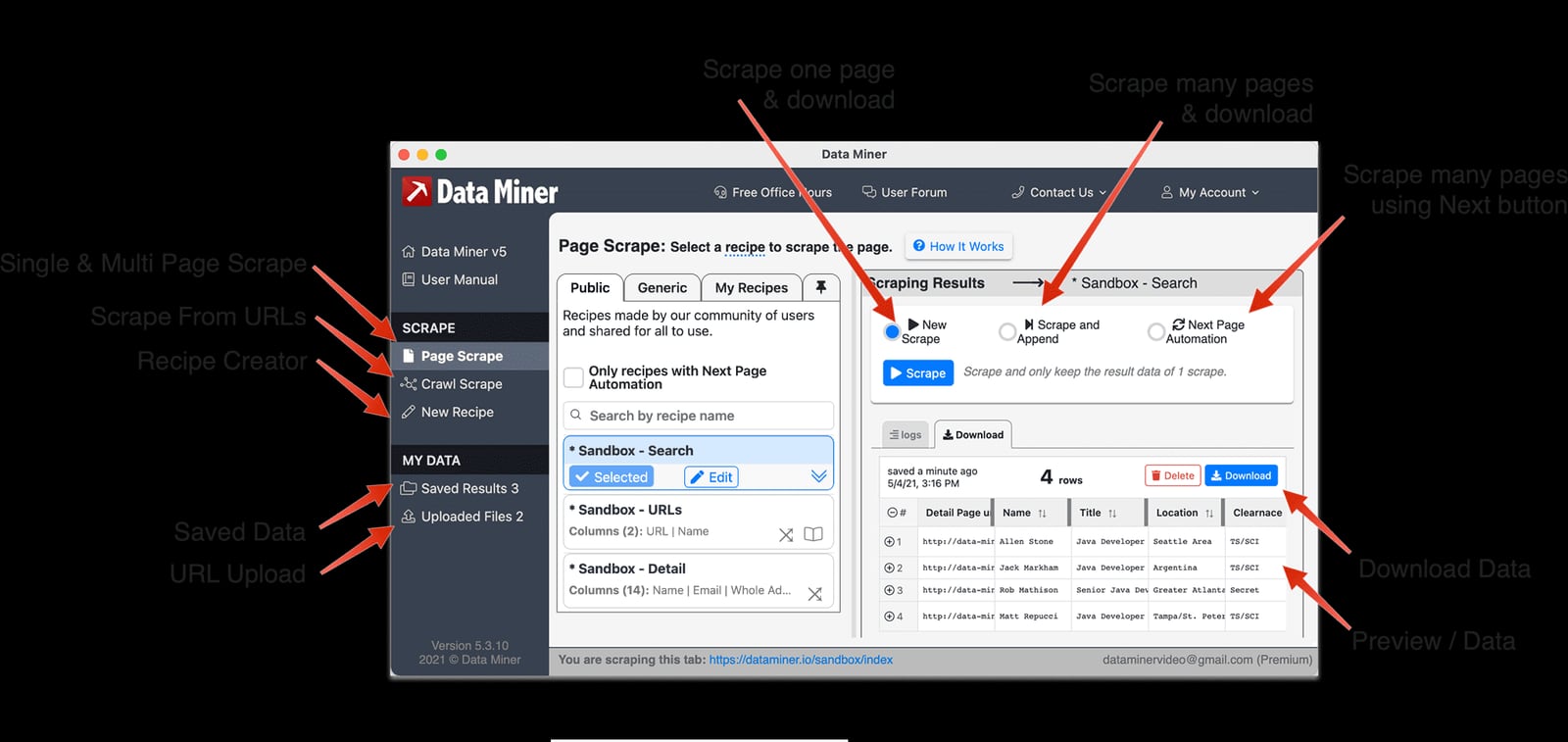
Data Miner Viewer breakdown.
AdsCrawl: browser automation and data extraction API
AdsCrawl is a browser automation and data extraction API platform. It gives developers real browser sessions through a unified API, so you can capture screenshots, extract rendered HTML or Markdown, and control remote Chrome DevTools Protocol (CDP) sessions. It supports fingerprint profiles, concurrent browser execution, and credit-based usage with a freemium model. Teams use it for AI agents, monitoring, SEO, and automation workflows, and it integrates through cURL, Node.js, and Python examples.
Scrapfly: web scraping API, cloud browser, screenshot API
Scrapfly positions itself as a web data platform for scrapers and AI agents. One API key covers anti-bot bypass, stealth Chromium over CDP, residential proxies, screenshots, and structured extraction. Its product line includes a Web Scraping API, Cloud Browser, Screenshot API, Extraction API, Crawler API, AI Browser Agent, and MCP Server. Scrapfly reports large-scale usage and emphasizes in-house proxy and browser engines.
Data Miner: browser extension for Chrome and Edge
Data Miner is a browser extension for Google Chrome and Microsoft Edge that crawls and scrapes data from web pages directly into CSV files or Excel spreadsheets. It is built around Recipes — site-specific instruction sets made of HTML references — and supports List pages and Detail pages. Users can run Page Scrape, use Crawl for two-step extraction, and build custom Recipes with Recipe Creator. An Instant Table Scrape method lets users highlight rows, right-click, and auto-generate a table recipe. The free plan allows scraping 500 pages per month with public and new recipes, while paid professional plans target users who want to save time and money.
Comparison criteria
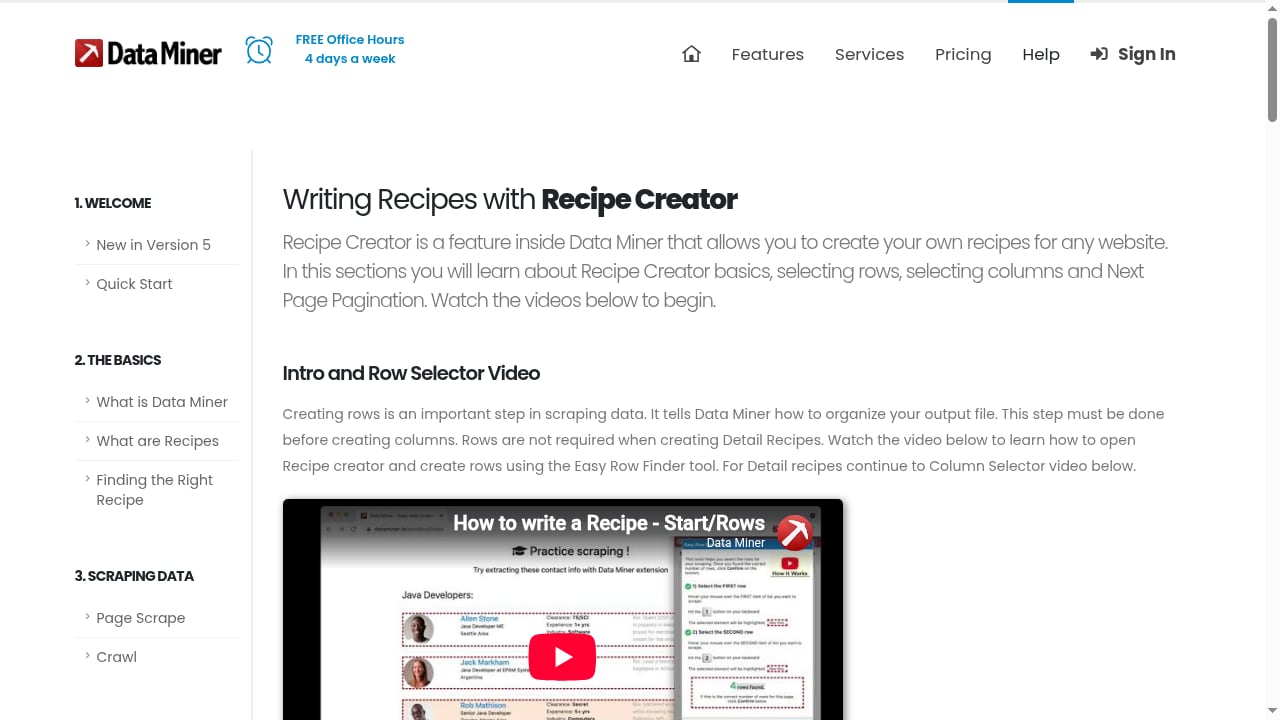
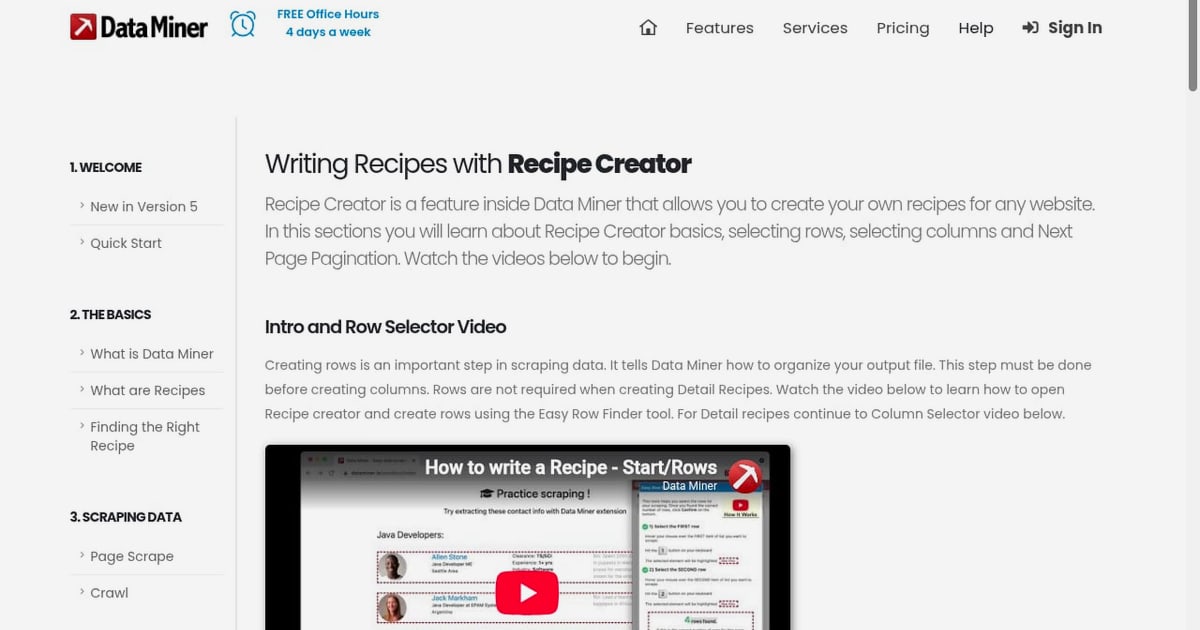
First viewport screenshot of How to write Data Miner recipes with Recipe Creator | Data Miner.
Browser control and CDP sessions
AdsCrawl provides remote Chrome DevTools Protocol sessions and cloud browser sessions with fingerprint profiles. You can connect Playwright or Puppeteer to a returned WebSocket debugger URL, navigate, click, fill forms, and collect results in one session. Cloud Browser adds a saved profile and live viewer, so you can pick up where your browser left off.
Scrapfly also offers managed Chromium over CDP with full Playwright and Puppeteer compatibility, so this is a genuinely strong area for both tools. Scrapfly's Cloud Browser is hosted, scaled, and production-grade, and its AI Browser Agent is tuned for autonomous agent loops.
Data Miner does not expose CDP sessions. It works inside your existing browser through an extension, which is ideal for manual or semi-automated work but not for scripted browser control.
Screenshots
AdsCrawl returns PNG screenshots and supports full-page or single-element captures. You can set fullPage for the entire page or pass a selector to capture the first matching element. This is useful for visual monitoring, rendering validation, and AI workflows that need page images.
Scrapfly's Screenshot API supports full-page, viewport, or element screenshots in PNG, JPEG, and WebP, with ad-block and cookie-banner dismissal options. It is a mature, well-documented screenshot product.
Data Miner is not a screenshot tool. Its focus is extracting structured data into spreadsheets, not capturing page images.
HTML and Markdown extraction
AdsCrawl's /html endpoint returns rendered HTML or Markdown depending on the contentMode value. Setting contentMode to markdown produces clean, readable text, while html returns rendered markup. The /spa-extract endpoint can pull structured fields using CSS selectors or network JSON responses, and it reports missingFields so you know what was not found.
Scrapfly's Web Scraping API returns clean HTML or Markdown and stable JSON, with a JS rendering toggle. Its Extraction API turns HTML into typed data using a prompt or JSON schema, with built-in templates for products, articles, reviews, and jobs.
Data Miner extracts data through Recipes and outputs to CSV or Excel. It is designed for spreadsheet-first workflows rather than API responses.
No-code and spreadsheet workflows
Data Miner is the clear winner here. It is built for professional sales, marketing, and recruiting users who want a few-click workflow. It works on social media sites, ZoomInfo, Zillow, Yellow Pages, Yelp, Indeed, and more. The Instant Table Scrape method is especially practical for ad-hoc tables, and the free plan's 500 pages per month is enough to evaluate the tool.
AdsCrawl and Scrapfly are both API-first. AdsCrawl does offer a coding-agent setup prompt and dashboard-based key management, but it is not a browser extension. Scrapfly's MCP Server connects MCP clients such as Claude, Cursor, Cline, Windsurf, and ChatGPT to scrape, screenshot, extract, and crawl with one API key, which is a strong integration path for AI-assisted workflows.
Anti-bot and proxy handling
Scrapfly has a deep anti-bot story: residential proxies, a proprietary HTTP engine, and a managed browser. It reports a 98% success rate on hard targets and free failed requests, which is a meaningful advantage for teams scraping hostile sites.
AdsCrawl routes browser sessions through residential proxies and supports custom proxy configurations. Every Cloud Browser launch request must include a valid proxy, and credentials go in designated fields rather than the proxy server URL. AdsCrawl also supports CAPTCHA solving for supported challenges such as reCAPTCHA, Turnstile, and AWS WAF in the same browser session.
Data Miner relies on your browser's own network and session. It is not built for large-scale anti-bot bypass, but it works well on sites where you are already logged in and browsing normally.
Pricing model
AdsCrawl uses credit-based usage with a freemium model. You can start free, track usage in the dashboard, and scale concurrency as needed. HTTP 402 responses indicate a credit issue, while HTTP 429 responses indicate rate limits that call for lower concurrency and retry with backoff.
Scrapfly offers 1,000 free credits with no credit card, and charges only for successful scrapes. Its credits scale with target complexity, which can be efficient for hard targets but harder to predict for simple ones.
Data Miner's free plan covers 500 pages per month with public and new recipes. Paid professional plans target users who want to save time and money, and the website offers free office hours four days a week plus extensive help documentation.
When to choose each tool
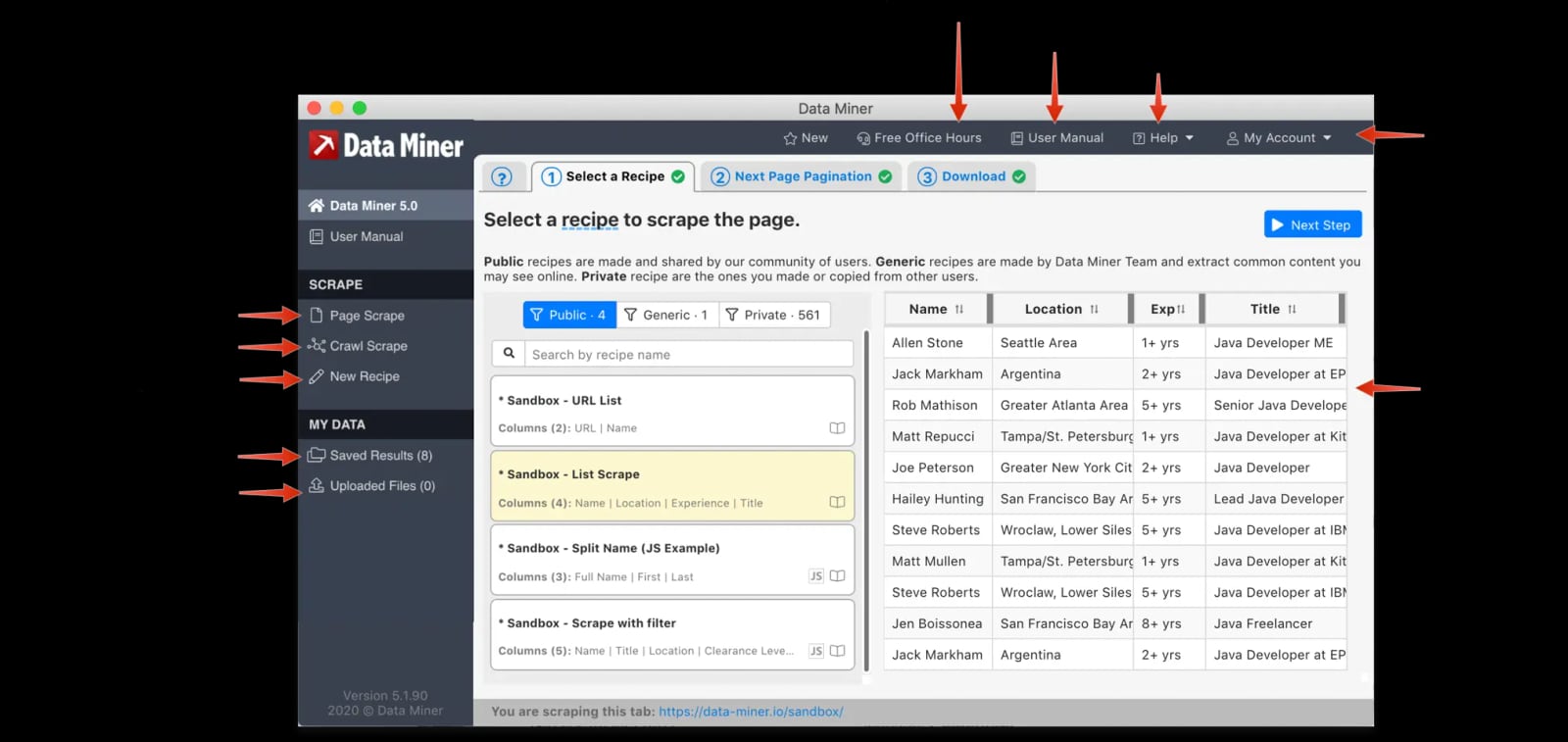
Data Miner viewer window.
Choose AdsCrawl when
- You need remote CDP sessions with Playwright or Puppeteer.
- You want rendered HTML or Markdown from a single API call.
- You need full-page or element screenshots for monitoring or AI workflows.
- You want cloud browser sessions with saved profiles and a live viewer.
- You are building AI agents, monitoring, SEO, or automation workflows.
Choose Scrapfly when
- You are scraping hostile sites and need maximum anti-bot success.
- You want one API key for scraping, browser, screenshots, extraction, and crawling.
- You need an MCP Server for Claude, Cursor, Cline, Windsurf, or ChatGPT.
- You want LLM-powered extraction with built-in templates.
Choose Data Miner when
- You want a Chrome or Edge extension with a few-click workflow.
- You need CSV or Excel output for sales, marketing, or recruiting research.
- You work on sites like ZoomInfo, Zillow, Yellow Pages, Yelp, or Indeed.
- You prefer Recipes and Instant Table Scrape over writing code.
Practical examples
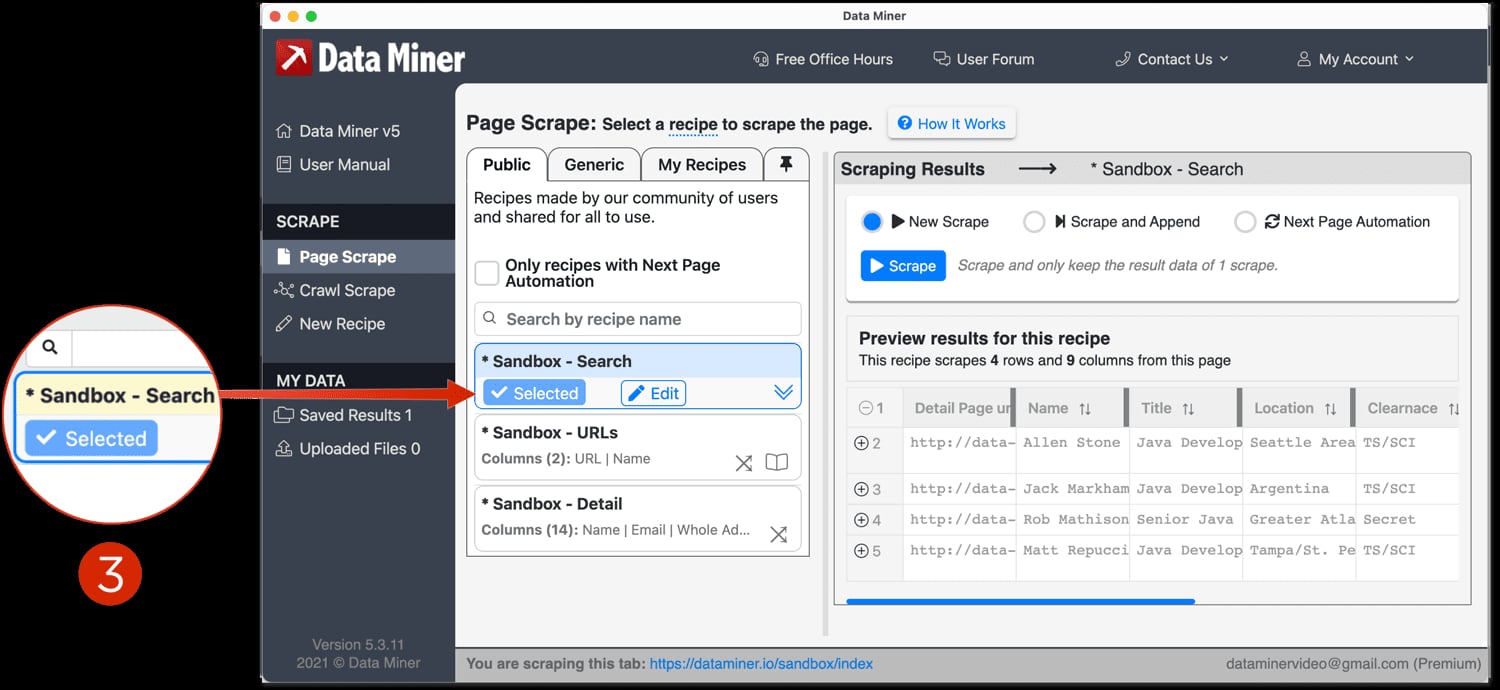
Select a Recipe.
AdsCrawl HTML request
curl --fail-with-body -sS \
  -X POST "https://api.adscrawl.net/html" \
  -H "x-api-key: $ADSCRAWL_API_KEY" \
  -H "content-type: application/json" \
  -d '{
    "url": "https://www.adscrawl.net",
    "contentMode": "html",
    "waitUntil": "domcontentloaded"
  }' \
  --output page.html
Use "contentMode": "markdown" for readable text instead of markup.
AdsCrawl CDP session with Playwright
Create a CDP session, connect Playwright using the returned webSocketDebuggerUrl, then navigate, click, and collect results. When finished, release the session with DELETE /cdp/sessions/:sessionId.
Scrapfly scrape call
curl -X POST "https://api.scrapfly.io/scrape" \
  -H "content-type: application/json" \
  -d '{
    "key": "YOUR_API_KEY",
    "url": "https://example.com",
    "render_js": true
  }'
Scrapfly returns a JSON envelope with status code, duration, proxy, browser, and content.
Data Miner workflow
Install the extension, open a supported site, use Instant Table Scrape to highlight rows and auto-generate a table recipe, then export to CSV or Excel. For multi-step extraction, use Crawl to click into list items and collect detail data.
Related reading
- Scrapy Review 2026: Strengths, Limits, Setup & Pricing - Hands-on Scrapy review: how the Python framework handles crawling, selectors, pipelines, and JavaScript, plus setup, pricing signals, and who should use it.
- How to Use Steel: Sharpening Rods, Cookware & More - Learn how to use steel correctly: sharpen knives with a honing steel and cook with stainless steel pans without sticking, plus care tips and FAQs.
FAQ
Is AdsCrawl a replacement for Scrapfly?
Not entirely. AdsCrawl is strongest when you need programmable browser sessions, screenshots, and HTML or Markdown extraction through a unified API. Scrapfly is stronger for anti-bot-heavy targets and offers a broader product line including extraction, crawling, and MCP integration. Many teams could use both.
Can Data Miner replace an API-based scraper?
For small, manual, or spreadsheet-first jobs, yes. Data Miner is fast to set up and works well on supported sites. For scheduled, high-volume, or headless workflows, an API-based tool like AdsCrawl or Scrapfly is a better fit.
Does AdsCrawl support Playwright and Puppeteer?
Yes. AdsCrawl provides CDP sessions and returns a webSocketDebuggerUrl that Playwright can connect to. The HTTP APIs also work with Node.js fetch, Python requests, cURL, and other HTTP clients.
How does Scrapfly handle failed requests?
Scrapfly states that failed requests are free and that you only pay for successful scrapes. That is a useful pricing property when targeting difficult sites.
What is the free plan for Data Miner?
The free plan allows scraping 500 pages per month with public and new recipes. Paid professional plans are available for heavier use.
Can I use my own proxy with AdsCrawl?
Yes. APIs that support proxies accept a custom configuration. Every Cloud Browser launch request must include a valid proxy, and credentials should be placed in the designated fields rather than in the proxy server URL.
Conclusion
AdsCrawl, Scrapfly, and Data Miner are not direct substitutes for every use case. AdsCrawl is a strong fit when you want real browser control, CDP sessions, screenshots, and clean HTML or Markdown through one API. Scrapfly is a credible choice when anti-bot success and a broad managed stack matter most. Data Miner wins when you want a few-click extension that outputs directly to CSV or Excel. Match the tool to the workflow, and you will spend less time fighting the wrong abstraction.
For related comparisons, see AdsCrawl vs Zenrows: Browser API or Scraping API? and Stealth Web Scraping: How to Avoid Blocks in 2026. If you are evaluating broader infrastructure, the Top 10 Website & Infrastructure Uptime Monitoring Tools 2026 covers monitoring options that pair well with browser automation.
External references: Scrapfly, AdsCrawl, and Compare Web Scraping Tools.