
Top 10 Website Change Detection & Monitoring Software 2026
Compare the top 10 website change detection and monitoring tools for 2026. Features, pricing, free tiers, and best-fit use cases for teams and individuals.

Top 10 Website Change Detection & Monitoring Software 2026
Website change detection and monitoring software watches the pages you care about and alerts you when something changes. That could be a competitor's pricing page, a restock notification, a regulatory update, or a job listing. In 2026, the category has matured: AI summaries, noise filtering, and element-level tracking are now standard expectations, not premium extras.
This guide ranks ten products that genuinely belong to the website change detection and monitoring category. We evaluated each on monitoring accuracy, alert quality, free tier usefulness, pricing transparency, and real-world fit. We also note where a complementary browser automation tool like AdsCrawl fits into adjacent workflows — but it is not ranked here, because it is not a change detection product.
How We Evaluated These Tools
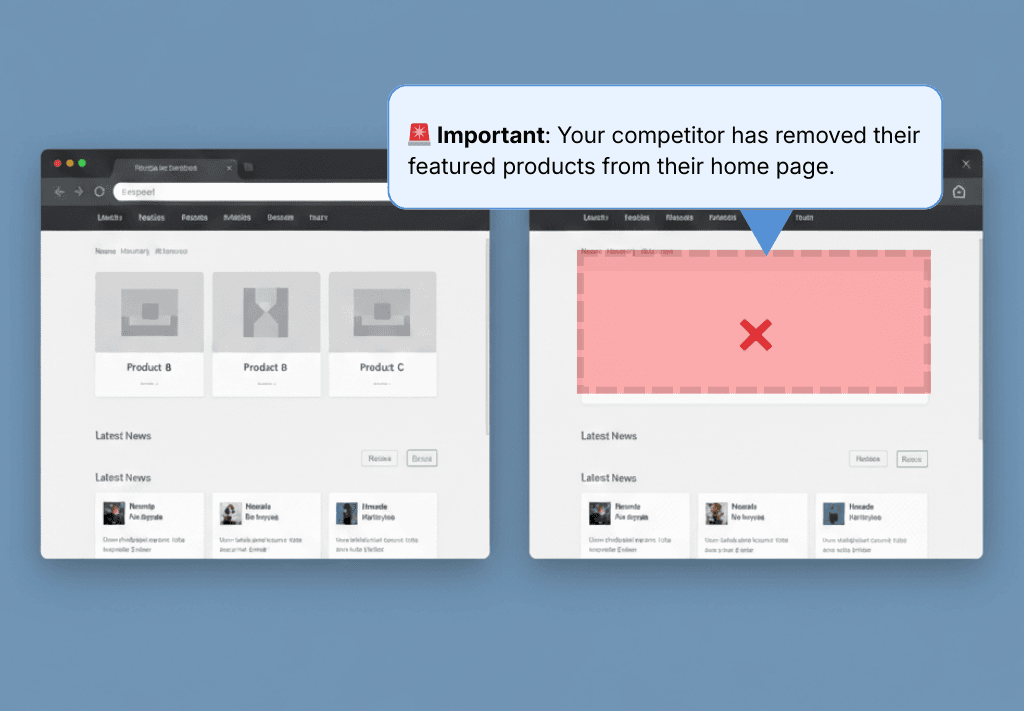
Top 10 Website Change Detection & Monitoring Software 2026 - The Top 10 Website Change Detection and Monitoring Tools for 2026.
We scored each product across six criteria, weighted by what matters most to people who actually run monitors:
- Monitoring accuracy (25%): Does the tool detect real changes reliably, including on JavaScript-heavy pages and single-page applications?
- Noise filtering and AI (20%): Can it suppress cookie banners, timestamps, ad rotations, and other false positives? Does it summarize what changed?
- Free tier usefulness (15%): Are the free limits enough to be genuinely useful, or just a trial in disguise?
- Pricing transparency (15%): Are costs predictable as you scale monitors, checks, and team seats?
- Alerting and integrations (15%): Email, Slack, Teams, webhooks, API — and how fast alerts arrive.
- Ease of setup (10%): How quickly can a non-technical user get a first monitor running?
We verified free tier limits against vendor pricing pages and cross-referenced independent reviews and user feedback. Where a vendor does not publish a limit, we say so rather than guess.
The Top 10 Website Change Detection and Monitoring Tools for 2026
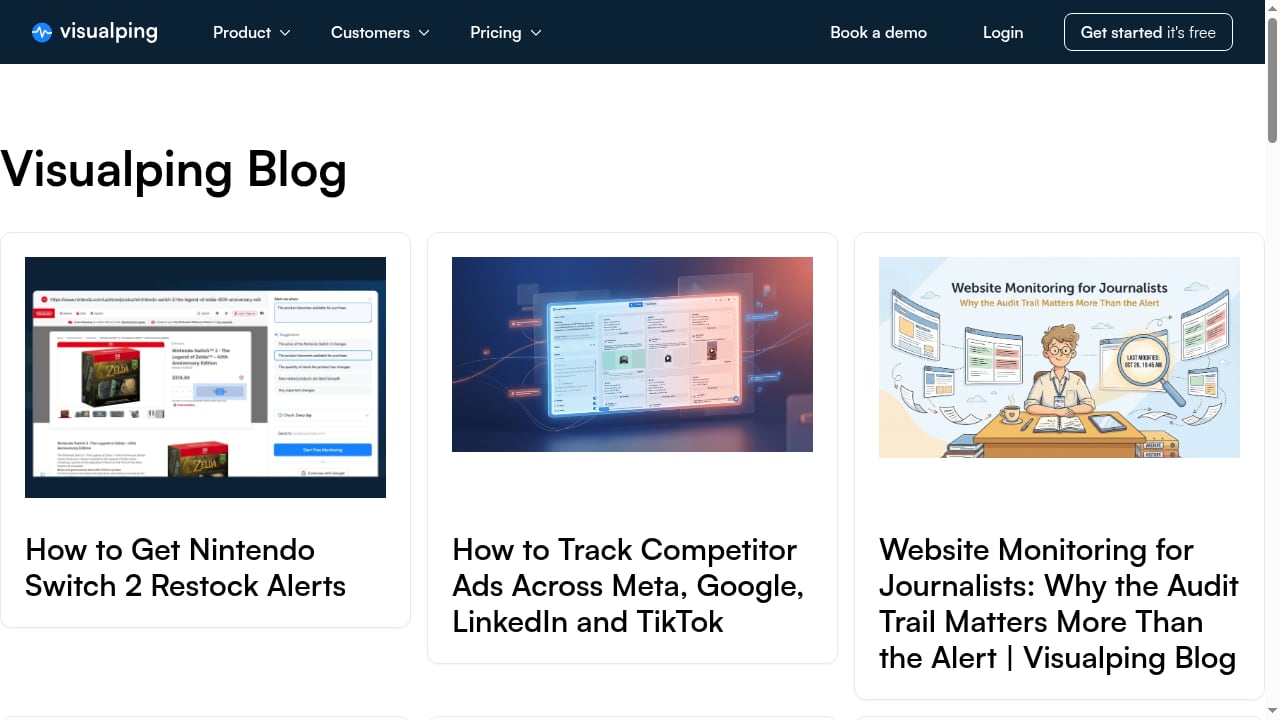
First viewport screenshot of Visualping.
1. Visualping
Best for: Overall ease of use, AI-powered alert conditions, and both personal and business monitoring.
Visualping is the most established name in website change detection, with more than 2 million users and a #1 ranking in the Website Change Monitoring category on G2. Its standout feature is conditional alerting: you describe in plain language what matters — "alert me if this price drops below $300" or "alert me when a Tuesday appointment opens up" — and it only notifies you when that condition is met. AI then summarizes the change in two to three lines so you do not have to compare before-and-after screenshots yourself.
Key features:
- Chrome extension for one-click monitoring
- AI-powered change analysis and conditional alerts
- Bulk import and management of thousands of pages
- Advanced search, filter, and sort across monitors
- False alert management with user feedback
- Custom labels and user invitation/management
- Notifications via email, SMS, Slack, Microsoft Teams, Google Sheets, and API
- Reports that compile changes side-by-side
- MCP endpoint so AI assistants like ChatGPT and Claude can create and manage monitors
Free tier: 5 pages, ~150 checks per month, hourly frequency. Paid personal plans start around $10–$14/month; business plans start around $100–$140/month depending on billing.
Limitations: SMS, Slack, and team features require paid plans. The interface is functional but not as modern as some newer entrants.
2. PageCrawl
Best for: Generous free tier with AI summaries and team notifications included.
PageCrawl has built a reputation for including features on its free plan that competitors paywall. Its AI layer scores every detected change on a 0–100 importance scale, and you set a threshold so only meaningful changes trigger alerts. It also supports document monitoring for public PDFs, Excel, Word, and PowerPoint files, plus Google Drive and SharePoint documents.
Key features:
- Full browser engine rendering for JavaScript-heavy sites
- Text, element, price, and visual monitoring modes
- AI change summaries and AI noise filtering with relevance scoring
- Email, Slack, Discord, Microsoft Teams, Telegram, and webhook notifications
- Google Sheets logging and text diff viewer
- Screenshot history and reader mode for article monitoring
- Sitemap monitoring for page discovery
- Built-in price tracking with automatic price detection
Free tier: 6 pages, 220 checks per month, 60-minute minimum frequency, 15 AI credits per month. Paid plans start at $8/month.
Limitations: The 220-check monthly budget runs out quickly if you use hourly frequency on all monitors. Email support is not available on the free plan.
3. Distill.io
Best for: Power users who want granular, element-level control and a large check budget.
Distill.io has a loyal following among researchers and developers who want precise control over what they monitor. Its visual selector lets you highlight exactly the element to watch and ignore everything else. The free tier's headline "25 monitors" is somewhat misleading: only 5 run in the cloud, while 20 are local and only run when your browser is open with the extension active.
Key features:
- Visual element selection through browser extension
- CSS selector-based element monitoring
- Cloud and local monitoring modes
- Email notifications; Slack, Discord, Teams, and webhooks on paid plans
- 1,000 checks per month on the free tier
Free tier: 5 cloud monitors, 20 local monitors, 1,000 checks per month, 6-hour minimum cloud frequency. Paid plans start at $15/month.
Limitations: Local monitors stop when you close your browser. AI summaries are locked behind the Enterprise/Flexi tier ($80+/month). No built-in price tracking or noise filtering beyond element selection.
4. changedetection.io
Best for: Developers and self-hosters who want unlimited monitoring without a subscription.
changedetection.io is open-source software you can self-host via Docker, giving you unlimited monitors and check frequencies as fast as every 5 minutes. It is the tool of choice for technical users who want full control over their data and infrastructure. A hosted cloud option is also available for those who prefer not to manage it themselves.
Key features:
- Self-hosted via Docker with unlimited monitors
- Check frequencies as fast as 5 minutes
- CSS selector and visual element selection
- JSON and text diff comparison
- Webhook and notification integrations
- REST API for programmatic monitor management
Free tier: Free forever if self-hosted. Cloud plans start at a low monthly rate.
Limitations: Requires Docker and some technical setup. No native AI summaries. Not ranked on G2, so fewer independent reviews to reference.
5. ChangeTower
Best for: Compliance and legal monitoring with timestamped change archives.
ChangeTower focuses on compliance-focused monitoring — terms of service, privacy policies, regulatory pages — and provides a timestamped archive of changes that is useful for legal documentation. AI change summaries are included on all plans, which is uncommon at its price point.
Key features:
- AI change summaries on all plans
- Timestamped archive of changes for legal documentation
- Email and Slack notifications
- Basic text comparison
- Compliance-oriented monitoring workflows
Free tier: 3 monitors, ~180 checks per month, daily frequency. Paid plans available.
Limitations: Only 3 monitors on the free tier is restrictive. No Discord or Teams notifications on any plan. No element-specific monitoring, price tracking, or API access.
6. UptimeRobot
Best for: Budget-friendly uptime monitoring with basic visual change detection.
UptimeRobot is primarily an uptime monitoring service, but it includes visual change detection on selected page areas. Its free tier is the most generous in the broader monitoring space, with 50 monitors. For teams that already use UptimeRobot for uptime checks, the change detection feature is a convenient add-on rather than a dedicated change monitoring tool.
Key features:
- 50 free monitors for uptime checks
- Visual change detection on selected page areas
- Email, SMS, Slack, and webhook alerts
- Status pages and incident management
Free tier: 50 monitors with basic change detection. Paid Solo starts at $12/month billed annually.
Limitations: Change detection is not the core product, so it lacks advanced features like AI summaries, conditional alerts, and element-level noise filtering. Check frequency for change detection is not published.
7. Wachete
Best for: Mobile app users who want monitoring on a budget.
Wachete offers website change monitoring with a focus on mobile accessibility. It supports monitoring of specific page elements and sends alerts when changes are detected. It is a simpler, lower-cost option for individuals who do not need advanced AI features.
Key features:
- Website and element monitoring
- Mobile apps for iOS and Android
- Email notifications
- Basic change detection and comparison
Free tier: 5 pages, daily frequency. Paid plans available.
Limitations: Free check frequency is daily, which is too slow for price drops or restock alerts. No AI summaries or advanced noise filtering. Not ranked on G2.
8. Hexowatch
Best for: Monitoring visual, text, HTML, and technology stack changes in one tool.
Hexowatch goes beyond simple text diffs by monitoring visual changes, HTML source changes, and even technology stack changes on a page. It also supports monitoring of specific elements and can track changes across multiple pages. It is a good fit for competitive intelligence and SEO teams that want to know when a competitor changes their tech stack or page structure.
Key features:
- Visual, text, HTML, and technology stack monitoring
- Element-level monitoring
- AI-powered change detection
- Email and Slack notifications
- API access on higher plans
Free tier: Limited free monitoring with daily checks. Paid plans start at a modest monthly rate.
Limitations: The free tier is limited. Some advanced features require higher-tier plans.
9. Versionista
Best for: Tracking changes on government, regulatory, and news websites.
Versionista is a specialized tool for monitoring changes on government and regulatory websites. It provides a clear before-and-after comparison of page changes and is used by journalists, researchers, and compliance teams. Its focus is on accuracy and archiving rather than broad monitoring features.
Key features:
- Before-and-after page comparison
- Change archiving and history
- Email alerts
- Focus on government and regulatory sites
Free tier: Limited free monitoring. Paid plans available.
Limitations: Narrow focus compared to general-purpose change detection tools. Not ideal for e-commerce or price monitoring.
10. Follow That Page
Best for: Simple, no-frills email alerts for page changes.
Follow That Page is one of the older and simpler tools in the category. You enter a URL, and it emails you when the page changes. It does not offer AI summaries, element-level monitoring, or advanced integrations, but it is straightforward and affordable for basic monitoring needs.
Key features:
- Email alerts on page changes
- Simple URL-based monitoring
- Daily or weekly check frequency
Free tier: Limited free monitoring. Paid plans are inexpensive.
Limitations: No AI, no element-level monitoring, no Slack or webhook integrations. Check frequency is slow.
Comparison Table

Top 10 Website Change Detection & Monitoring Software 2026 - Comparison Table.
| Tool | Best For | Free Tier | Check Frequency | Starting Price |
|---|---|---|---|---|
| Visualping | Overall ease of use, AI alerts | 5 pages, 150 checks/mo | Hourly | ~$10/mo |
| PageCrawl | Generous free tier, AI summaries | 6 pages, 220 checks/mo | Hourly | $8/mo |
| Distill.io | Power users, element control | 25 monitors (5 cloud) | 6 hours (cloud) | $15/mo |
| changedetection.io | Self-hosters, unlimited | Free if self-hosted | 5 minutes | Free (self-hosted) |
| ChangeTower | Compliance, legal archiving | 3 monitors | Daily | Paid plans |
| UptimeRobot | Budget uptime + change | 50 monitors | Not published | $12/mo |
| Wachete | Mobile users, budget | 5 pages | Daily | Paid plans |
| Hexowatch | Visual, HTML, tech stack | Limited | Daily | Modest monthly |
| Versionista | Government, regulatory | Limited | Varies | Paid plans |
| Follow That Page | Simple email alerts | Limited | Daily/weekly | Inexpensive |
How to Choose the Right Tool
The best tool depends on your primary use case:
- For personal monitoring (price drops, restocks, tickets): Visualping and PageCrawl offer the best combination of speed, AI summaries, and free tier usefulness. Both support hourly checks on free plans, which is essential for time-sensitive alerts.
- For competitive intelligence and SEO: Hexowatch and Visualping are strong choices. Hexowatch tracks technology stack changes; Visualping offers conditional alerts and team workflows.
- For compliance and legal monitoring: ChangeTower and Versionista are purpose-built for timestamped, archivable change records.
- For developers and self-hosters: changedetection.io is the clear winner if you want unlimited monitors and full control. Distill.io is a good middle ground if you want element-level control without managing infrastructure.
- For budget-conscious teams: UptimeRobot and Wachete offer low-cost entry points, but with slower check frequencies and fewer advanced features.
If your workflow requires capturing full page renders, extracting HTML or Markdown, or validating page states at scale, a browser automation API like AdsCrawl can complement a change detection tool. For example, you might use Visualping for alerts and AdsCrawl to capture screenshots or extract structured data when a change is detected. You can see how that works in our guide on how to use AdsCrawl with Price API for e-commerce data.
Related reading
- AdsCrawl vs Browse AI vs Puppeteer: Which to Choose in 2026 - Compare AdsCrawl, Browse AI, and Puppeteer across browser control, extraction, scaling, and pricing to pick the right tool for your 2026 workflow.
- AdsCrawl vs ScreenshotEngine: Browser API Comparison 2026 - Compare AdsCrawl and ScreenshotEngine for screenshots, HTML extraction, and browser automation. See which API fits your workflow in 2026.
- ScreenshotAPI Review 2026: Pricing, Limits & Real Use Cases - Hands-on ScreenshotAPI review: real pricing, rate limits, rendering quality, SDKs, and the workflows where it beats Puppeteer or Playwright.
Sources and further reading
- Best Free Website Change Monitoring Tools in 2026 - The best free website change monitoring tools in 2026 compared: PageCrawl, Visualping, Distill.io, and more, with real limits and honest reviews.
- The 7 Best Free Website Change Detection Tools in 2026 - The 7 best free website change detection tools, with every free tier verified in July 2026. Compare Visualping, PageCrawl, Distill, changedetection.io and more.
- Top 5 Website Monitoring Tools in 2026 (15 Analyzed, Hands-On Testing) - I tested 15 website monitoring tools on speed, accuracy, alerting, and pricing. These are the top 5 for SaaS teams in 2026.
FAQ
What is website change detection software?
Website change detection software automatically checks web pages for changes and alerts you when something changes. It is used for price monitoring, restock alerts, competitor tracking, compliance monitoring, and more.
Which website change detection tool has the best free tier in 2026?
PageCrawl offers the most generous free tier for non-technical users, with 6 pages, 220 checks per month, and AI summaries. Distill.io offers the largest check budget (1,000 checks/month) but only 5 cloud monitors. changedetection.io is free forever if you self-host.
Can I monitor a page for a specific price drop?
Yes. Visualping and PageCrawl both support conditional alerts or price tracking modes. You can set a condition like "alert me if the price drops below $300" and only receive notifications when that condition is met.
How often should I check a page for changes?
For price drops and restocks, hourly or faster is recommended. For regulatory updates or news, daily checks are usually sufficient. Faster check frequencies consume more of your monthly check budget on free tiers.
Do these tools work on JavaScript-heavy websites?
Most modern tools use a real browser engine (Chromium) to render pages, so they work on JavaScript-heavy sites and single-page applications. PageCrawl, Visualping, and Distill.io all support browser rendering.
What is the difference between uptime monitoring and change detection?
Uptime monitoring checks whether a site is online and responding. Change detection monitors whether the content of a page has changed. Some tools, like UptimeRobot, offer both, but dedicated change detection tools provide more advanced features like AI summaries and element-level monitoring.
Conclusion
The website change detection and monitoring market in 2026 offers strong options for every use case. Visualping leads for overall ease of use and AI-powered conditional alerts. PageCrawl offers the most generous free tier. Distill.io and changedetection.io serve power users and developers. ChangeTower and Versionista cover compliance and regulatory monitoring.
The right choice depends on your check frequency needs, budget, and whether you need AI summaries or team features. Start with a free tier, test it on your actual monitoring scenarios, and upgrade only when you hit the limits. For workflows that require capturing full page renders or extracting structured data alongside monitoring, consider pairing a change detection tool with a browser automation API like AdsCrawl — our scraping API guide explains how to build reliable extraction pipelines for that purpose.