
AdsCrawl vs Thunderbit vs Screenshotlayer: 2026 Comparison
Compare AdsCrawl, Thunderbit, and Screenshotlayer across browser control, data extraction, screenshots, pricing, and scale to pick the right tool.
AdsCrawl vs Thunderbit vs Screenshotlayer: Which Fits Your Workflow?
Three tools, three very different jobs. AdsCrawl gives you real browser sessions you control through CDP. Thunderbit turns pages into spreadsheets with AI agents and no code. Screenshotlayer captures images of URLs through a lightweight REST call. Choosing between them is less about which is "best" and more about whether you need control, structured data, or pixels.
This comparison looks at each tool on the criteria that actually decide real projects: browser control, extraction output, screenshot quality, pricing model, and scale behavior. Where one tool has a clear advantage, that gets called out plainly.
Quick comparison at a glance
| Criterion | AdsCrawl | Thunderbit | Screenshotlayer |
|---|---|---|---|
| Core output | Screenshots, HTML, Markdown, live CDP sessions | Structured data, spreadsheets, JSON | Screenshots (PNG/JPEG) |
| Browser control | Full remote Chrome DevTools Protocol | Managed, no browser access | Managed, limited parameters |
| Best for | Developers, AI agents, monitoring, SEO pipelines | Sales/ops teams, non-technical users, LLM apps | Simple URL-to-image capture |
| Setup | cURL, Node.js, Python examples | One-click extension, API, CLI, MCP server | REST endpoint |
| Pricing model | Credit-based with freemium tier | Free, $15 Starter, $38 Pro, custom Business | Free personal tier, paid plans from ~$19.99/mo |
Browser control: where AdsCrawl pulls ahead
AdsCrawl's defining feature is that it exposes remote Chrome DevTools Protocol sessions. That means you can navigate, evaluate JavaScript, intercept network requests, and inspect the DOM inside a real browser — not a managed abstraction. For teams building AI agents, SEO crawlers, or monitoring pipelines that need to react to page state, this level of control is the difference between a script that works and one that breaks on every layout change.
Screenshotlayer is a managed screenshot service. You send a URL, you get an image. That simplicity is a genuine strength for previews, archiving, and visual regression checks, but it does not extend to interactive browser work. Thunderbit sits in a different lane entirely: it deliberately hides the browser so non-technical users can describe what they want in natural language and get a table back. That is a smart design choice for its audience, but it is not a substitute for CDP access.
If your workflow needs to click, wait for selectors, or script against a live session, AdsCrawl is the only one of the three built for that. For a deeper look at how it stacks up against other browser APIs, see AdsCrawl vs Browser Use Cloud: Which Browser API Wins?.
Data extraction: Thunderbit's clear strength
Thunderbit deserves credit here. It is purpose-built to convert web pages, PDFs, images, and documents into structured rows, and it does so without requiring CSS selectors or drag-and-drop configuration. For sales teams building lead lists, ops teams tracking competitor pricing, or anyone who wants results in Excel, Google Sheets, Airtable, or Notion, that is a real time saver. The reported user base of over 200,000 reflects how well that positioning lands.
Its developer-facing API adds Markdown distillation, JSON extraction, and async batch jobs, plus a CLI and MCP server for AI coding agents. If your goal is "get the data, skip the browser," Thunderbit is a strong pick and often a faster path than writing extraction logic yourself.
AdsCrawl returns HTML and Markdown too, but its value is in the browser layer underneath — the session, the fingerprint profile, the ability to validate rendering state before extraction. That matters when pages are login-gated, JS-heavy, or change structure often. For a direct head-to-head on this axis, AdsCrawl vs Thunderbit: Browser API vs No-Code Scraper breaks down the trade-offs.
Screenshots: Screenshotlayer's focused role
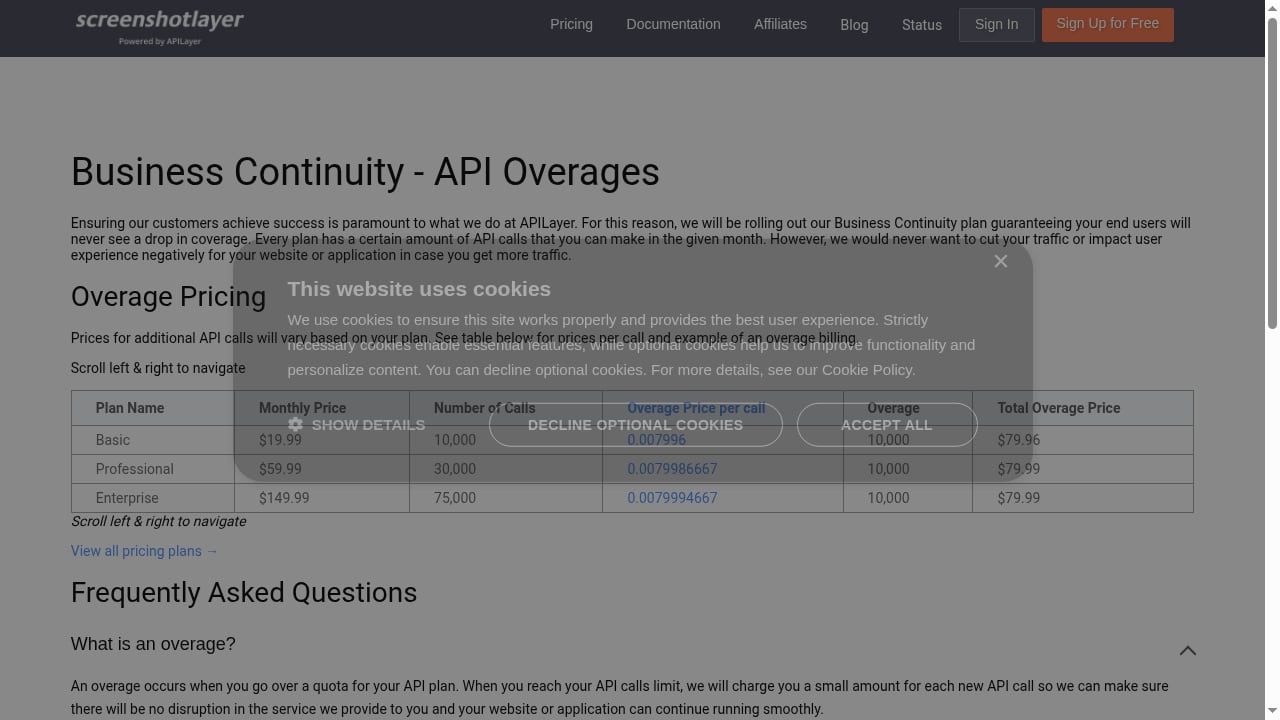
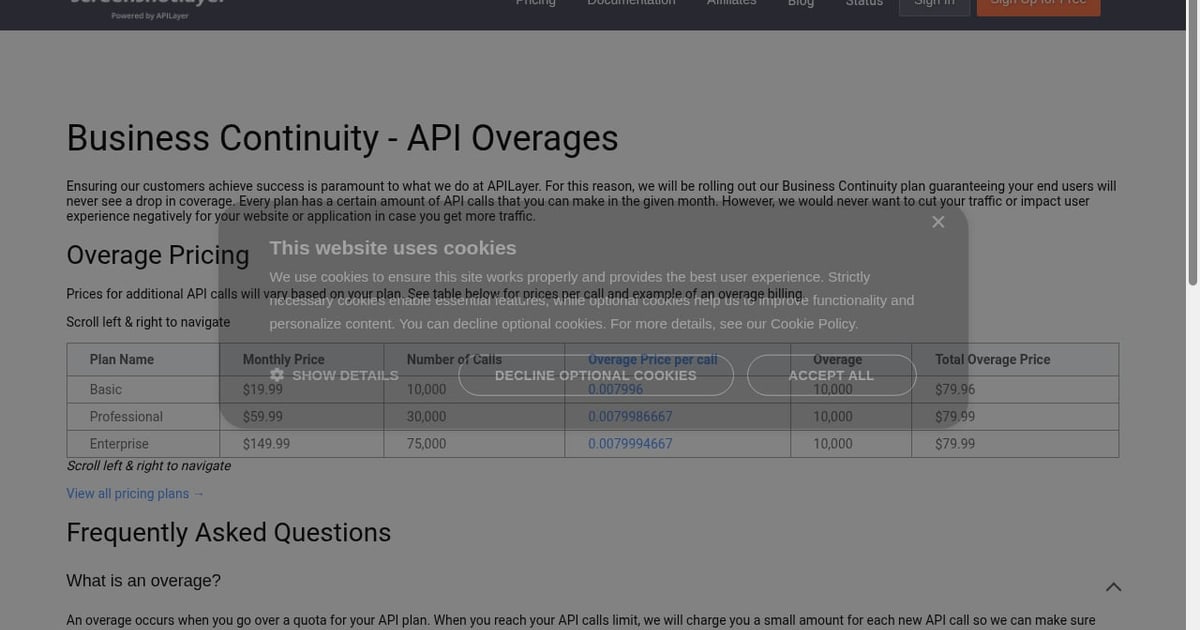
First viewport screenshot of screenshotlayer.com.
Screenshotlayer does one thing and does it cheaply. It captures crisp snapshots of any URL, supports customizable viewport sizes, device emulation, and full-page capture, and integrates as a lightweight REST call. It is part of the APILayer suite, which gives it business continuity backing, and its free tier for personal use makes it easy to prototype. At roughly $19.99/month for higher volumes, it is one of the more affordable entry points for basic PNG work.
Independent comparisons have flagged that Screenshotlayer's rendering can struggle with JavaScript-heavy single-page applications and does not handle cookie banners or anti-bot challenges out of the box. That is worth knowing before you commit: for static pages, previews, and archiving, it is perfectly adequate. For dynamic sites, you will likely need a browser-backed approach.
AdsCrawl captures screenshots as part of a broader browser session, which means it can wait for hydration, dismiss overlays, and confirm the page actually rendered before capturing. That is a meaningful difference for monitoring and visual validation workflows. If screenshot reliability on modern sites is your concern, the Top 10 Proxy & Web Scraping Platforms 2026: Ranked roundup covers how rendering quality varies across providers.
Pricing and scale: how the models differ
Each tool prices against a different unit of work, which makes direct cost comparison misleading.
- AdsCrawl uses credit-based usage with a freemium entry point. Credits map to browser sessions and extraction calls, so cost scales with the complexity of the work rather than the number of images returned. Dashboards for key management and usage tracking make it easy to forecast spend.
- Thunderbit offers a free plan, Starter at $15/month, Pro at $38/month, and custom Business plans. Scraping uses credits; the API uses separate API units. For non-technical teams, that pricing is transparent and predictable.
- Screenshotlayer charges per screenshot volume, with monthly and yearly billing and overage handling to avoid traffic cuts. At high volumes of simple captures, it is often the cheapest option.
The practical rule: if you are paying per image, Screenshotlayer wins on price. If you are paying per structured result, Thunderbit's model is straightforward. If you are paying per browser session with full control, AdsCrawl's credit model reflects the heavier infrastructure involved.
Concurrency, fingerprints, and reliability at scale
Running many browser sessions in parallel is where managed screenshot APIs and no-code scrapers tend to hit walls. AdsCrawl was built for concurrent browser execution with fingerprint profiles, which matters when you are collecting public pages at scale and need sessions to look consistent and avoid triggering anti-bot defenses.
Thunderbit handles bulk scraping, pagination, and subpage crawling well within its managed model — it is designed to absorb that complexity for you. Screenshotlayer's strength is speed and simplicity at volume, not session realism.
If your project involves dynamic, login-gated, or heavily protected pages, the browser-session approach is the more durable foundation. The How to Use AdsCrawl with Visualping: Setup & Workflow guide shows how that plays out in a real monitoring pipeline.
Decision guide: which tool for which job
Choose AdsCrawl if:
- You need remote Chrome DevTools Protocol control for AI agents, SEO crawlers, or automation workflows
- You are validating page rendering states before extraction
- You want to wrap repeatable web actions into reliable APIs
- You need concurrent browser sessions with fingerprint profiles
Choose Thunderbit if:
- You want structured data without writing code
- Your team lives in spreadsheets and needs one-click exports
- You are extracting from PDFs, images, and documents as well as web pages
- You want an MCP server or CLI for AI coding agents
Choose Screenshotlayer if:
- You only need URL-to-image capture
- You are working with mostly static pages
- You want the lowest cost per screenshot at volume
- You need a simple REST integration with device emulation and full-page capture
Related reading
- Price2Spy Review 2026: Features, Pricing & Tradeoffs - Evidence-based Price2Spy review covering features, module pricing, setup, strengths, limitations, and who it fits in 2026.
- Axiom.ai vs Browser APIs: Which Automation Fits? - Axiom.ai versus browser API platforms: compare visual bots, runtime-hour billing, and developer-grade Chrome control for scraping and AI agents.
Sources and further reading
- 9 Screenshot and Rendering Tools: Choose by Output and Operating Model | Thunderbit - Compare 9 current screenshot and rendering tools by managed API, self-hosted browser automation, output needs, and operating model—plus a complementary structured-data option.
- Best Screenshot API 2026: Honest Comparison of Top Services - Honest comparison of 8 screenshot APIs tested for speed, price, and quality. See pricing tables, feature breakdowns, and which API fits your use case.
- Best Screenshot APIs in 2026: Honest Comparison - Nine screenshot APIs compared honestly: pricing verified August 2026, benchmark success rates, feature gating, free tiers, and which API fits which use case.
FAQ
Is AdsCrawl a replacement for Screenshotlayer?
For basic URL-to-image capture, Screenshotlayer is simpler and often cheaper. AdsCrawl becomes the better choice when you need the browser session behind the screenshot — waiting for dynamic content, dismissing overlays, or scripting interactions before capture.
Can Thunderbit replace a browser automation API?
Not for interactive workflows. Thunderbit is optimized for extracting structured data, not for controlling a live browser session. If your task requires clicking, form filling, or CDP-level inspection, you need a browser API like AdsCrawl.
Which tool is best for AI agents?
AdsCrawl is designed as browser infrastructure for AI agents, exposing CDP sessions that agents can drive directly. Thunderbit offers an MCP server and CLI for AI coding agents that need structured data rather than browser control. The right pick depends on whether your agent needs to act or just to read.
How do the pricing models compare at scale?
Screenshotlayer scales per screenshot and is cheapest for high-volume simple captures. Thunderbit scales per credit for scraping and per API unit for its API. AdsCrawl scales per credit tied to browser session work, which reflects the heavier compute involved in running real Chrome instances.
Does Screenshotlayer handle JavaScript-heavy sites?
Independent testing has found its rendering can struggle with SPAs and does not natively handle cookie banners or anti-bot challenges. For dynamic pages, a browser-backed service is usually more reliable.
Conclusion
These three tools are not really competing for the same slot. Screenshotlayer is a focused, affordable screenshot API for straightforward capture. Thunderbit is an excellent no-code and API option for turning pages into structured data, especially for non-technical teams. AdsCrawl is browser infrastructure — real Chrome sessions, CDP control, concurrency, and fingerprint profiles — built for developers and AI agents that need to interact with the web rather than just photograph it.
Pick based on the output you need: pixels, rows, or control. If it is control, start with AdsCrawl's freemium tier and test it against your hardest pages first.