
BrowserCloud Review 2026: Cloud Browser Automation at Scale
Hands-on BrowserCloud review: stealth browsing, CAPTCHA solving, 100M+ residential IPs, pricing, setup, and who should use it in 2026.
BrowserCloud Review 2026: Cloud Browser Automation at Scale
BrowserCloud is a cloud browser automation platform that runs headless Chrome sessions for AI agents, web scraping, and testing. It combines stealth fingerprinting, automatic CAPTCHA solving, a 100M+ residential proxy pool, and high-concurrency containers behind a single API. This review breaks down what it does well, where it falls short, and whether it fits your workflow.
If you already run Puppeteer or Playwright locally, the pitch is simple: stop managing browser fleets and let someone else handle the infrastructure. The question is whether BrowserCloud's execution matches that promise.
What BrowserCloud Actually Does
BrowserCloud Review 2026: Cloud Browser Automation at Scale - Who BrowserCloud Is Built For.
At its core, BrowserCloud provides isolated headless browser containers that you control through standard automation frameworks. You connect via Puppeteer, Playwright, Selenium, or AI integration platforms like Browser Use, n8n, Zapier, and Make. The platform handles browser lifecycle, proxy rotation, fingerprint generation, and session cleanup.
Key capabilities as documented by the vendor:
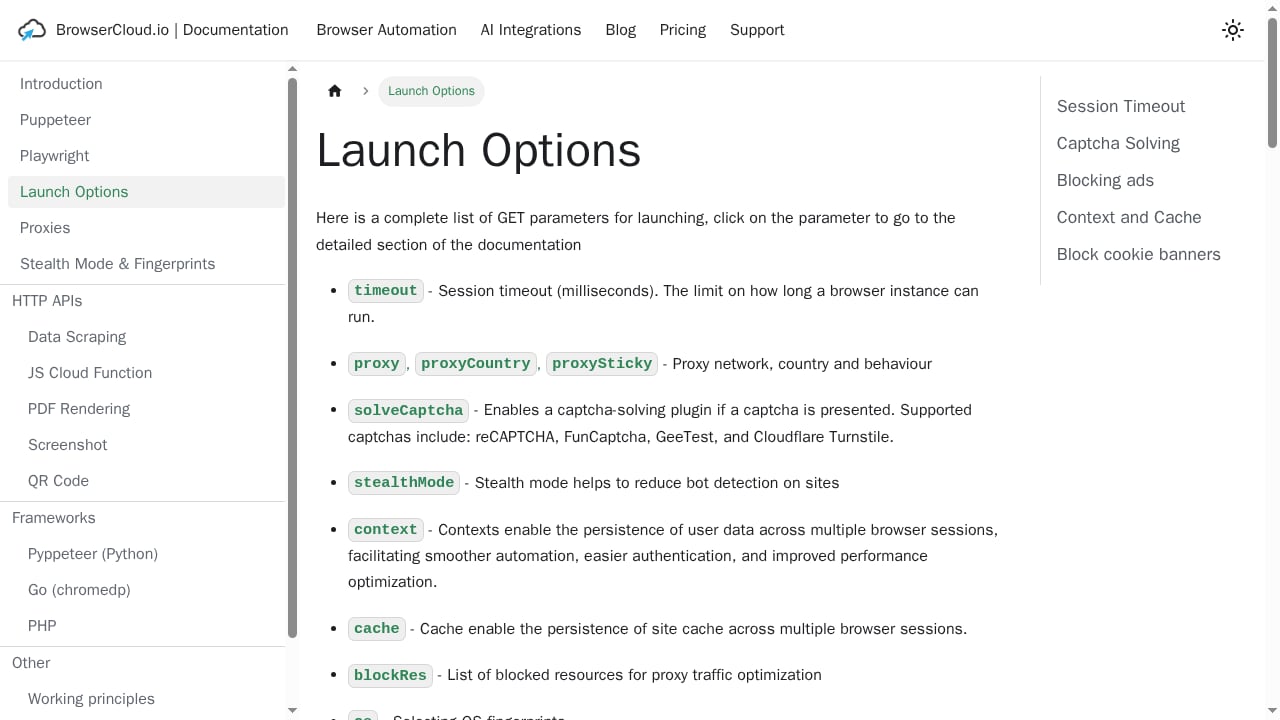
- Stealth browsing with intelligent fingerprint generation to reduce bot detection
- Automatic CAPTCHA solving for reCAPTCHA, FunCaptcha, GeeTest, and Cloudflare Turnstile
- Residential proxy pool of over 100 million IPs across 195 countries
- Massively concurrent sessions exceeding 1,000 simultaneous browsers
- Fast spin-up under 300ms per session
- Live session monitoring for debugging and observability
The combination of stealth, proxies, and CAPTCHA handling in one managed service is the main differentiator. Most competitors offer one or two of these features, not all three.
Who BrowserCloud Is Built For
First viewport screenshot of Launch Options | BrowserCloud.
BrowserCloud is not a general-purpose scraping tool for non-technical users. It assumes you can write code or configure an automation platform.
Developers building AI agents. If your agent needs to browse the live web, handle logins, and avoid blocks, BrowserCloud provides the browser layer without you building stealth and proxy logic from scratch. This is similar in spirit to what other browser API providers offer, though the feature mix differs.
Web scraping teams. When you need to pull rendered DOM from JavaScript-heavy SPAs, BrowserCloud returns the executed page rather than an empty HTTP response. The residential proxy pool helps with geo-restricted content.
QA and testing engineers. Running parallel browser tests across many environments is a core use case. The credit-based pricing makes it easy to scale test runs up and down.
Growth and SEO teams. Monitoring competitor pricing, SERP changes, or content updates across thousands of pages is feasible with high concurrency. For a related workflow, see how website change alerts can be built on top of browser automation.
Setup and Integration
BrowserCloud Review 2026: Cloud Browser Automation at Scale - Setup and Integration.
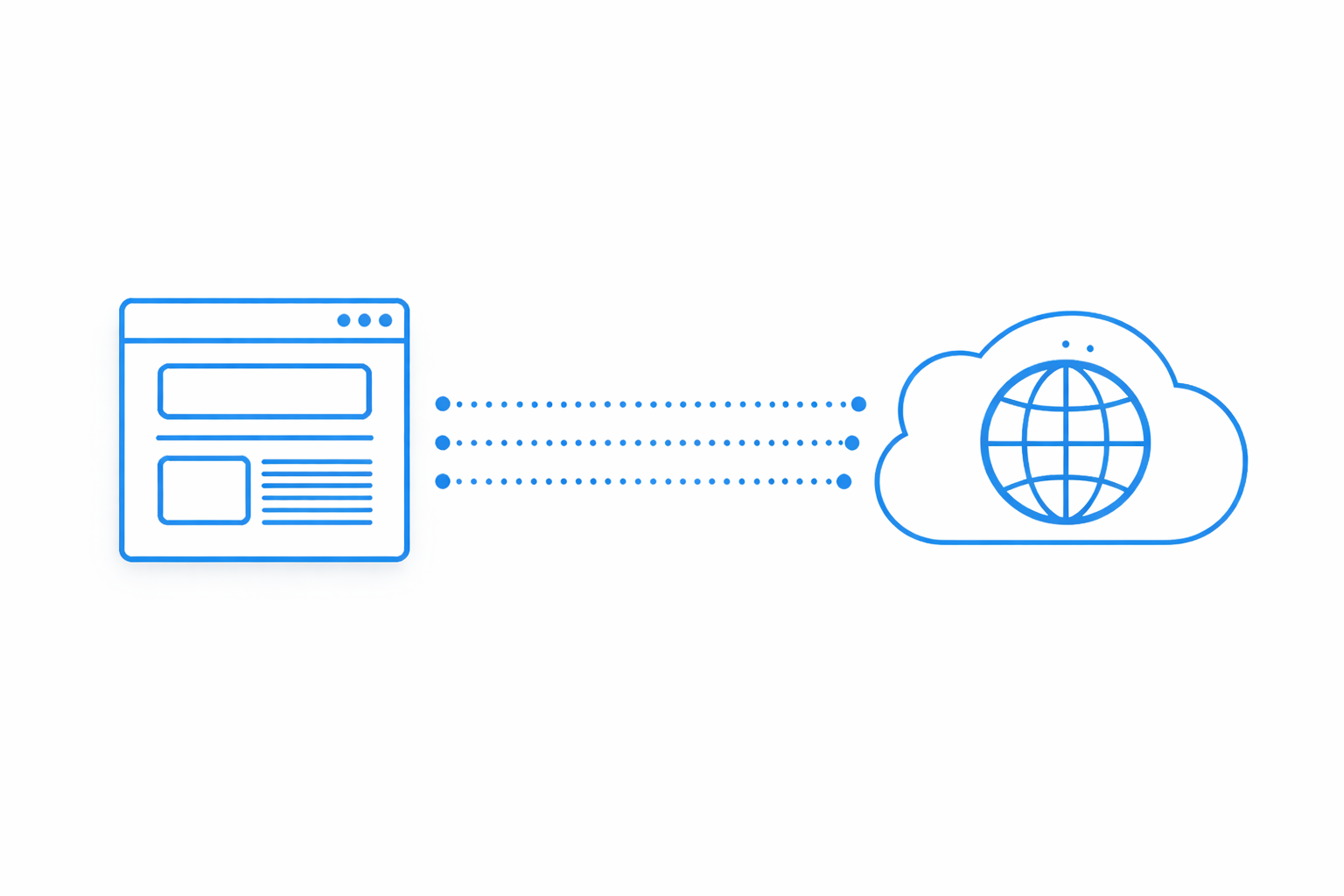
BrowserCloud integrates with the frameworks you already use. The setup pattern is consistent across Puppeteer, Playwright, and Selenium: you point your existing code at a remote WebSocket endpoint instead of launching a local browser.
A typical Playwright connection looks like this:
const { chromium } = require('playwright');

const browser = await chromium.connectOverCDP(
  'wss://your-browsercloud-endpoint'
);
const page = await browser.newPage();
await page.goto('https://example.com');
The exact endpoint format and authentication details come from your BrowserCloud dashboard. The key point is that you do not rewrite your automation logic. You change the connection target.
For teams using no-code or low-code platforms, BrowserCloud plugs into n8n, Zapier, and Make. This opens browser automation to operations teams who are not writing Puppeteer scripts.
One practical consideration: if your workflow depends on extracting structured data from search results at scale, pairing BrowserCloud with a dedicated SERP API may be more efficient than scraping search pages directly. Tools like the ones compared in this SERP scraping API roundup can complement a browser automation setup.
Strengths: What Works Well
BrowserCloud Review 2026: Cloud Browser Automation at Scale - Strengths: What Works Well.
Stealth and anti-bot handling. The fingerprint generation and CAPTCHA solving reduce the friction that kills most scraping projects. You still need to design your scraping logic responsibly, but the platform handles the detection arms race better than a vanilla headless browser.
Concurrency without capacity planning. Spinning up over 1,000 isolated containers without managing servers is the core value proposition. For teams that have outgrown a single machine but do not want to build a Kubernetes-based browser farm, this is the sweet spot.
Fast session startup. Sub-300ms spin-up matters when you are running thousands of short-lived sessions. Slow cold starts add up quickly at scale.
Unified proxy and browser layer. Not having to separately configure a proxy provider, rotate IPs, and handle geo-targeting simplifies the stack. The 195-country coverage is broad enough for most localization and geo-testing needs.
Framework compatibility. Supporting Puppeteer, Playwright, and Selenium means you are not locked into a proprietary API. Your existing test suites and scraping scripts work with minimal changes.
Limitations and Trade-offs
Credit-based pricing requires monitoring. Credits are consumed per session or per action depending on your plan. High-volume scraping can burn through credits faster than expected if you are not tracking usage. Budget for a learning period before committing to a large plan.
Stealth is best-effort, not guaranteed. No cloud browser service can promise 100% bypass rates against every anti-bot system. Sophisticated targets with advanced behavioral analysis may still block sessions. Test against your specific targets before scaling.
You still need automation expertise. BrowserCloud provides infrastructure, not scraping logic. You write the navigation, extraction, and error handling. If you want a point-and-click tool, this is not it. A no-code option like WebHarvy may be a better fit for simple extraction tasks.
Debugging distributed sessions takes adjustment. Live session monitoring helps, but debugging a browser running in a remote container is different from debugging locally. Expect a learning curve for your team.
Pricing signals vary by use case. The free tier offers 1,000 credits per month, which is enough for evaluation but not production. Paid plans start at $19/month for hobbyists and $99/month for startups. Dedicated clusters are available for high-concurrency needs, but pricing is custom. Compare this against competitors with fixed monthly plans to see which model fits your usage pattern.
BrowserCloud vs Alternatives: Decision Criteria
| Factor | BrowserCloud | Self-managed Selenium Grid | Serverless functions |
|---|---|---|---|
| Stealth | Built-in fingerprinting | Manual setup | Limited |
| CAPTCHA solving | Automatic | Not included | Not included |
| Proxy pool | 100M+ residential IPs | Separate provider needed | Separate provider needed |
| Concurrency | 1,000+ sessions | Hardware-dependent | Cold start limits |
| Setup effort | Low (change endpoint) | High | Medium |
| Pricing model | Credit-based | Infrastructure cost | Pay-per-invocation |
Choose BrowserCloud if: you need stealth, proxies, and CAPTCHA handling in one managed service, and you are comfortable writing automation code.
Choose a self-managed grid if: you have existing infrastructure, strict data residency requirements, and a team to maintain it.
Choose serverless functions if: your browser tasks are occasional and latency is not critical.
For a broader comparison of browser automation tools, including how they handle extraction and monitoring, see this AdsCrawl vs Kernel comparison.
Pricing Signals and Cost Planning
BrowserCloud's pricing follows a credit model:
- Free tier: 1,000 credits/month for evaluation
- Hobbyist: from $19/month
- Startup: from $99/month
- Dedicated clusters: custom pricing for high concurrency
The free tier is genuinely useful for testing whether the platform works with your target sites. Before upgrading, run a representative workload and measure credit consumption per session. This gives you a realistic monthly estimate rather than guessing from plan tiers.
If your workload involves heavy proxy usage, factor in whether proxies are included in your plan or billed separately. The 100M+ residential pool is a core feature, so confirm how it maps to your credit consumption.
Related reading
- Google Maps API: A Practical Developer's Guide for 2026 - Learn how the Google Maps API works: JavaScript API vs web services, API keys, pricing, code examples, and how to test rendered map pages reliably.
- How to Use AdsCrawl with Oxylabs Proxies (2026 Guide) - Connect AdsCrawl browser automation with Oxylabs proxies: setup steps, code examples, rotation strategy, and fixes for geo-blocks and CAPTCHAs.
- AdsCrawl vs Parallel vs Octoparse: Which Fits in 2026? - Compare AdsCrawl, Parallel, and Octoparse across browser control, extraction, monitoring, and pricing to pick the right tool for your 2026 workflow.
Sources and further reading
- Browser Cloud - Browser Infra for AI Agents | TestMu AI - Browser Cloud is scalable browser infrastructure for AI agents: real Chrome at scale, stealth, session persistence, geo proxies, and full observability.
- Best free proxies for Web Scraping | BrowserCloud - Best free proxies you can use for web scraping to avoid getting blocked
- Best Browserless.io Alternatives - Explore the top alternatives to Browserless.io in 2024, comparing features, pricing, and performance for web automation solutions.
FAQ
Is BrowserCloud good for web scraping?
Yes, particularly for JavaScript-heavy sites that require rendered DOM, geo-targeted requests, and stealth handling. It is less suitable for simple static pages where a basic HTTP client would suffice.
Does BrowserCloud solve CAPTCHAs automatically?
According to the vendor, it handles reCAPTCHA, FunCaptcha, GeeTest, and Cloudflare Turnstile automatically. Effectiveness depends on the specific implementation and should be tested against your targets.
Can I use BrowserCloud with Playwright and Puppeteer?
Yes. BrowserCloud supports both, along with Selenium. You connect your existing scripts to a remote endpoint rather than launching a local browser.
Is there a free plan?
Yes, the free tier includes 1,000 credits per month, which is enough for evaluation and small projects.
How many concurrent browsers can I run?
BrowserCloud supports over 1,000 simultaneous browser sessions with isolated containers. Dedicated clusters are available for higher concurrency requirements.
Does BrowserCloud work with AI agent platforms?
Yes. It integrates with Browser Use, n8n, Zapier, and Make, allowing AI agents to control browser sessions without custom infrastructure.
Conclusion
BrowserCloud solves a real problem: running stealthy, scalable browser automation without building and maintaining the infrastructure yourself. The combination of fingerprint generation, automatic CAPTCHA solving, a large residential proxy pool, and high concurrency is compelling for teams that have hit the limits of local automation.
The trade-offs are real. Credit-based pricing requires active monitoring, stealth is never guaranteed, and you still need automation expertise to get value. But for developers building AI agents, scraping teams handling anti-bot defenses, and QA engineers running parallel tests, BrowserCloud is a strong candidate.
Start with the free tier. Test against your actual targets. Measure credit consumption. Then decide whether the managed infrastructure saves more than it costs.