
Screenshotlayer Review: Features, Pricing, and Fit for Developers
An evidence-based Screenshotlayer review covering ideal users, use cases, strengths, limitations, pricing signals, setup, and decision criteria for developers.
Screenshotlayer Review: A Practical Screenshot API for Developers
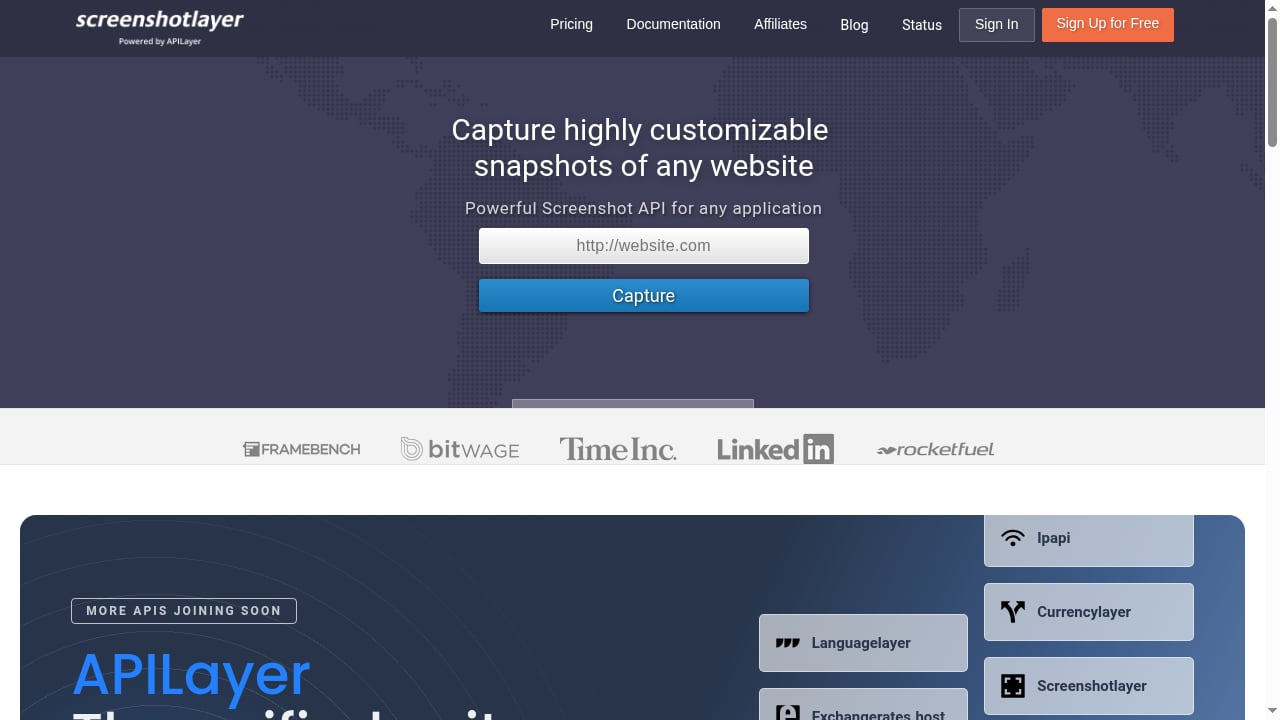
Screenshotlayer is a REST-based screenshot API from APILayer that turns any URL into a PNG, JPEG, or GIF image. It is aimed at developers who need programmatic website captures without maintaining their own headless browser infrastructure. This review examines what Screenshotlayer actually offers, where it fits well, and where teams should look elsewhere.
What Screenshotlayer Does
First viewport screenshot of screenshotlayer.com.
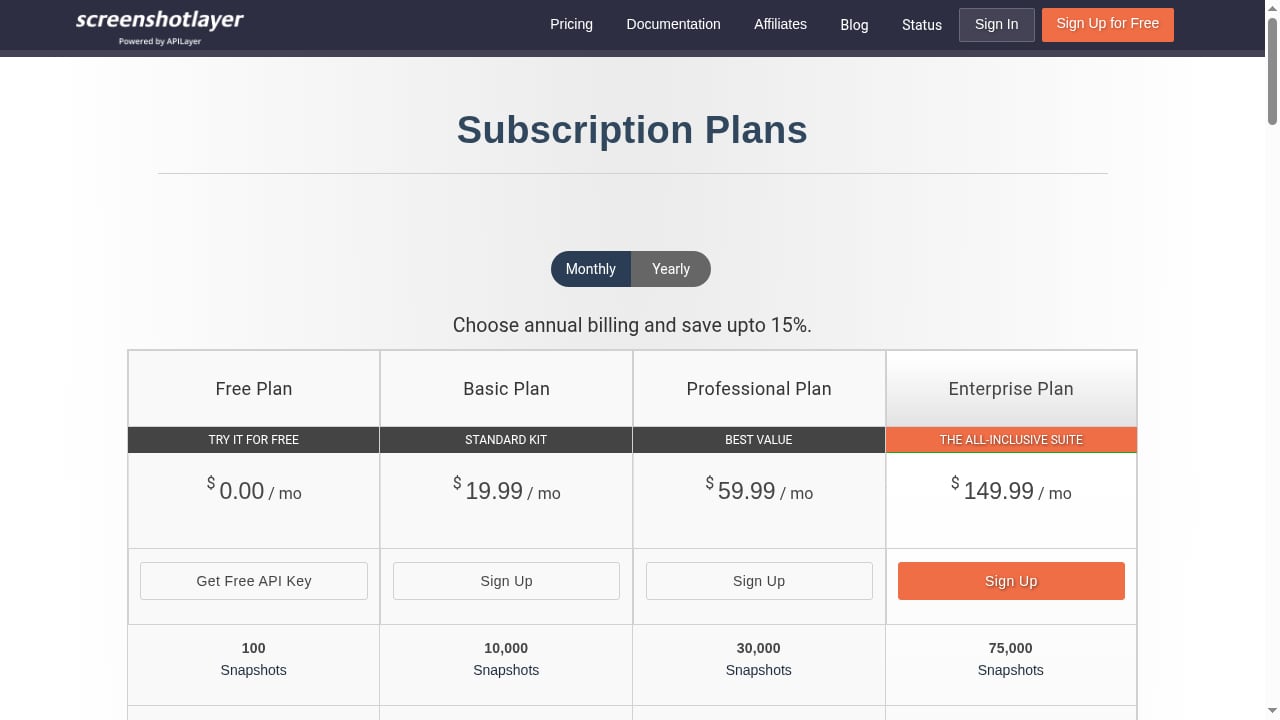
At its core, Screenshotlayer accepts a URL and returns an image URL. The service handles rendering, storage, and delivery. According to third-party overviews, it provides a conventional REST interface with a permanent free tier and paid plans based on monthly snapshot volume. Paid tiers add HTTPS, retina rendering, higher WebP quality, dedicated workers, and FTP or S3 export.
The API supports viewport control, full-page capture, delayed capture, CSS injection, and custom thumbnail dimensions. It also offers a queueless screenshot automation engine, which the product context describes as designed for reliability and speed. Because it is part of the APILayer suite, one account and one API key work across multiple APIs.
Who Screenshotlayer Is For
First viewport screenshot of screenshotlayer.com.
Screenshotlayer suits developers who want a straightforward URL-to-image endpoint without building browser automation from scratch. It is a reasonable fit for:
- Backend and serverless developers who need to generate preview images, thumbnails, or social cards on demand.
- QA and monitoring teams that capture staging builds or production pages at intervals to spot visual regressions.
- Marketing and content teams that need automated landing page previews or archived snapshots.
- Small businesses and freelancers that want a budget-friendly API with a free tier for personal use.
It is less suitable for teams that need fine-grained browser control, complex authentication flows, or element-level interaction before capture.
Key Strengths
Simple REST Integration
Screenshotlayer's URL-based request model fits naturally into serverless functions, cron jobs, and scripts. You do not need to manage browser binaries, memory limits, or page load timeouts yourself. This simplicity is its main selling point.
Customization Options
The API exposes viewport dimensions, capture delay, CSS injection, and full-page capture. These controls help handle common issues like cookie banners, late-loading JavaScript, and responsive layouts. Delayed capture is particularly useful for pages that render content after initial load.
Export and Storage Flexibility
Higher-tier plans support export to AWS S3 or FTP, which can reduce the need for custom storage logic in your pipeline. This is useful for archiving workflows or teams that want screenshots delivered directly to their own infrastructure.
APILayer Ecosystem
Because Screenshotlayer is part of APILayer, one account and API key cover multiple APIs. Teams already using other APILayer services may find consolidated billing and dashboard management convenient.
Limitations to Consider
First viewport screenshot of screenshotlayer.com.
Limited Browser Control
Screenshotlayer is a screenshot API, not a full browser automation platform. If your workflow requires clicking elements, filling forms, handling multi-step authentication, or waiting for specific network conditions, you will likely need a more capable tool. For those scenarios, a cloud browser API or a headless browser setup may be a better fit. See our guide on what a headless browser user is for background.
Pricing Scales with Volume
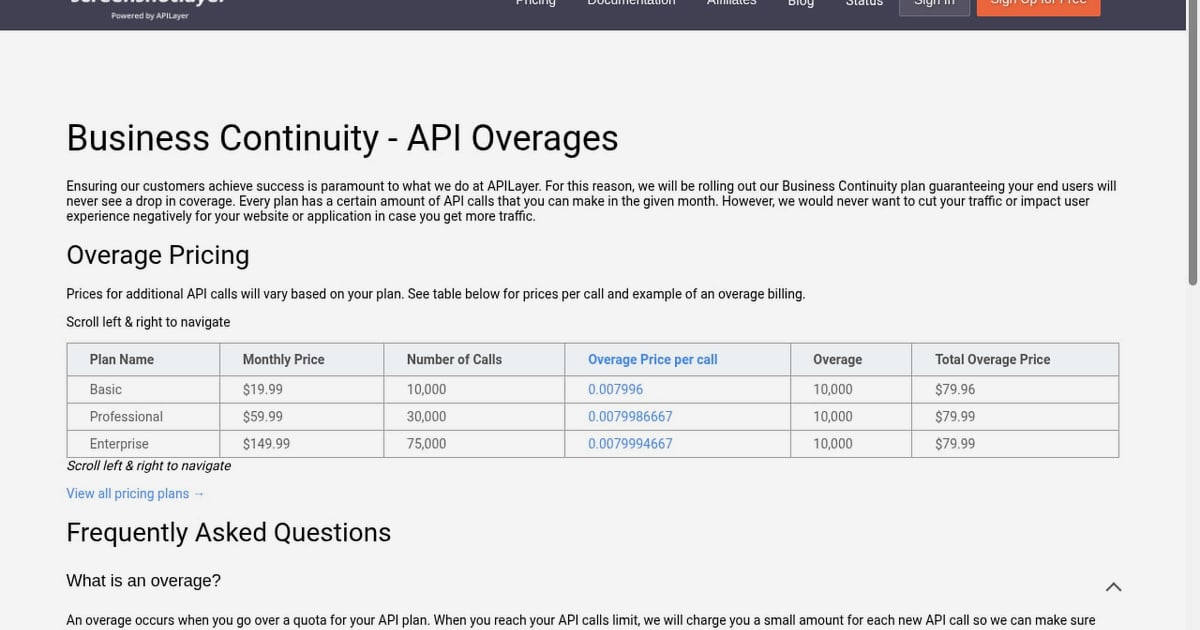
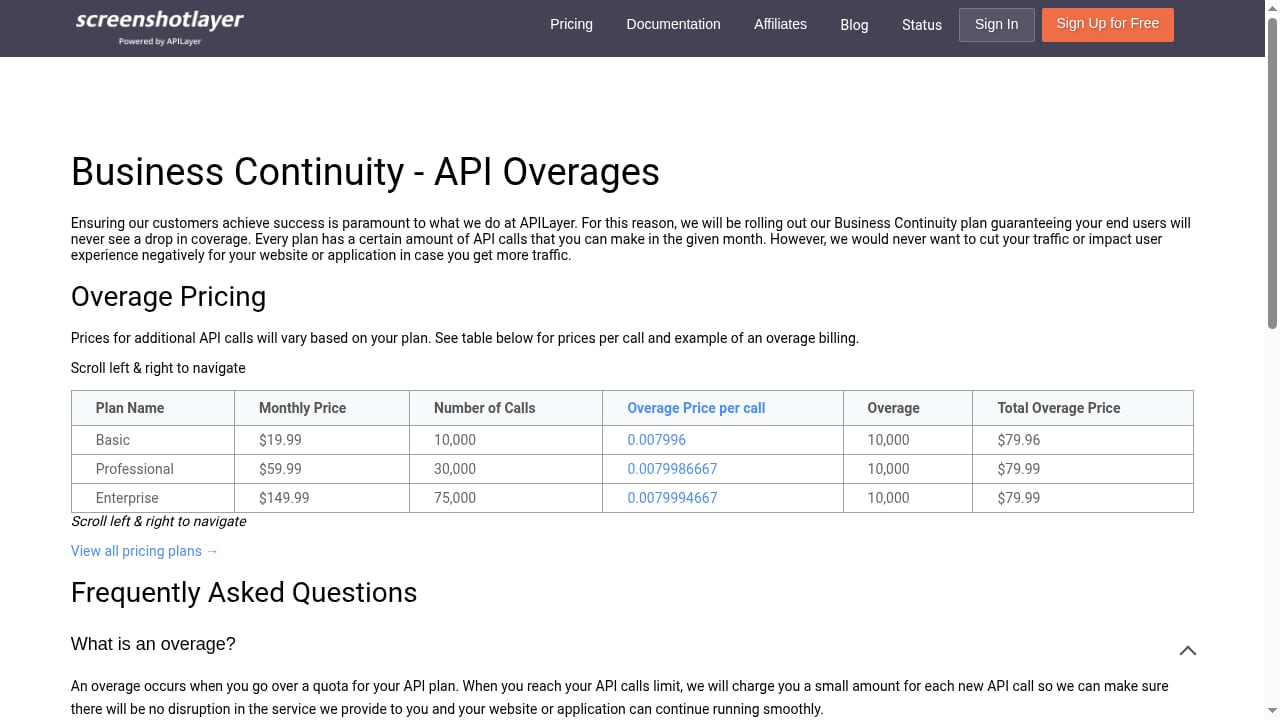
Screenshotlayer uses volume-based pricing with overage billing. While the free tier is useful for personal projects, costs can rise as snapshot volume grows. Teams with high-frequency capture needs should model their monthly request volume carefully before committing. The overage model ensures business continuity but can lead to unpredictable bills if usage spikes.
Fewer Modern Rendering Controls
Compared with newer screenshot APIs, Screenshotlayer offers fewer controls for ad blocking, cookie banner removal, dark mode emulation, and element-specific captures. Some of these can be approximated with CSS injection, but it is not as turnkey as services built specifically around clean output.
No Built-in Scheduling
Screenshotlayer captures on request. If you need scheduled captures, you will need to build your own cron or workflow logic. Services like Stillio are designed around scheduling, though they come with different trade-offs.
Pricing Signals
Screenshotlayer's pricing is volume-based, with a permanent free tier for personal use. Paid plans add features like HTTPS, retina rendering, dedicated workers, and export options. Overage billing applies beyond plan limits.
This model works well for teams with predictable, moderate volume. For high-volume or bursty workloads, compare the effective cost per screenshot across providers. Some alternatives offer flat-rate plans or larger free tiers, but may lack Screenshotlayer's APILayer integration or export options.
When evaluating pricing, consider not just the monthly fee but also:
- Cost per 1,000 screenshots at your expected volume
- Whether overage rates are punitive or proportional
- Whether features you need (HTTPS, retina, export) are gated to higher tiers
- Whether you need to pay for dedicated workers to meet latency targets
Setup and Integration
Getting started with Screenshotlayer typically involves signing up for an APILayer account, obtaining an API key, and making a GET request with the target URL. The response includes an image URL you can embed or store.
A basic request pattern looks like this:
curl "https://api.screenshotlayer.com/api/capture?access_key=YOUR_KEY&url=https://example.com&viewport=1280x720&fullpage=1"
The exact parameter names and endpoint may vary, so check the official documentation. For teams building more complex pipelines, Screenshotlayer can be combined with proxy services or browser automation tools. Our guide on using AdsCrawl with ScrapeOps covers a resilient scraping workflow that may complement screenshot capture.
Screenshotlayer vs. Alternatives
First viewport screenshot of screenshotlayer.com.
Screenshotlayer competes with a range of screenshot APIs, including Urlbox, ScreenshotOne, Screenshot Machine, and Microlink. Each has different strengths.
- Urlbox offers PDF export, emoji rendering, and ad blocking, with a focus on growth-stage businesses. It requires coding knowledge to use fully.
- ScreenshotOne provides signed URLs and rendering controls for JavaScript-heavy pages, making it a better fit for SaaS dashboards and authenticated flows.
- Screenshot Machine is a mature, simple option for static captures and PDF generation, but lacks modern anti-bot handling.
- Microlink combines screenshots with metadata extraction and link previews, useful for content products.
Screenshotlayer's differentiators are its APILayer integration, permanent free tier, and export options. It is a solid choice for straightforward capture needs, but teams needing advanced rendering controls or browser interaction should evaluate alternatives. For a broader comparison, see our review of no-code vs code browser automation and web scraping.
Decision Criteria
Use the following checklist to decide whether Screenshotlayer fits your project:
- Do you need browser interaction? If yes, Screenshotlayer is not enough. Consider a cloud browser API.
- What is your monthly volume? Model costs including overage. Compare effective cost per screenshot.
- Do you need export to S3 or FTP? If so, verify which plan includes it.
- How important is clean output? If cookie banners and ads must be removed automatically, test Screenshotlayer's CSS injection or consider a specialized API.
- Do you already use APILayer? Consolidated billing may be a plus.
- Do you need scheduling? Screenshotlayer requires you to build your own scheduler.
Related reading
- Top 10 Browser Automation SDKs for AI Agents in 2026 - Compare the top 10 browser automation SDKs for AI agents in 2026: Stagehand, Browser Use, Skyvern, Playwright MCP, and more, with evidence and pricing.
- AdsCrawl vs Context.dev vs Spider: Which Fits? - Compare AdsCrawl, Context.dev, and Spider for browser automation, AI data extraction, and crawling. Learn which tool fits your workflow.
Sources and further reading
- screenshotlayer pricing, features & screenshots — Screenshot APIs - screenshotlayer: A volume-based screenshot API from apilayer. Review pricing, credits per request, formats, features, docs, and website previews.
- Automatic Screenshot Tools - An In-Depth Look at the Top 3 Stillio Alternatives - Looking for a reliable Stillio alternative for fast and responsive website screenshots? Take a look at the best 3 options on the market today and pick your favorite.
- 10 Best Free Screenshot API Options for Developers (2026) - Find the best free screenshot API for your project. Compare 10 top services for features, limits, and developer experience to start capturing websites.
FAQ
Is Screenshotlayer free?
Screenshotlayer offers a permanent free tier for personal use, with paid subscription plans for higher volume and additional features. Overage billing applies beyond plan limits.
What image formats does Screenshotlayer support?
Screenshotlayer returns PNG, JPEG, and GIF images. Paid tiers add higher WebP quality and retina rendering.
Can Screenshotlayer capture full-page screenshots?
Yes, Screenshotlayer supports full-page capture along with viewport control and custom dimensions.
Does Screenshotlayer support delayed capture?
Yes, you can set a delay before capture, which helps with pages that load content asynchronously.
Can I export screenshots to S3 or FTP?
Higher-tier plans support export to AWS S3 or FTP. Check the pricing page for which plan includes this feature.
Is Screenshotlayer part of APILayer?
Yes, Screenshotlayer is part of the APILayer unified suite, offering one account and API key across multiple APIs.
What are the best alternatives to Screenshotlayer?
Alternatives include Urlbox, ScreenshotOne, Screenshot Machine, and Microlink. The best choice depends on your need for rendering controls, scheduling, export options, and pricing model.
Conclusion
Screenshotlayer is a practical, budget-friendly screenshot API for developers who need reliable URL-to-image capture without managing browser infrastructure. Its strengths are simplicity, APILayer integration, and export flexibility. Its limitations are fewer advanced rendering controls and no built-in scheduling. For straightforward capture tasks, it is a solid option. For workflows requiring browser interaction or highly clean output, evaluate alternatives carefully. Use the decision criteria above to match the tool to your actual requirements.
For teams scaling data collection alongside screenshot capture, our comparison of AdsCrawl vs ScraperAPI may help clarify how real browser sessions differ from simple scraping APIs.