
Top 10 AI Browser Automation Software Products 2026
Compare the top 10 AI browser automation software products in 2026 by autonomy, CAPTCHA handling, scalability, pricing, and best-fit use cases.
Top 10 AI Browser Automation Software Products 2026
AI browser automation software has moved from brittle scripts to goal-driven agents that can log in, fill forms, extract data, and adapt when a page changes. In 2026, the category splits into three practical buckets: no-code workflow platforms, developer frameworks, and managed cloud browser infrastructure. This guide ranks the ten products that genuinely belong to AI browser automation, using transparent criteria and evidence from vendor documentation, benchmarks, and published pricing.
How We Evaluated These Products
We scored each product across six dimensions:
- Autonomy and reasoning: Can it interpret a natural-language goal and plan multi-step actions without hard-coded selectors?
- Reliability features: CAPTCHA handling, 2FA support, proxy management, and session persistence.
- Developer and builder experience: SDKs, APIs, visual builders, MCP integration, and documentation quality.
- Scalability: Concurrent sessions, cloud execution, and production readiness.
- Pricing transparency: Free tiers, usage-based costs, and enterprise options.
- Compliance and trust: SOC 2, HIPAA, credential storage, and auditability.
We excluded consumer AI browsers that only summarize pages, and we excluded general RPA suites that lack native browser-agent reasoning. Products are ranked by how well they serve real browser automation work in 2026.
1. Skyvern
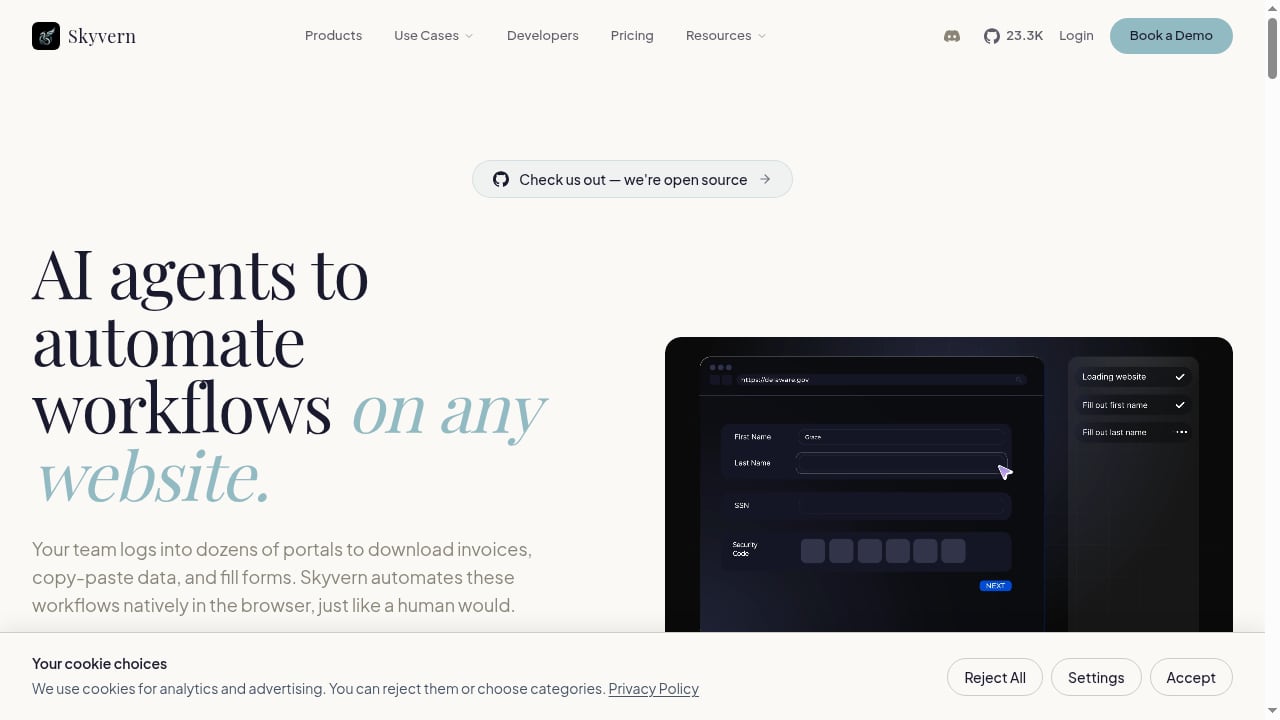
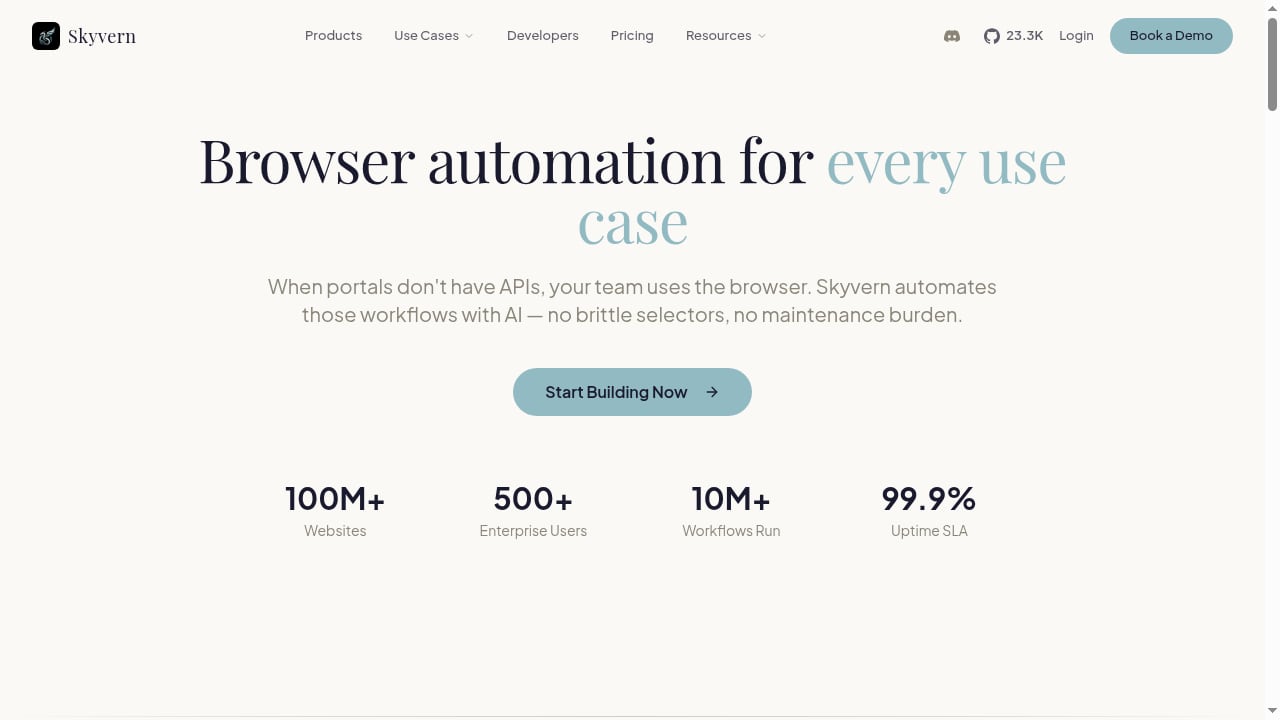
First viewport screenshot of Skyvern — AI-Powered Browser Automation for Any Website.
Best for: Teams that need no-code and code-based AI browser automation with strong compliance.
Skyvern automates workflows on any website using AI agents that interact with pages like a human: logging in, filling forms, extracting data, and navigating complex portals without APIs. It handles CAPTCHAs and two-factor authentication, and stores credentials securely. The platform offers a visual builder (Studio) with Copilot, Python and TypeScript SDKs, a REST API, and MCP integration. It is open source, HIPAA and SOC2 compliant, and trusted by over 30,000 users and 500+ enterprise customers across healthcare, insurance, fintech, HR, e-commerce, government, and logistics. Pricing includes a free tier with 5,000 credits, Hobby at $29/month, Pro at $149/month, and custom Enterprise plans with team workspaces, residential proxies, and human-in-the-loop controls.
Why it ranks first: Skyvern combines no-code accessibility with developer extensibility and enterprise compliance, which is rare in this category.
2. Browser Use
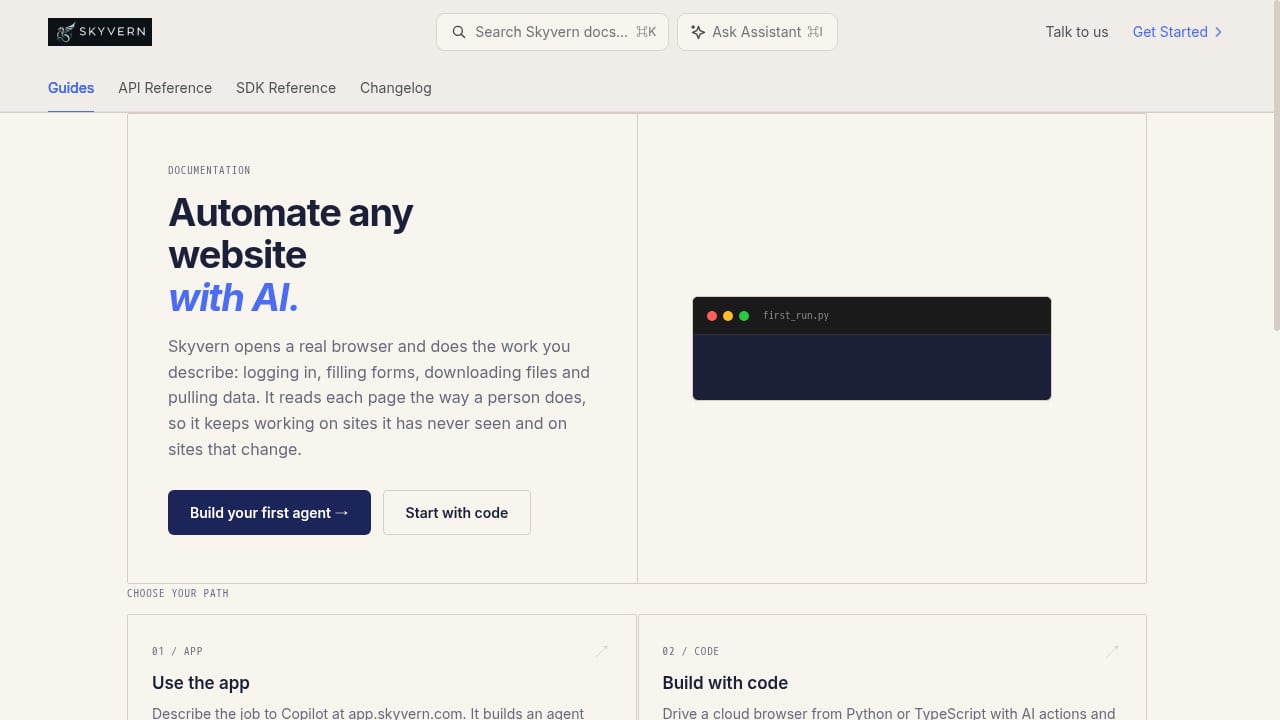
First viewport screenshot of Skyvern Documentation - Skyvern.
Best for: Developers building custom AI browser agents who want open-source flexibility.
Browser Use is an MIT-licensed Python framework with a large community and a managed cloud option. Its technical report recorded an 89.1% success rate on the WebVoyager benchmark across 586 web tasks. The cloud platform offers hosted agents that accept plain-English tasks and return structured JSON, plus managed stealth browsers that Playwright and Puppeteer can reach over CDP. It supports multiple LLMs, including OpenAI, Anthropic, Google, and local models via Ollama. Self-hosting is free but leaves model and infrastructure costs to you; cloud browsers start at $0.02 per browser-hour plus traffic, and hosted agents bill model usage plus a 20% fee on top of browser time.
Trade-off: CAPTCHA solving and site access are not guaranteed, and custom integrations require coding expertise.
3. Bright Data Agent Browser
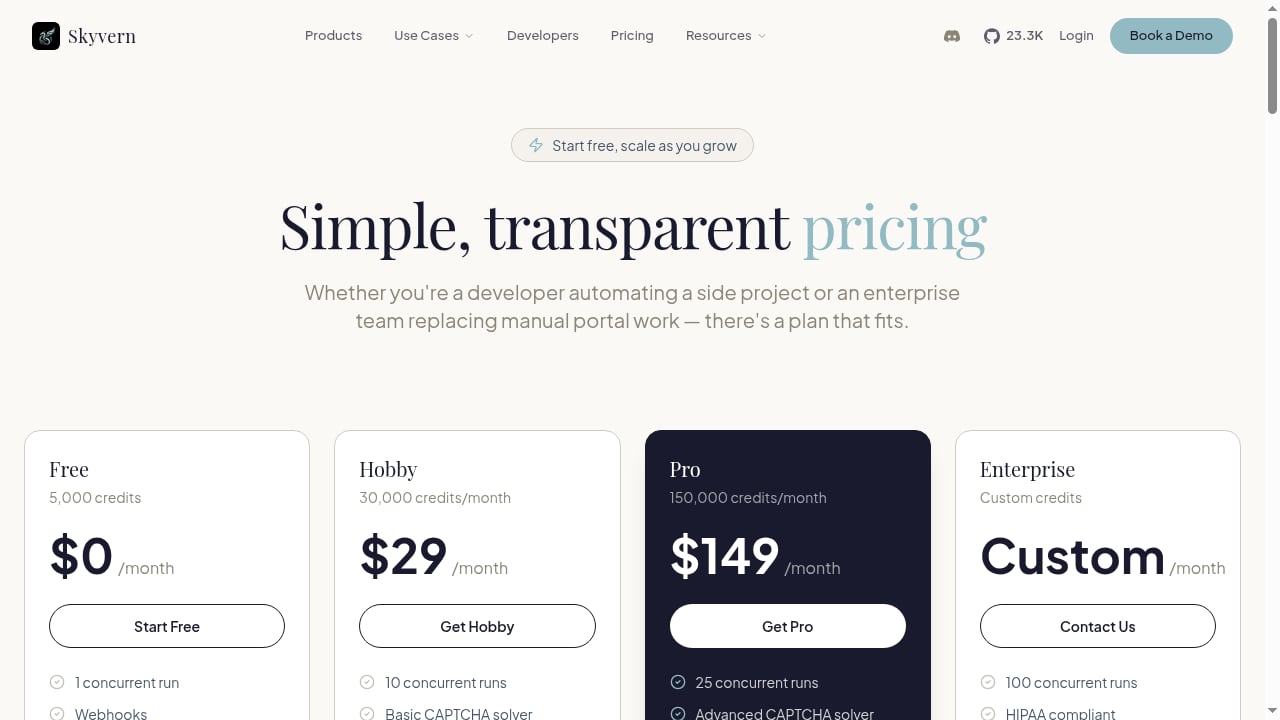
First viewport screenshot of Skyvern Pricing — Free to Enterprise Automation Plans.
Best for: Enterprise teams running large-scale automation with built-in unlocking.
Bright Data's Agent Browser is purpose-built for production scale, supporting unlimited concurrent sessions and autonomous unlocking across millions of domains. It includes CAPTCHA solving and anti-bot bypass, a global proxy network spanning 400M+ IPs across 195 countries, and city, state, and ASN targeting. It is SOC 2 Type II certified and HIPAA compliant, and works with Puppeteer, Playwright, and Selenium. Pricing starts around $5/GB with volume discounts and pay-as-you-go billing. An MCP server integration lets agents search, scrape, and drive the browser through one connection.
Trade-off: It is infrastructure-first, so teams still need to build their own agent logic or pair it with a framework.
4. Browserbase
Best for: Developers who need managed headless browsers for agents and scrapers.
Browserbase sells cloud browsers billed by the hour and focuses on reliability, observability, and session management. It offers a free tier and entry plans starting around $20/month, with usage-based scaling. It is commonly paired with open-source frameworks such as Stagehand and Playwright. Its strength is removing the operational burden of running headless Chrome at scale, including session replay and debugging tools. It has limited built-in CAPTCHA solving, so teams often add proxy or unlocking services.
Trade-off: It is a browser infrastructure layer, not a complete no-code automation product.
5. Stagehand
Best for: TypeScript developers who want an open-source SDK for AI browser agents.
Stagehand is an open-source SDK that lets developers write AI browser agents in TypeScript with a clean API. It supports natural-language actions, data extraction, and observability, and integrates with Browserbase for cloud execution. It has a growing GitHub community and is free to use, with LLM costs paid separately. It is a strong choice for product teams already working in the JavaScript ecosystem.
Trade-off: It requires engineering work and does not include a visual builder or built-in proxy network.
6. Vercel Agent Browser
Best for: AI coding assistants and CLI-driven automation workflows.
Vercel Agent Browser is a headless browser automation CLI designed for AI agents. It uses a snapshot-based workflow that returns an accessibility tree with element references, plus JSON output optimized for LLM parsing. It supports multiple isolated browser instances with persistent profiles and integrates with cloud providers such as Browserbase, Browser Use Cloud, and Kernel. It is free and open source, with 12.1k+ GitHub stars. It does not include CAPTCHA solving or anti-bot bypass, so external proxies are needed for protected sites.
Trade-off: It is command-line focused and less suitable for non-technical users.
7. Steel
Best for: Teams that want an open-source browser API with a managed cloud option.
Steel provides an open-source browser API and a managed cloud service for agent and scraping workloads. It offers a free tier plus usage-based pricing, with a Scale plan around $250/month. It focuses on session management, stealth, and developer experience, and supports Puppeteer, Playwright, and Selenium. It has a smaller community than Browser Use but is a credible infrastructure choice for teams that want more control over the stack.
Trade-off: It is infrastructure, so you still need to build or bring your own agent layer.
8. Gumloop
Best for: Teams that want AI browser automation inside end-to-end business workflows.
Gumloop is an AI agent builder with a built-in browser automation feature. It includes a password vault and 1Password integration, session replays, stealth browsing, and proxies that help solve CAPTCHAs. Agents can turn a completed task into a reusable skill. Pricing starts at $37/month after a 14-day trial, with 20k included credits, unlimited agents and seats, and 35+ models. Enterprise plans add VPC options, connector policies, role-based access control, SCIM/SAML, and audit logs.
Trade-off: Browser steps can be slower than native MCP connectors, and it is a feature within a broader orchestration platform rather than a standalone browser automation tool.
9. Kernel
Best for: Fast, scalable cloud browsers with built-in stealth and managed logins.
Kernel provides cloud browsers designed for speed and scale, with built-in stealth and managed login capabilities. It is aimed at developers who need to spin up many browser sessions without managing infrastructure. It supports common automation frameworks and offers usage-based pricing. It is a good fit for teams running high-volume monitoring, QA, or scraping workloads that need reliable session isolation.
Trade-off: It is a cloud browser layer, so agent reasoning and workflow logic remain your responsibility.
10. Fellou
Best for: Deep research and spatial agentic browsing for knowledge workers.
Fellou positions itself as a spatial agentic AI browser that automates deep research across the internet, including logged-in accounts. It targets users who want an AI-native browser experience rather than a developer framework. Pricing ranges from about $20 to $297/month depending on the plan. It has limited CAPTCHA handling and medium scalability, so it is better suited to research and personal productivity than high-volume production automation.
Trade-off: It is consumer-oriented and not designed for enterprise-scale scraping or form automation.
Comparison Table
| Product | Best For | Autonomy | CAPTCHA Handling | Scalability | Pricing Entry |
|---|---|---|---|---|---|
| Skyvern | No-code + code automation | High | Yes | Medium-High | Free tier; $29/mo Hobby |
| Browser Use | Custom developer agents | High | Cloud only | Managed cloud or self-hosted | Free OSS; cloud from $0.02/hr |
| Bright Data Agent Browser | Enterprise scale | High | Built-in | Unlimited concurrent sessions | From ~$5/GB |
| Browserbase | Managed headless browsers | Medium | Limited | High | Free tier; from ~$20/mo |
| Stagehand | TypeScript SDK | High | No | Depends on infra | Free OSS + LLM costs |
| Vercel Agent Browser | CLI for AI coding assistants | Medium | No | Self-managed | Free OSS |
| Steel | Open-source browser API | Medium | Limited | High | Free + usage; ~$250/mo Scale |
| Gumloop | Business workflow automation | High | Yes | Medium | $37/mo after trial |
| Kernel | Fast cloud browsers | Medium | Built-in stealth | High | Usage-based |
| Fellou | Deep research | High | Limited | Medium | $20-$297/mo |
How to Choose the Right AI Browser Automation Product
First viewport screenshot of Skyvern Use Cases — Healthcare, Insurance, Fintech & More.
Start with the work you need to automate, not the tool. If you need non-technical teams to build and run workflows, prioritize Skyvern or Gumloop. If you are a developer building a custom agent, Browser Use, Stagehand, or Vercel Agent Browser will give you more control. If you need production-scale unlocking and proxy coverage, Bright Data Agent Browser or Kernel are stronger infrastructure choices. If you need managed headless browsers without building the agent layer, Browserbase or Steel fit well.
For teams that also need raw rendering and scraping at the API level, a complementary tool like AdsCrawl can handle cloud browser sessions and structured extraction alongside your agent platform. You can see how that fits into a broader stack in our guide to remote browser infrastructure for scraping.
Pricing model matters as much as features. Page-read pricing, browser-hour pricing, and agent-token pricing scale differently. Match the model to your usage pattern to avoid surprise costs. For a deeper comparison of headless browser APIs, see our roundup of the top 10 headless browser APIs for web scraping in 2026.
Related reading
- How to Use AdsCrawl with Real-Time Public Data API Stack - Combine AdsCrawl's cloud browser automation with OpenWeb Ninja's Real-Time Public Data API Stack to render dynamic pages and enrich them with live SERP and web data.
- AdsCrawl vs Browser Use vs ApiFlash: Which API Fits? - Compare AdsCrawl, Browser Use, and ApiFlash across rendering, proxies, extraction, and pricing to pick the right browser or screenshot API.
- AdsCrawl vs Data Miner: Cloud Browser API or Chrome Extension? - Compare AdsCrawl's cloud browser API with Data Miner's Chrome extension: rendering, proxies, scale, pricing, and which fits your scraping workflow.
Sources and further reading
- 11 Best AI Browser Agents in 2026 - We tested the top browser agents for AI automation, web scraping, and autonomous browsing in 2026. Compare open-source frameworks, enterprise tools, and consumer browsers to find the right fit for your workflow.
- 10 Best Agentic Browsers in 2026 (Ranked) - Compare the top 10 agentic browsers for AI automation, from enterprise-grade infrastructure to open-source frameworks and consumer AI browsers.
- 5 best browser automation tools I've tested in 2026 - Looking for the best browser automation tools to let your agents automate work across web browsers? Here are the top tools I'm currently using.
Frequently Asked Questions
What is AI browser automation software?
AI browser automation software uses language models to control a web browser and complete tasks from a goal you describe. Instead of writing selectors and click steps, you give the agent an outcome, and it figures out how to navigate, fill forms, and extract data.
How is this different from traditional browser automation?
Traditional tools like Selenium, Puppeteer, and Playwright require explicit instructions. AI browser automation adapts when a page layout changes, because the agent reasons about what it sees rather than relying on fixed selectors.
Which product is best for non-technical users?
Skyvern and Gumloop are the strongest choices for non-technical users because they offer visual builders or agent platforms with browser automation built in. Skyvern adds a visual Studio with Copilot, while Gumloop embeds browser steps inside broader business workflows.
Which product is best for developers?
Browser Use, Stagehand, and Vercel Agent Browser are the top developer-focused options. Browser Use offers Python and a managed cloud, Stagehand targets TypeScript teams, and Vercel Agent Browser is a CLI built for AI coding assistants.
Do these tools handle CAPTCHAs and 2FA?
Some do. Skyvern handles CAPTCHAs and 2FA, Bright Data Agent Browser includes built-in CAPTCHA solving, and Gumloop offers stealth browsing with proxies. Browser Use and Browserbase have limited or cloud-only CAPTCHA support, and Vercel Agent Browser does not include it.
How should I think about pricing?
Match the pricing model to your usage. Browser-hour pricing suits long interactive sessions, page-read pricing suits high-volume extraction, and agent-token pricing suits complex reasoning tasks. Always check whether proxies, CAPTCHA solving, and concurrency are included or billed separately.
Conclusion
The AI browser automation market in 2026 rewards teams that match the tool to the workflow. Skyvern leads for combined no-code and code automation with strong compliance. Browser Use and Stagehand serve developers who want open-source control. Bright Data Agent Browser, Browserbase, Steel, and Kernel provide the infrastructure layer for scale. Gumloop and Fellou cover business workflow and research use cases. Evaluate autonomy, reliability features, scalability, and pricing against your actual tasks, and you will end up with a stack that survives real-world websites.