
AdsCrawl vs Data Miner: Which Web Scraping Tool Wins in 2026?
Compare AdsCrawl and Data Miner for web scraping. See how a browser automation API outperforms a browser extension for scale, control, and AI workflows.
AdsCrawl vs Data Miner: Which Web Scraping Tool Wins in 2026?
Choosing between AdsCrawl and Data Miner is really a choice between two fundamentally different approaches to web scraping. AdsCrawl is a browser automation and data extraction API platform built for developers, AI agents, and scaled workflows. Data Miner is a browser extension for Chrome and Edge that scrapes pages into CSV or Excel with a few clicks. Neither is universally better—but they serve very different needs. This comparison breaks down architecture, capabilities, pricing, and use cases so you can pick the right tool for your project.
What Is AdsCrawl?
AdsCrawl is a managed cloud browser and browser automation API. It connects to real cloud Chromium instances via Playwright, Puppeteer, or the Chrome DevTools Protocol (CDP), letting you extract HTML, Markdown, JSON, and screenshots from dynamic websites. Key capabilities include:
- Real browser sessions with fingerprint profiles for consistent rendering across requests.
- Concurrent browser execution for scaled collection of public pages.
- CDP session control for fine-grained interaction with page state.
- Credit-based usage with a freemium model so you can test before committing.
- Dashboards for key management, usage tracking, and debugging.
AdsCrawl positions itself as browser infrastructure for the AI era, serving cross-border commerce, growth, data, and AI application scenarios. It integrates quickly via cURL, Node.js, and Python examples.
What Is Data Miner?
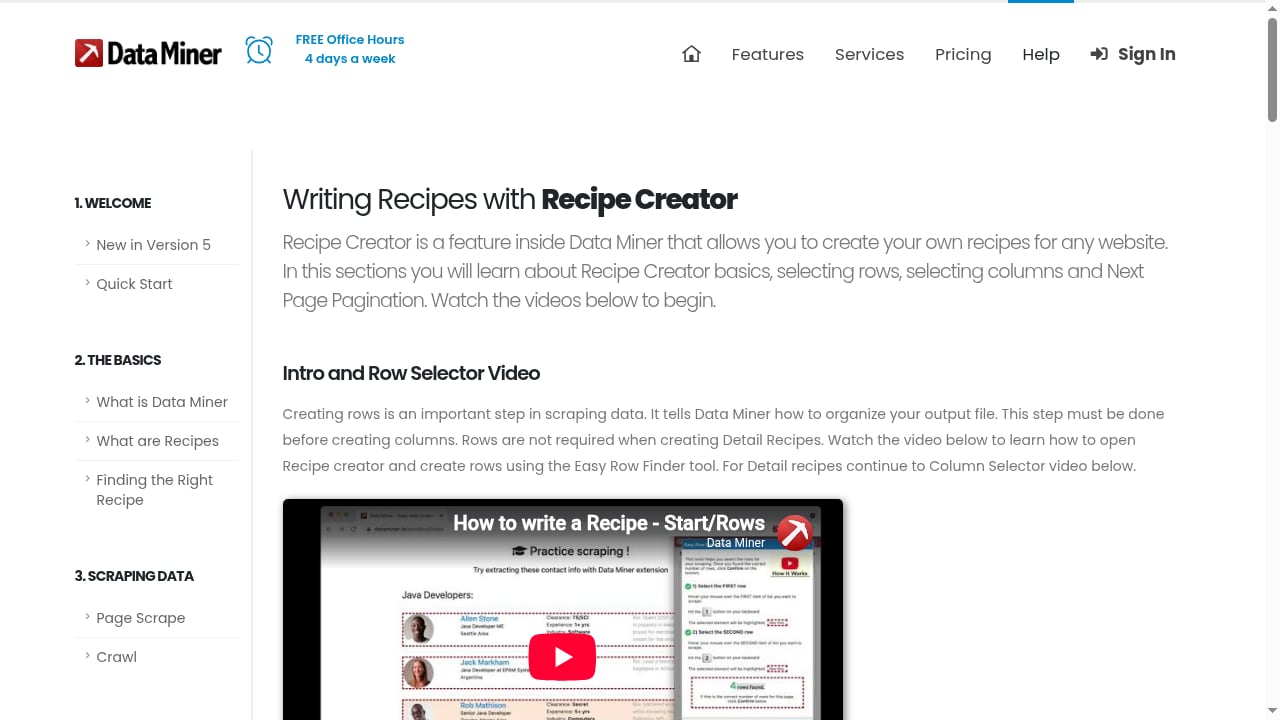
First viewport screenshot of How to write Data Miner recipes with Recipe Creator | Data Miner.
Data Miner is a browser extension for Google Chrome and Microsoft Edge that lets users crawl and scrape data from web pages directly into CSV files or Excel spreadsheets. It emphasizes an intuitive UI and a few-click workflow. The product is built around Recipes—site-specific instruction sets made of HTML references that tell the tool how to read and scrape a page—and supports two main page types: List pages (tables, search results, long lists) and Detail pages.
Users can run Page Scrape for single or multiple pages, use Crawl for two-step extraction where list items must be clicked into for additional data, and create custom Recipes with Recipe Creator. An Instant Table Scrape method lets users highlight rows, right-click, and auto-generate a table recipe. Data Miner serves professional sales, marketing, and recruiting users, and is used in industries such as recruiting, real estate, e-commerce, and sales. It works on social media sites, ZoomInfo, Zillow, Yellow Pages, Yelp, Indeed, and more. The free plan allows scraping 500 pages per month with public and new recipes, while paid professional plans target users who want to save time and money.
Core Architecture: API Platform vs Browser Extension
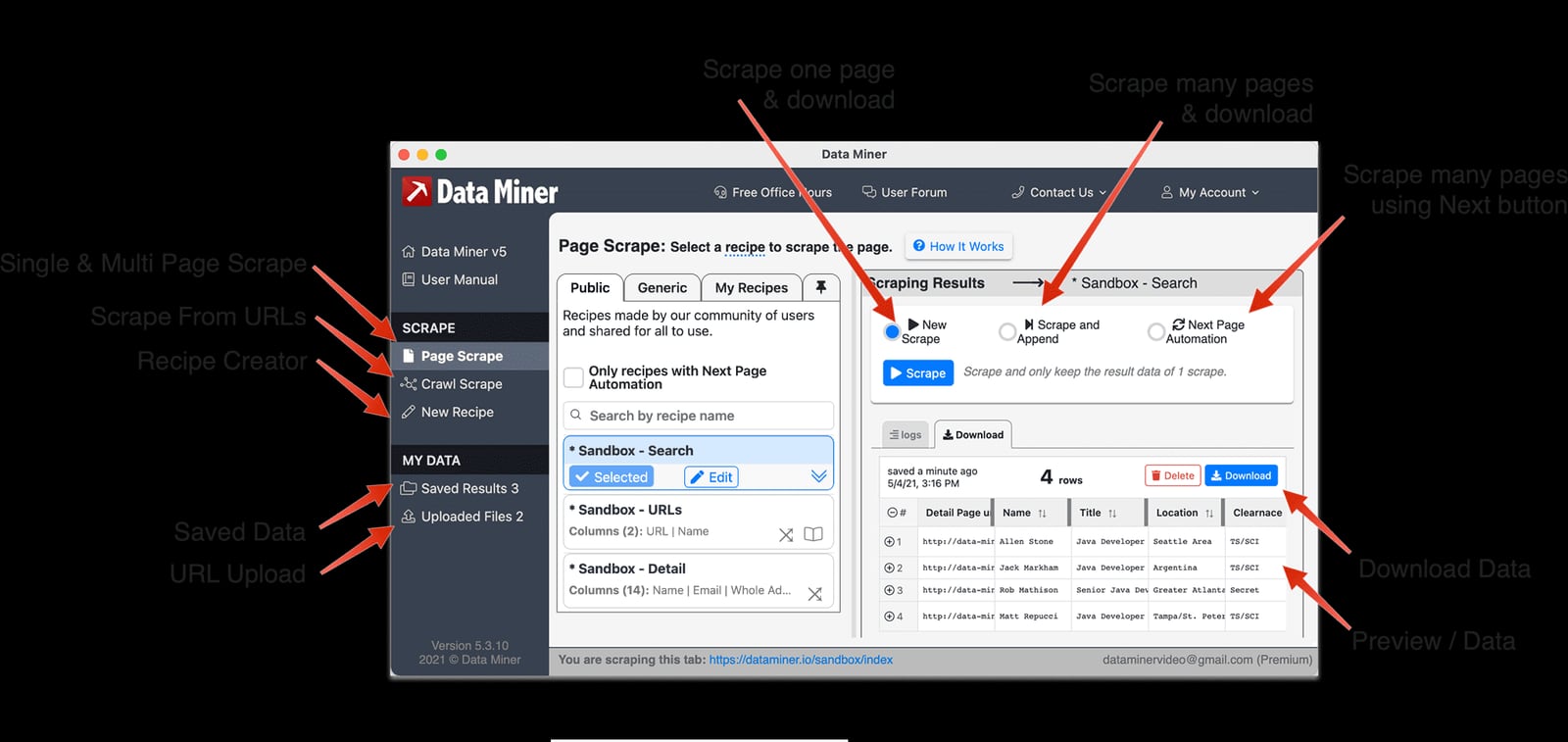
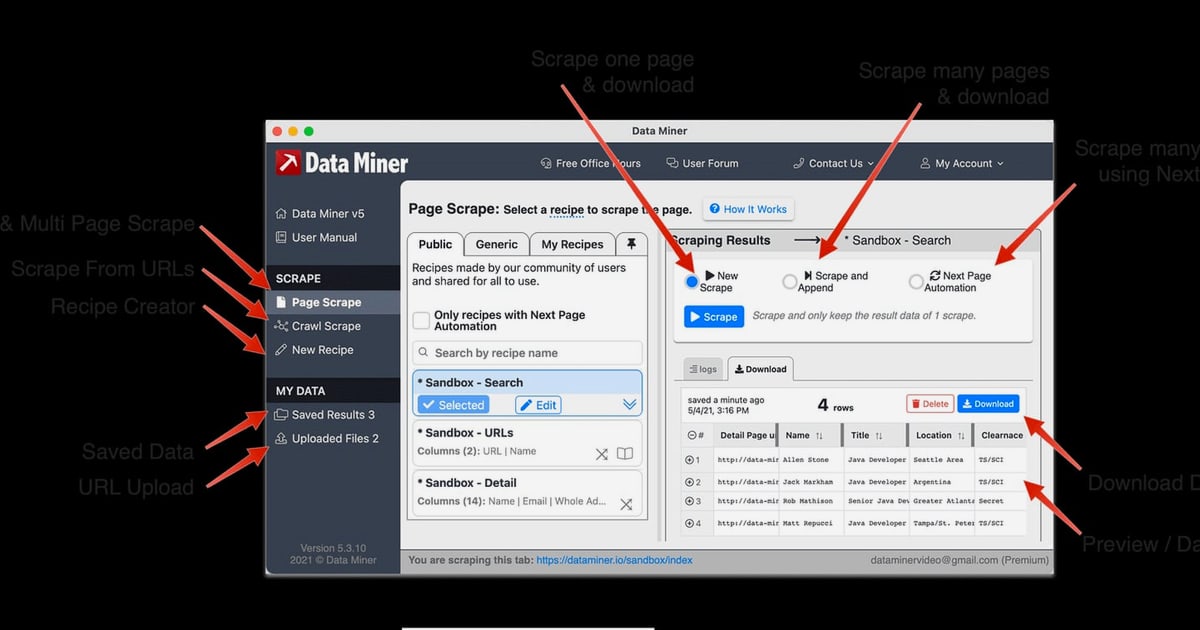
Data Miner Viewer breakdown.
The most important difference is architectural. AdsCrawl runs in the cloud as an API platform. You send HTTP requests to endpoints like POST /html, POST /spa-extract, or POST /screenshot, and the platform handles browser rendering, proxy routing, and data extraction. This means no local browser binaries, no driver versions to manage, and no dependency on your desktop being online.
Data Miner, by contrast, runs entirely inside your browser as an extension. It operates on the pages you visit manually or through its crawl features. This makes it easy to start—install the extension, open a page, and click—but it ties scraping to your local browser session. You cannot easily run it headlessly on a server, scale it across hundreds of concurrent sessions, or integrate it into an automated pipeline without manual intervention.
If you need to scrape at scale or embed scraping into an application, AdsCrawl's API-first design is a better fit. If you need to quickly pull a table from a page you're already viewing, Data Miner's extension model is more convenient.
Feature Comparison
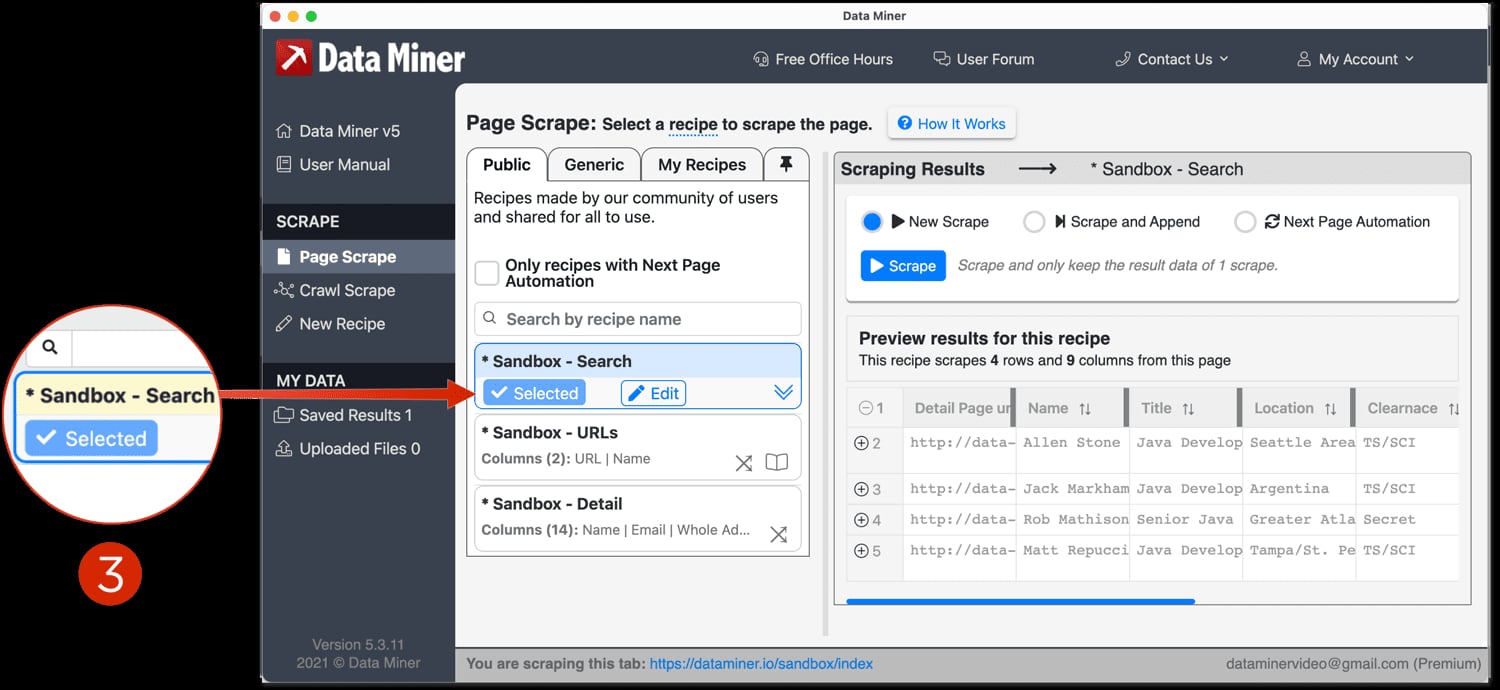
Select a Recipe.
Browser Control and Rendering
AdsCrawl provides real cloud browser sessions with remote CDP control. You can navigate, click, fill forms, and inspect page state programmatically. It supports JavaScript-rendered pages and lets you set waitUntil or wait for a selector so content loads before extraction. You can also capture full-page or element screenshots.
Data Miner relies on the browser you're already using. It can handle JavaScript-rendered pages because it operates in a live browser, but it doesn't offer programmatic control over the browser itself. You can't issue CDP commands or script complex multi-step interactions beyond what the extension's crawl features support.
Data Extraction and Output Formats
AdsCrawl returns HTML, Markdown, JSON, and screenshots. The POST /html endpoint with contentMode set to markdown gives you clean, readable text ideal for AI pipelines. The POST /spa-extract endpoint lets you define fields using CSS selectors or network responses, and it reports missingFields so you know what wasn't found.
Data Miner outputs CSV files or Excel spreadsheets. It's designed for tabular data—tables, search results, and lists. Its Recipe system lets you define what to extract, and the Instant Table Scrape method auto-generates a recipe from highlighted rows. This is excellent for business users who want data in a spreadsheet, but less flexible for developers who need structured JSON or Markdown for downstream processing.
AI and Automation Readiness
AdsCrawl is built for AI agents. Its Markdown output feeds directly into LLM-based extraction, RAG pipelines, and agent loops. Remote CDP control enables real-time agent feedback during browser sessions. The platform's fingerprint profiles and concurrent sessions support agent-driven workflows at scale.
Data Miner does not offer native AI extraction features. You can export scraped data and feed it into AI tools manually, but there's no built-in integration for AI agents or automated pipelines. It focuses on manual, few-click scraping for professional users.
Scalability and Concurrency
AdsCrawl supports concurrent browser execution and cloud browser sessions with fingerprint profiles. You can run multiple sessions in parallel, route through residential proxies by region, and manage usage via a dashboard. This makes it suitable for large-scale data collection.
Data Miner runs in a single browser instance. While it can crawl multiple pages, it's limited by your local browser's performance and your manual oversight. Scaling to thousands of pages per day would require significant manual effort or multiple browser instances.
Pricing and Getting Started
AdsCrawl uses a credit-based usage model with a freemium tier. You can start without a paid plan, which makes it accessible for testing browser automation workflows. The dashboard tracks usage, manages API keys, and provides debugging tools. For a step-by-step walkthrough, see the AdsCrawl setup guide.
Data Miner offers a free plan that allows scraping 500 pages per month with public and new recipes. Paid professional plans target users who want to save time and money. The website offers free office hours four days a week and extensive help documentation including quick start, page scrape, crawl, recipe creation, and practice sandbox tutorials.
When to Choose AdsCrawl
Choose AdsCrawl if:
- You need to scrape at scale with concurrent browser sessions.
- You want to integrate scraping into an application, AI agent, or automated pipeline.
- You need CDP-level control for debugging or custom interactions.
- You prefer API-first workflows with HTML, Markdown, JSON, and screenshot outputs.
- You want fingerprint profiles for consistent rendering across requests.
- You need to route through residential proxies by region.
AdsCrawl is particularly strong for AI data pipelines, monitoring dashboards, and automated research where unified output matters. For a deeper comparison with other browser APIs, see AdsCrawl vs Browser Use Cloud: Which Browser API Wins?.
When to Choose Data Miner
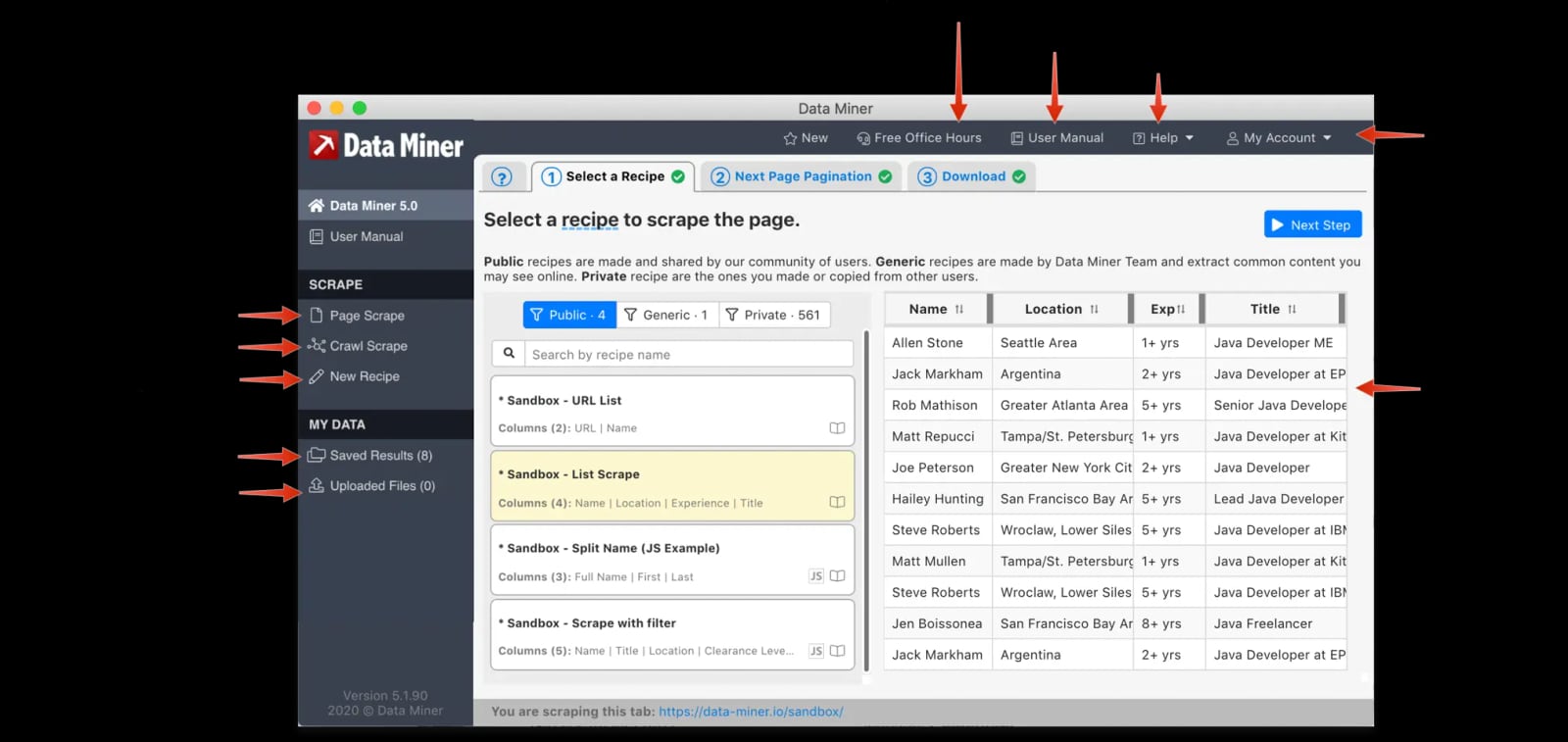
Data Miner viewer window.
Choose Data Miner if:
- You want a few-click solution for scraping tables from pages you're already viewing.
- You prefer working in a spreadsheet and need CSV or Excel output.
- You don't want to write code or manage API integrations.
- You're scraping a small number of pages manually.
- You rely on pre-built Recipes for popular sites like Zillow, Yelp, or Indeed.
Data Miner is a good fit for sales, marketing, and recruiting professionals who need quick data pulls without technical overhead.
Practical Example: Scraping a Product List
Suppose you want to extract product names and prices from an e-commerce category page.
With AdsCrawl, you would send a request to POST /spa-extract with mode set to extract, define fields using CSS selectors (e.g., .product-name, .product-price), and receive structured JSON. You could run this across hundreds of pages concurrently, route through a proxy in the target region, and schedule it to run daily.
With Data Miner, you would open the page in Chrome, click the Data Miner extension, use Instant Table Scrape to highlight the product rows, and export to CSV. This works well for a one-off task, but repeating it daily for hundreds of pages would be tedious.
For a price monitoring workflow that combines AdsCrawl with a dedicated tool, see How to Use AdsCrawl with Price2Spy for Price Monitoring.
Related reading
- Scrape.do Review 2026: Pricing, Speed & Real Tradeoffs - Hands-on Scrape.do review: how its scraping API and ready scrapers perform, what credits really cost, and who should pick it over alternatives.
- Playwright Similar Tools: 9 Alternatives Compared for 2026 - Compare Playwright alternatives like Selenium, Puppeteer, Cypress, and cloud browser APIs. Find the right fit for testing, scraping, and AI agent workflows.
- Top 10 SEO Data API Platforms 2026: Ranked & Reviewed - Compare the top 10 SEO data API platforms of 2026 by data coverage, AI search tracking, pricing, and developer experience. Evidence-based rankings.
Sources and further reading
- Browser Automation API for Dynamic Websites | AdsCrawl - Connect with Playwright, Puppeteer, or CDP in a full browser environment with residential proxy routing for dynamic pages, authenticated sessions, and structured web data.
- AdsCrawl vs Browserless vs ScrapingBee: Which API Wins? - Compare AdsCrawl, Browserless, and ScrapingBee for browser automation, scraping, and AI agents. See which API fits your workflow and budget.
- AdsCrawl vs ScrapingBee vs Selenium: Which Tool Wins? - Compare AdsCrawl, ScrapingBee, and Selenium for browser automation, scraping, and testing. See which API or framework fits your workflow.
FAQ
Can Data Miner scrape JavaScript-rendered pages?
Yes, because it runs inside your browser, it can scrape pages that rely on JavaScript. However, it doesn't offer programmatic control over the browser or the ability to run headlessly.
Does AdsCrawl offer a free tier?
Yes, AdsCrawl uses a credit-based freemium model. You can start without a paid plan and test browser automation workflows before committing.
Can I use AdsCrawl without writing code?
AdsCrawl is API-first, so some coding is typically required. However, it provides cURL, Node.js, and Python examples, and you can use a coding agent to handle integration.
Is Data Miner suitable for large-scale scraping?
Data Miner is designed for manual, few-click scraping. While it can crawl multiple pages, it's limited by your local browser and manual oversight. For large-scale scraping, an API platform like AdsCrawl is more appropriate.
Which tool is better for AI agents?
AdsCrawl is built for AI agents, with Markdown output, CDP control, and concurrent sessions. Data Miner does not offer native AI extraction features.
Conclusion
AdsCrawl and Data Miner solve different problems. Data Miner is a convenient browser extension for quick, manual scraping into spreadsheets. AdsCrawl is a browser automation API platform for developers, AI agents, and scaled workflows. If you need to scrape a few pages and want the data in Excel, Data Miner is a solid choice. If you need to integrate scraping into an application, run concurrent sessions, or feed data into AI pipelines, AdsCrawl is the better fit. Evaluate your scale, technical requirements, and workflow to decide which tool aligns with your goals.
For more comparisons, see AdsCrawl vs Thunderbit vs Screenshotlayer: 2026 Comparison.