
ParseHub Review 2026: No-Code Scraper Tested, Priced, Rated
Hands-on ParseHub review: visual scraping for AJAX sites, free tier limits, real pricing, export options, and who should pick it in 2026.
ParseHub Review 2026: A No-Code Scraper for JavaScript-Heavy Sites
ParseHub has been around long enough to have a reputation: a point-and-click scraper that can reach data behind JavaScript, logins, and pagination without asking you to write a line of Python. That promise is why marketers, researchers, and analysts keep it on their shortlist. This review looks at where ParseHub genuinely shines, where its limits bite, and how to decide whether it belongs in your 2026 data stack.
What ParseHub Is and Who It Is For

ParseHub product interface.
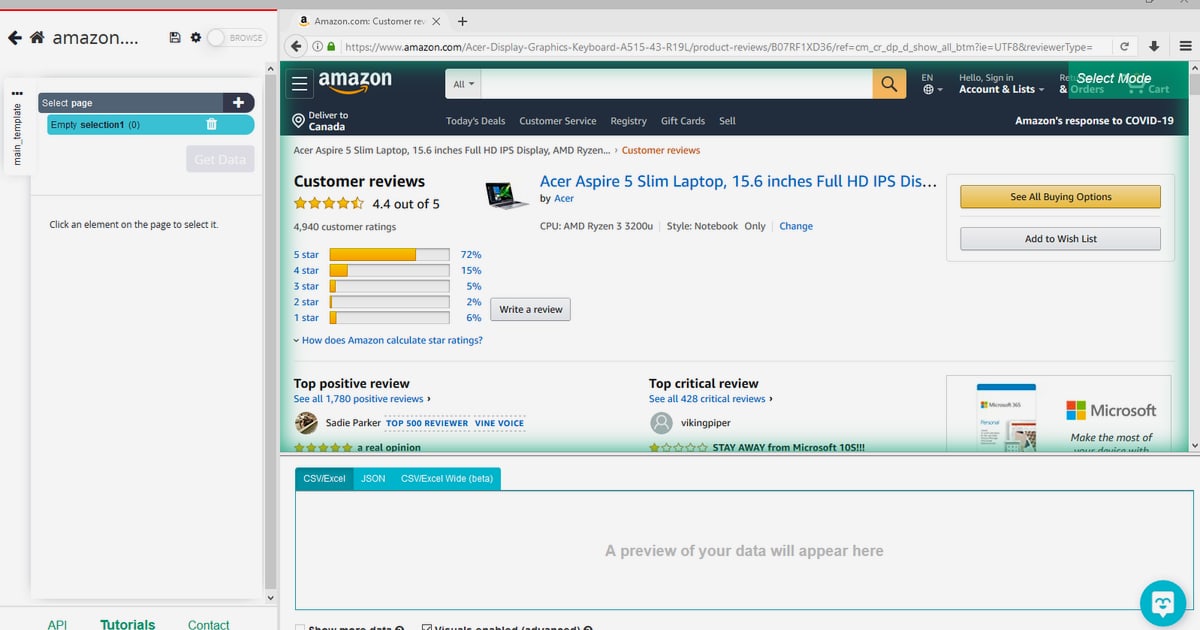
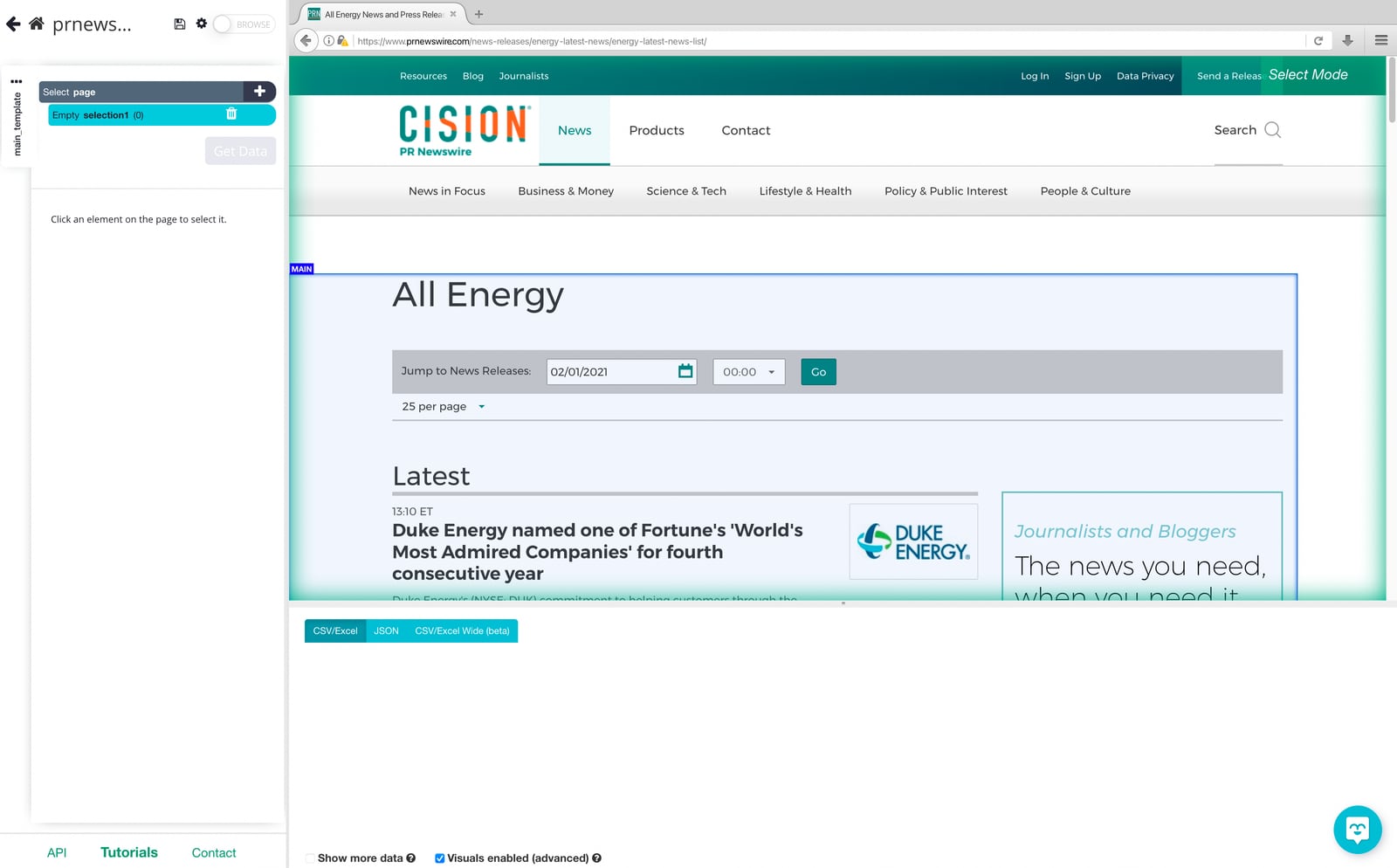
ParseHub is a desktop and cloud web scraping tool built around a visual selection model. You open a target page inside the app, click the elements you want, and ParseHub builds a template that extracts matching data across pages. It was designed from the start to handle JavaScript and dynamic content, which is the main reason people choose it over simpler HTML scrapers.
Ideal users include:
- Marketers and pricing analysts who need competitor product prices, ratings, or review counts from ecommerce pages.
- Researchers and journalists pulling structured records from directories, press rooms, or public listings.
- Small teams without engineers who want a repeatable extraction job instead of manual copy-paste.
- Developers prototyping a dataset before committing to a full scraping API or custom pipeline.
It is a poor fit if you need millions of pages per day, strict enterprise SLAs, or fully automated scheduling without a desktop app in the loop.
How Setup Actually Works
Setup is the strongest part of the experience. The flow is roughly:
- Install the ParseHub desktop app and create a project.
- Paste the starting URL and let the page render.
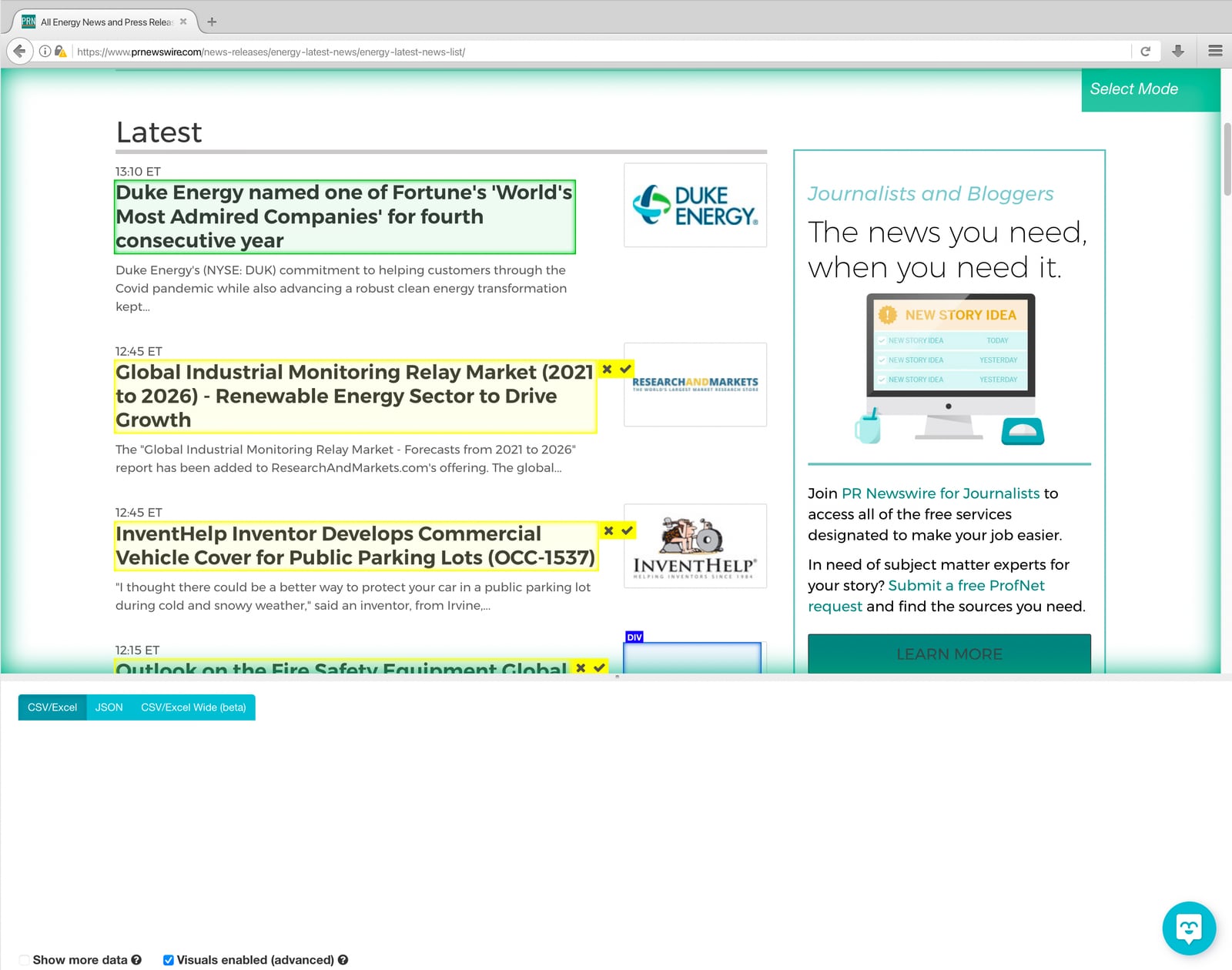
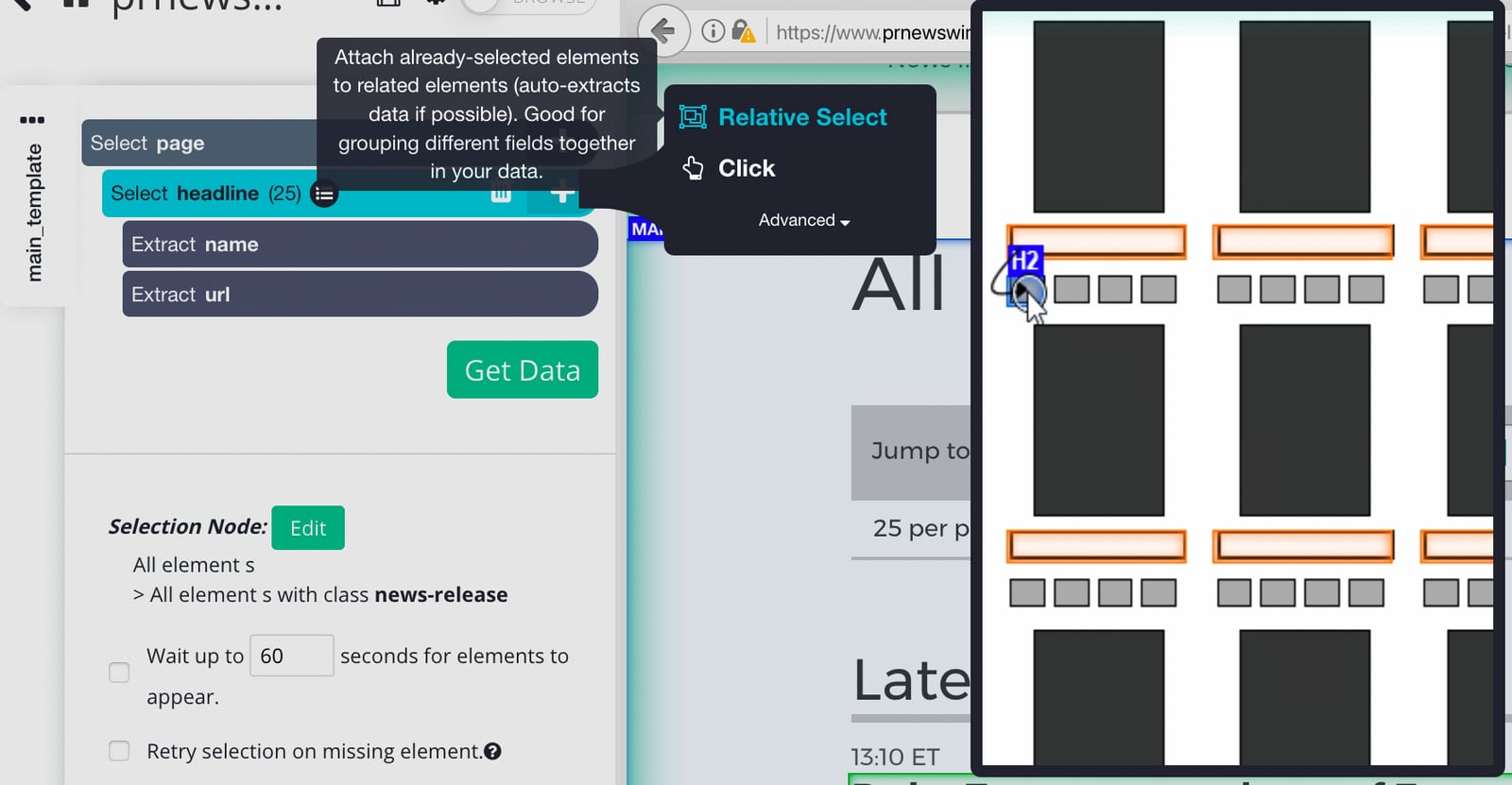
- Click the first item you want, then the second, so ParseHub infers the repeating pattern.
- Add pagination, a click, or a dropdown selection if the data is behind an interaction.
- Run the project locally to preview results, then run it on ParseHub's cloud.
- Export to Excel, JSON, or CSV, or push to Dropbox.
The visual template builder is forgiving for simple listing pages. It gets harder when a site mixes lazy-loaded sections, infinite scroll, and inconsistent card layouts. In those cases you spend more time teaching the template than you expected.
Strengths: Where ParseHub Earns Its Place
ParseHub product interface.
Handles JavaScript and AJAX better than static scrapers
Because ParseHub renders pages in a real browser context, it can extract data that never appears in the raw HTML. That covers many modern ecommerce, real estate, and directory sites where content is injected after load.
Genuinely no-code for common patterns
For a product listing or a paginated article index, you can build a working template in minutes. That accessibility is the core value proposition and it holds up.
Cloud runs, IP rotation, and scheduled extraction
Paid plans let projects run on ParseHub's infrastructure with rotating IPs, which reduces the chance of being blocked during larger jobs. Scheduled runs mean you can refresh a dataset without babysitting it.
Practical export and integration options
Excel, JSON, CSV, and Dropbox cover most analyst workflows. If your destination is a spreadsheet or a downstream script, you are not forced into a proprietary format.
Documented tutorials for tricky targets
ParseHub publishes walkthroughs for complex sites, including Cision, Etsy, Walmart, and Yelp. Those examples are useful because they show how to handle logins, nested pages, and dynamic elements rather than only toy pages.
Limitations: What Reviewers Keep Flagging
User feedback across review platforms and video reviews is consistent about the pain points:
- The free tier is tight. Around 200 pages per run sounds generous until you try a multi-page catalog. It is enough to test, not enough to operate.
- Pricing jumps sharply. The Standard tier sits near $189 per month and the Professional tier near $599 per month, which is steep for individuals and small teams.
- Auto-pagination is limited. You often have to configure pagination manually, and some infinite-scroll or load-more patterns need extra clicks or scroll steps.
- Extraction accuracy varies. Complex layouts can produce missing fields or duplicated rows, so you need to validate output rather than trust it blindly.
- Empty file downloads and run errors are a recurring complaint, especially on longer cloud runs.
- Desktop dependency. The visual builder lives in a desktop app, which complicates headless or CI-driven workflows.
None of these are dealbreakers for a moderate, well-scoped project. They matter a lot if you are building a production data pipeline.
Pricing Signals and Cost Reality
ParseHub uses a tiered model: a free plan for evaluation, a Standard plan around $189 per month, and a Professional plan around $599 per month. The free tier's page-per-run cap is the practical constraint, not the feature list.
The honest way to evaluate cost is to calculate your monthly page volume, then compare it against alternatives. If your job is a few thousand pages a month, ParseHub's mid tier can look expensive next to API-based scrapers that bill per request or per credit. If your job is a few hundred complex, JavaScript-heavy pages where a visual template saves hours of engineering, the price can be justified.
For a broader cost comparison across proxy networks, scraping APIs, and coverage, see our breakdown of the top web data platform products in 2026.
ParseHub vs API-Based Scraping
ParseHub product interface.
| Factor | ParseHub | API-based scrapers |
|---|---|---|
| Setup effort | Low for simple pages, visual builder | Requires code, but predictable |
| JavaScript handling | Strong, browser-rendered | Depends on provider |
| Scale | Moderate, page-per-run limits | High, built for volume |
| Automation | Desktop app plus cloud runs | Fully headless, CI-friendly |
| Cost model | Monthly tiers | Per request or per credit |
| Best for | Analysts, marketers, prototypes | Engineering teams, production pipelines |
If you are weighing API options, our Bright Data vs alternatives comparison covers pricing, browser sessions, and extraction trade-offs in more depth.
Decision Criteria: Should You Use ParseHub?
ParseHub product interface.
Choose ParseHub if:
- Your target sites rely on JavaScript and you cannot easily fetch raw HTML.
- You want a working extractor today without writing code.
- Your monthly volume is modest and your team is small.
- You need exports to Excel, JSON, CSV, or Dropbox.
Look elsewhere if:
- You need millions of pages per month or strict uptime guarantees.
- You want a fully headless pipeline integrated into CI or a data warehouse.
- You need automatic pagination across many unpredictable layouts.
- Your budget per seat is under $100 per month.
A practical middle path: prototype in ParseHub to prove the data is worth collecting, then migrate the production job to an API or framework once volume grows. Our Puppeteer review and AdsCrawl vs Scrapy comparison are useful next reads if you go that route.
Related reading
- How to Use AdsCrawl with Cronitor: Browser Checks + Alerts - Combine AdsCrawl browser automation with Cronitor monitoring to catch rendering failures, not just HTTP 200s. Setup, code, and alert workflow.
- AdsCrawl vs Scrapfly vs ApiFlash: Which API Fits? - Compare AdsCrawl, Scrapfly, and ApiFlash on browser sessions, screenshots, extraction, and pricing to pick the right web data API for your stack.
Sources and further reading
- can someone please provide feedback on a web scraping tool? - Nov 5, 2014 ... We really want to make the world of data accessible to anyone within a few clicks. ParseHub was primarily built to handle javascript and dynamic ...
- ParseHub Reviews 2026. Verified Reviews, Pros & Cons - Capterra - "It simply is an extraordinary software to extract any data" ... The product has saved us many hours of work by extracting the data. The user does not have to ...
- Parsehub Review: Best Web Scraper Tool in 2026? (Honest Review) - Enjoy the videos and music you love, upload original content, and share it all with friends, family, and the world on YouTube.
FAQ
Is ParseHub free?
There is a free tier, but it caps pages per run at roughly 200, which is enough for testing rather than ongoing production. Paid plans start around $189 per month for Standard and $599 per month for Professional.
Can ParseHub scrape JavaScript and AJAX sites?
Yes. ParseHub renders pages in a browser context, so it can extract data injected by JavaScript. This is one of its main advantages over static HTML scrapers.
Does ParseHub support automatic pagination?
Partially. Simple pagination can work, but many users report having to configure pagination manually, and infinite-scroll or load-more patterns often need extra steps.
What export formats does ParseHub support?
Excel, JSON, and CSV, plus Dropbox integration. That covers most analyst and spreadsheet workflows.
Is ParseHub good for large-scale scraping?
Not really. Page-per-run limits, desktop dependency, and reported run errors make it better suited to moderate projects than high-volume pipelines.
Who should not use ParseHub?
Teams that need fully headless automation, very high page volumes, or sub-$100 monthly pricing should evaluate API-based scrapers or frameworks instead.
Conclusion
ParseHub remains one of the more approachable visual scrapers for JavaScript-heavy sites, and its point-and-click model is genuinely useful for analysts who do not write code. The trade-offs are clear: a limited free tier, steep paid pricing, manual pagination work, and occasional extraction errors. Treat it as a strong prototyping and mid-scale tool, validate your output, and migrate to an API or framework when volume and reliability demands outgrow it.