
AdsCrawl vs ScreenshotAPI.net: Which Fits Developers?
AdsCrawl vs ScreenshotAPI.net: compare a full cloud browser API with a single-purpose screenshot API for rendering, proxies, pricing, and scale.
AdsCrawl vs ScreenshotAPI.net: Which Fits Developers?
A screenshot API looks like a solved problem until the page you need is behind a login, a geo restriction, or a lazy-loaded widget. That is where the comparison between AdsCrawl and ScreenshotAPI.net stops being about image formats and starts being about what you can actually render, control, and scale.
AdsCrawl is a managed cloud browser and browser automation API. ScreenshotAPI.net is a website screenshot API that returns an image from one call. Both produce pictures of web pages, but they sit at very different points on the control spectrum. This article compares them honestly so you can pick the right tool for your pipeline.
What each product actually is
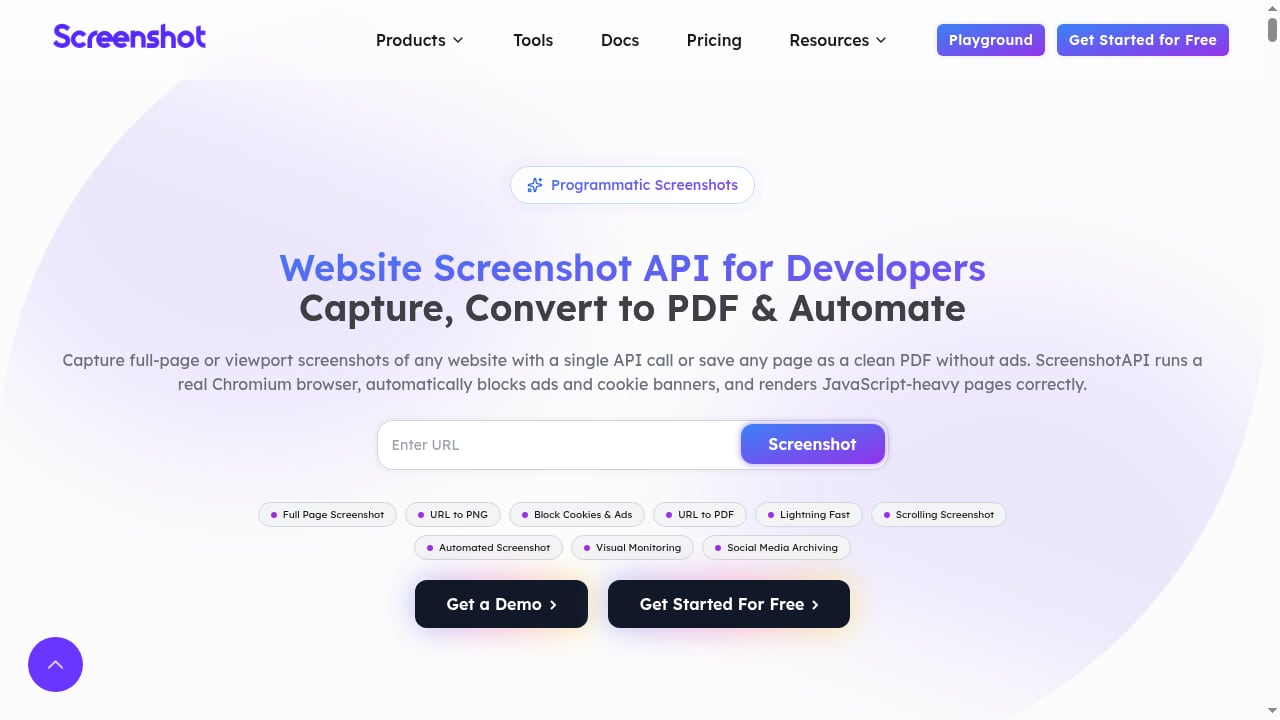
First viewport screenshot of Website Screenshot API for Developers | ScreenshotAPI.net.
AdsCrawl: a cloud browser with a screenshot endpoint
AdsCrawl connects Playwright, Puppeteer, or any CDP client to real cloud Chromium browsers. It exposes synchronous rendered-content APIs, including POST /screenshot and POST /html, plus SPA extraction templates and structured DOM and network field extraction. You can route traffic through residential proxies or your own proxy, use stateful Cloud Browser profiles that persist after a session stops, and open dedicated remote CDP sessions with short-lived live-control tokens.
The screenshot endpoint is deliberately simple. Send a URL, set fullPage for the whole page or a CSS selector for the first matching element, and the response is binary PNG data you save as a file. Because the same account also exposes HTML, Markdown, and JSON outputs, a screenshot is one capability inside a broader automation environment rather than the entire product.
curl --fail-with-body -sS \
  -X POST "https://api.adscrawl.net/screenshot" \
  -H "x-api-key: $ADSCRAWL_API_KEY" \
  -H "content-type: application/json" \
  -d '{
    "url": "https://www.adscrawl.net",
    "fullPage": true,
    "waitUntil": "load"
  }' \
  --output screenshot.png
ScreenshotAPI.net: a focused screenshot service
ScreenshotAPI.net does one job: capture a viewport or full-page screenshot of any website with a single API call. It returns PNG, JPG, WebP, or PDF, and it blocks ads and cookie banners so the output is cleaner. No credit card is required to start.
That is a genuinely useful scope. If your only requirement is a tidy image of a public marketing page, a single-purpose service is easier to adopt than a browser platform. The trade-off is that everything beyond the image — interacting with the page, waiting for a specific element, reusing an authenticated session, or extracting structured data — is outside its documented scope.
Where AdsCrawl has a supported advantage
How to Get Invoices on the Company Email.
1. One API surface for images and data
With AdsCrawl you do not need a second vendor when a screenshot is not enough. The same platform returns rendered HTML, Markdown, or structured JSON through POST /html and POST /spa-extract. A monitoring job can capture a PNG for humans and pull a JSON field for alerting logic in the same workflow. ScreenshotAPI.net is documented as a screenshot service, so data extraction would require an additional tool in your stack.
2. Proxy routing and regional identity
AdsCrawl supports residential proxy routing and custom proxies, with dynamic region routing so a browser can appear to come from the market your target site expects. The product context describes 100+ rotating residential proxies and region options including the US, Brazil, Germany, Singapore, Japan, Canada, and Australia. For sites that block datacenter IPs or serve different content by country, this is the difference between an image and an error page.
ScreenshotAPI.net's public description does not advertise proxy routing or region selection, so geo-restricted captures are not a supported strength of the substitute.
3. Stateful sessions and authenticated pages
AdsCrawl's Cloud Browser profiles persist settings after a session stops, and supported tasks accept cookies for pages you are authorized to access. Multi-step sign-in flows can run through a CDP session. That means you can screenshot a dashboard behind a login without rebuilding authentication on every request.
A stateless screenshot API has no documented profile persistence, which makes authenticated captures hard to sustain at scale.
4. Full browser control when the page fights back
Because AdsCrawl exposes CDP, you can navigate, click, fill forms, and wait for selectors before capturing. The screenshot endpoint itself accepts documented wait conditions, and the docs are explicit that a load event does not guarantee every lazy-loaded image or delayed widget is ready. Having the full browser available lets you handle those cases instead of accepting a half-rendered image.
5. Transparent tiered pricing for production teams
AdsCrawl publishes tiered plans: a Free plan with 500 one-time credits, Hobby at $9/month for solo developers, Starter at $49/month for small production teams, and Pro at $199/month for high-volume automation teams. Monthly credits, browser concurrency, Cloud Browser profiles, and API key limits scale by tier. Screenshots consume credits and browser capacity, so frequent capture schedules should be budgeted deliberately.
Where the substitute is the better fit
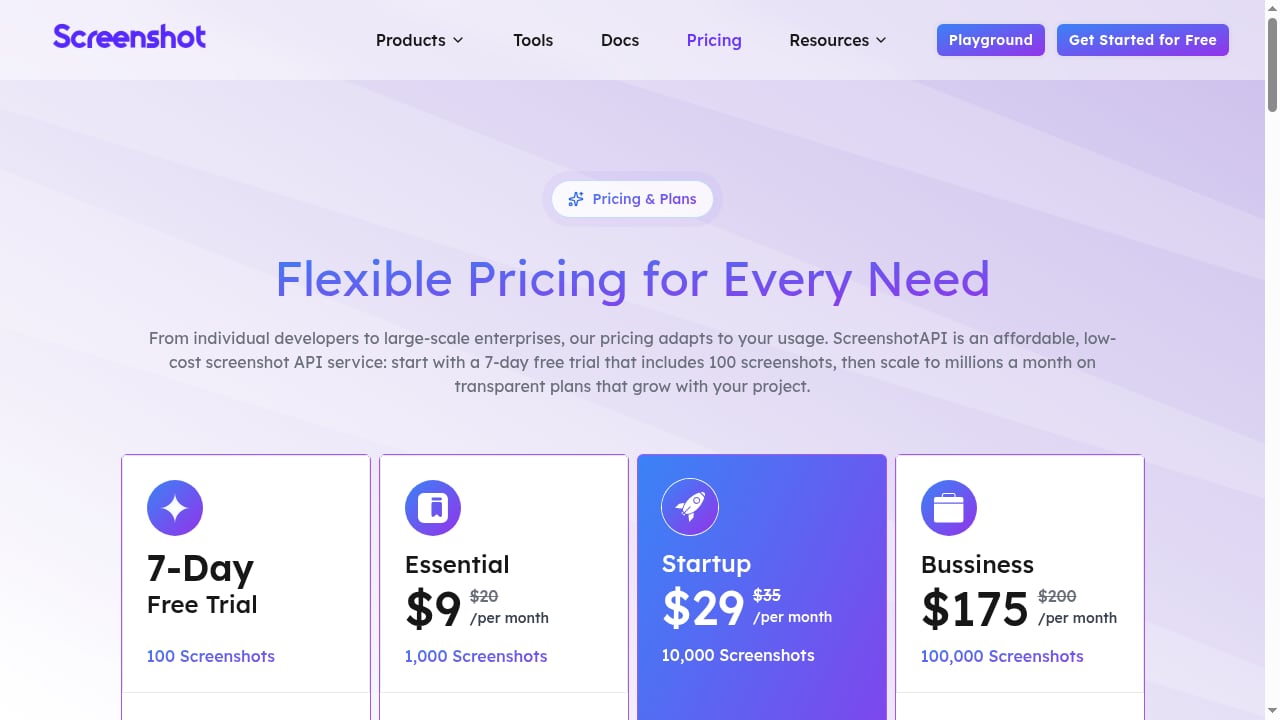
First viewport screenshot of Pricing | ScreenshotAPI.net.
An honest comparison has to say when the simpler tool wins.
- Single-purpose simplicity. If you only need an image of a public page, ScreenshotAPI.net's one-call model has less surface area to learn than a browser platform with five APIs.
- Output flexibility. It documents PNG, JPG, WebP, and PDF. AdsCrawl's screenshot endpoint returns PNG, so PDF output is not a supported advantage there.
- Cleaner default captures. Built-in ad and cookie-banner blocking reduces post-processing for marketing-page screenshots.
- Low-friction evaluation. No credit card is required to start, which lowers the cost of a quick test.
None of these are trivial. If your workload is "take a picture of a public URL," the focused service is a reasonable choice.
Head-to-head comparison
| Dimension | AdsCrawl | ScreenshotAPI.net |
|---|---|---|
| Core model | Managed cloud browser + automation API | Single-call screenshot API |
| Screenshot output | PNG, full page or CSS selector | PNG, JPG, WebP, PDF |
| Data extraction | HTML, Markdown, JSON, structured fields | Not a documented capability |
| Proxy support | Residential routing or custom proxy | Not advertised |
| Session persistence | Cloud Browser profiles persist after stop | Not documented |
| Browser control | Playwright, Puppeteer, CDP | Not documented |
| Ad and cookie blocking | Not a stated feature | Stated feature |
| Entry pricing | Free 500 one-time credits, then $9/$49/$199 per month | No credit card required to start |
Decision guide: pick by workload, not by feature list
How to Enable Overages on ScreenshotAPI.net.
Choose AdsCrawl when:
- Pages are JavaScript-heavy and need a real browser before capture.
- You need geo-specific rendering or residential proxies.
- Captures sit behind authentication or require multi-step interaction.
- You want screenshots and structured data from one vendor and one API key.
- You are running production monitoring, QA, or scraping at volume.
Choose ScreenshotAPI.net when:
- Your targets are public pages with no login or geo restriction.
- You want PDF or WebP output alongside images.
- You prefer the smallest possible integration surface.
- You want to validate the idea before committing to a platform.
A practical pattern is to start with the focused service for a proof of concept, then move to AdsCrawl when the first blocked page, login wall, or extraction requirement appears. If you are evaluating a broader stack, our top 10 web scraping API platforms for 2026 and the AdsCrawl vs Browserbase vs Browserless comparison put these trade-offs in context.
Practical implementation notes
Two details from the AdsCrawl documentation matter in production:
- Check the HTTP status before saving. A failed request may return error text instead of PNG bytes. If you write that response to
screenshot.pngwithout checking, you get a corrupt file. - Match the wait condition to the page. Lazy-loaded images and delayed widgets need supported wait options. A selector capture returns the first matching element, not every match.
For error handling, the docs map HTTP 402 to a credit balance issue and HTTP 429 to concurrency pressure that should be retried with backoff. Keep API keys server-side, and remember that a screenshot reflects the page at request time — it is not a guarantee of future appearance.
If you want to combine rendering with other tooling, see how to use AdsCrawl with Searlo for search data plus browser automation.
Related reading
- ClawEngine.ai Review: Clean, LLM-Ready Web Scraping API - Hands-on ClawEngine.ai review: how its web scraping API turns sites into clean Markdown or JSON for LLM pipelines, plus pricing signals, setup, and limits.
Sources and further reading
- Website Screenshot API: Full Page or Element | AdsCrawl - Capture browser-rendered websites as PNG images. Use AdsCrawl Screenshot API for full-page captures or a single element selected with CSS.
- Browser Automation API for Dynamic Websites | AdsCrawl - Connect with Playwright, Puppeteer, or CDP in a full browser environment with residential proxy routing for dynamic pages, authenticated sessions, and structured web data.
- API Providers - APIs.io - Browse all API service providers indexed on APIs.io, ranked by the API Evangelist rating. Find providers by name, see their APIs, capabilities, and more.
FAQ
Can AdsCrawl capture a single element instead of a full page?
Yes. Pass a CSS selector to POST /screenshot and it captures the first matching element. Use fullPage when you want the entire page.
Does the AdsCrawl screenshot endpoint extract text?
No. It returns PNG image data and is not an OCR service. For readable text, use the HTML or Markdown workflow instead.
Why is dynamic content missing from my screenshot?
The capture reflects the page at request time. Lazy-loaded images and delayed widgets may need additional supported wait options, and a load event does not guarantee all content is ready.
Is ScreenshotAPI.net a replacement for a browser automation API?
Not on the evidence available. It is documented as a screenshot service with PNG, JPG, WebP, and PDF output plus ad and cookie-banner blocking. Browser control, proxy routing, and session persistence are not advertised capabilities.
Which is cheaper for high-volume screenshot jobs?
That depends on your mix. AdsCrawl's tiers scale credits, browser concurrency, and API key limits from $9 to $199 per month, and captures consume credits and browser capacity. ScreenshotAPI.net does not require a credit card to start, so test both against your real volume before committing.
Conclusion
AdsCrawl and ScreenshotAPI.net overlap on exactly one output: an image of a web page. Beyond that, they solve different problems. ScreenshotAPI.net is a clean, low-friction way to photograph public pages in several formats. AdsCrawl is a full cloud browser environment where screenshots are one endpoint among HTML, Markdown, JSON, proxy routing, persistent profiles, and CDP control.
If your pages are simple and public, the focused service is enough. If they are dynamic, geo-restricted, authenticated, or part of a larger extraction pipeline, AdsCrawl's supported capabilities are the ones that keep the job running. Start with the free tier, send one POST /screenshot request, and let the first blocked page tell you which category you are in.