
WebHarvy Review 2026: Pay-Once Visual Scraper Tested
Hands-on WebHarvy review: point-and-click scraping, AI/LLM extraction, MCP support, pricing signals, limits, and who should buy it in 2026.
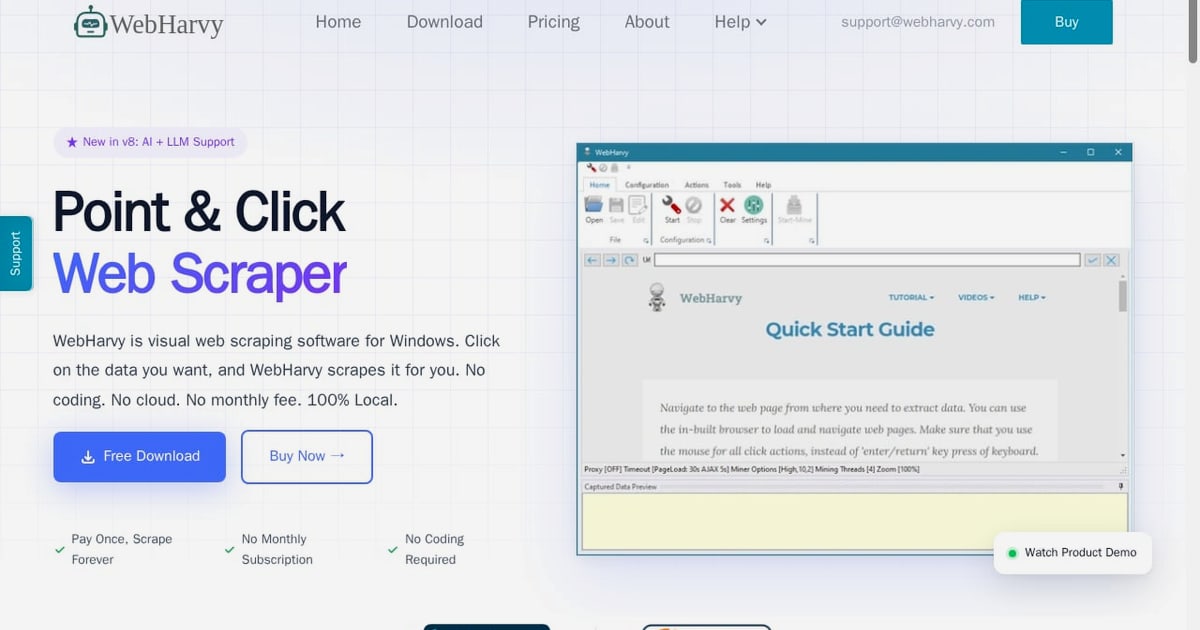
WebHarvy Review: A Pay-Once Visual Scraper for Non-Coders
WebHarvy has quietly survived more than a decade in a market that usually kills desktop software within three years. Its pitch is deliberately unfashionable: a Windows point-and-click scraper with a one-time license, no cloud dependency, and no monthly bill. The v8 release adds AI and LLM extraction plus an MCP server for Claude Desktop, which changes the calculus for some buyers. This review covers what actually works, where it stalls, and how to decide whether it belongs in your stack.
What WebHarvy Is and How It Works
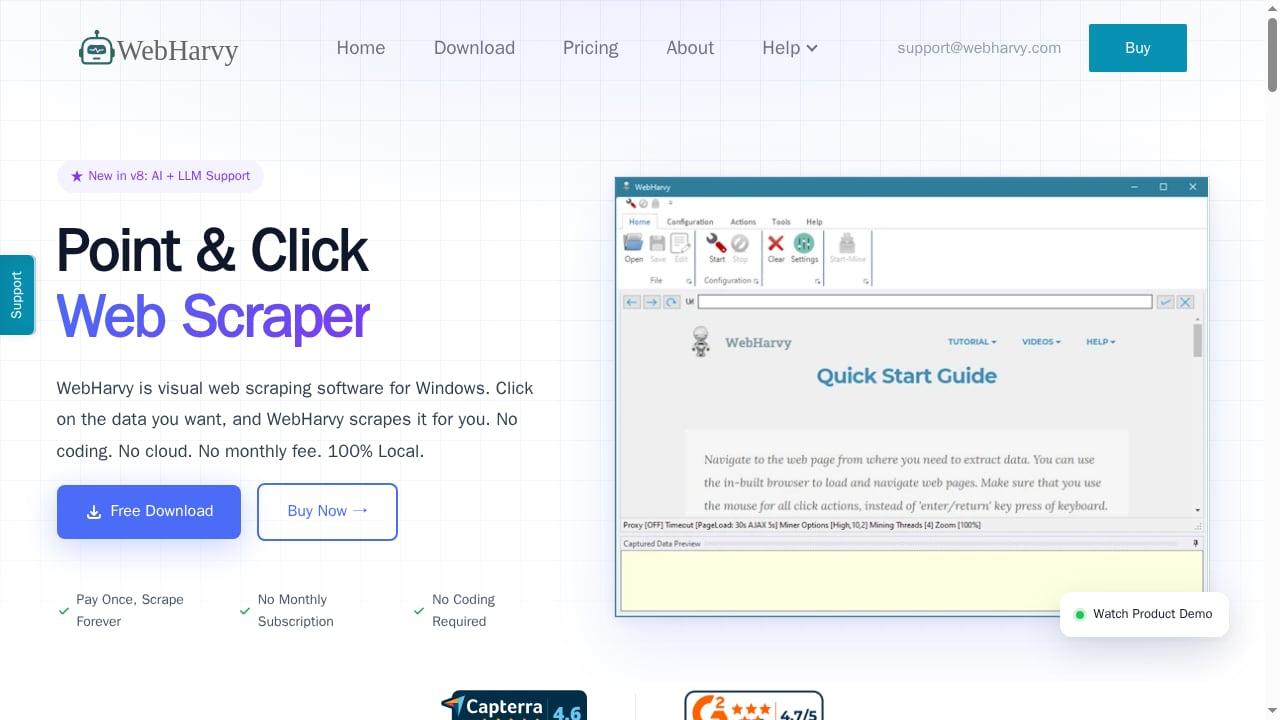
First viewport screenshot of WebHarvy - Visual Web Scraper. Pay Once, Scrape Forever..
WebHarvy is a visual web scraping application for Windows. You load a page in its built-in browser, click the data you want, and the software infers the repeating pattern behind that click. If a product listing has 40 rows, clicking one price teaches WebHarvy to grab all 40. There is no selector syntax to write, no XPath, and no Python environment to configure.
The current version ships a Chromium-based browser, so pages that render content via JavaScript or AJAX behave the way they do in a normal browser session. That matters because a large share of modern e-commerce, real estate, and directory sites no longer serve usable HTML on first request.
Core capabilities at a glance
- Pattern detection: click once, scrape every similar item on the page.
- Pagination handling: numbered links, "load more" buttons, infinite scroll, and predefined URL lists.
- Category crawling: one configuration follows listing pages into subcategories.
- Search form automation: feed a keyword list and WebHarvy submits searches and scrapes each result set.
- Export targets: Excel, CSV, JSON, XML, TSV, plus direct writes to MySQL, SQL Server, PostgreSQL, and Oracle.
- Image scraping: download files locally or capture image URLs only.
- Escape hatches: Regular Expressions and injected JavaScript for cases where clicking is not precise enough.
The v8 additions: AI, LLMs, and MCP
The headline change is AI-assisted extraction. You can point WebHarvy at a local model through Ollama or LM Studio, or at a cloud provider such as OpenAI, Anthropic, or Gemini. The practical use is unstructured content: generating summaries, running sentiment analysis, or transforming messy text fields into normalized values after the scrape completes.
The second addition is an MCP server. Connecting WebHarvy to Claude Desktop or another MCP-compatible client lets you describe a scraping task in plain language and have the model drive the browser. This is genuinely useful for exploratory work, though it is not a replacement for a carefully configured scraper when you need reproducible output at volume.
Ideal Users and Realistic Use Cases
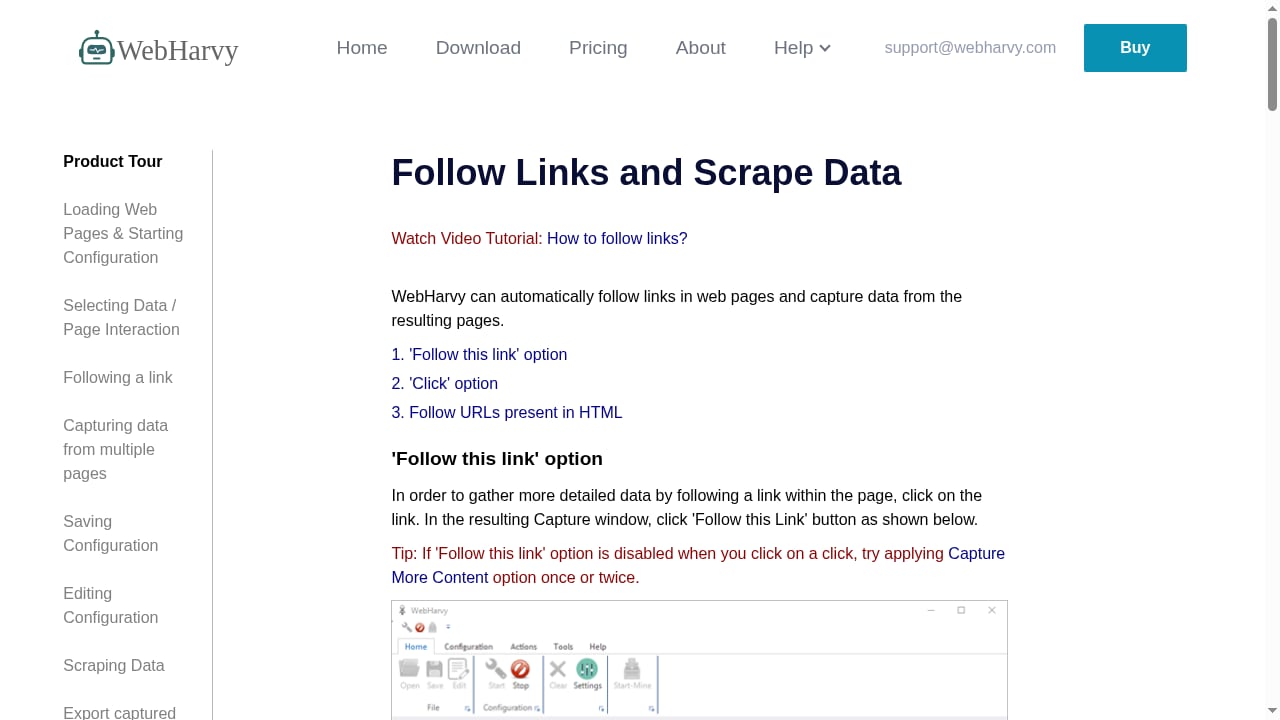
First viewport screenshot of How to Scrape Data by Following Links | WebHarvy User Guide.
WebHarvy fits a specific profile: a Windows user who needs structured data regularly but does not want to maintain code. That is a narrower group than vendor marketing implies, but it is a real one.
Strong fits:
- Market and pricing research. Tracking competitor prices, weekly specials, or catalog changes across a few hundred to a few thousand SKUs.
- Lead and directory extraction. Pulling business names, addresses, phone numbers, and emails from public directories.
- Real estate and listing aggregation. Collecting property details across paginated listing sites.
- Academic and policy research. One documented user ran weekly supermarket price collection across 20 regions and roughly 5,000 products for over nine months.
- Small-business data entry replacement. A food delivery operator reported that WebHarvy removed the need for a full-time data entry role.
Weaker fits:
- Teams that need distributed scraping across hundreds of concurrent workers.
- Environments where only macOS or Linux is available.
- Pipelines that must run headless inside CI/CD without a Windows VM.
- Projects requiring deep integration with a Python data stack.
Strengths Worth Paying For
First viewport screenshot of WebHarvy Support.
The learning curve is genuinely short
Most users can configure a first scraper in under an hour. The click-to-detect model removes the single biggest barrier in scraping: writing selectors that survive minor DOM changes. For a non-developer, that alone justifies the license.
One-time pricing changes the math
Subscription scrapers charge whether you scrape or not. If your workload is bursty, seasonal, or modest in volume, a perpetual license can pay for itself within a year or two compared with per-request or monthly plans. The trade-off is that you own the maintenance burden rather than renting someone else's infrastructure.
Local execution and data control
Because WebHarvy runs on your machine, scraped data does not transit a third-party cloud unless you deliberately route it through a cloud LLM. For teams handling sensitive or regulated data, that is a meaningful advantage over API-based scraping services.
Anti-blocking is better than expected
The browser simulates a normal user session, which helps on Cloudflare-protected sites where headless tools get rejected. Proxy servers, VPNs, and rotating proxy lists are supported, along with request delay controls.
Support has a strong reputation
Across multiple user testimonials, the consistent theme is fast, personal support, including screen-recorded walkthroughs for tricky scrapers. For a small vendor, that level of responsiveness is a real differentiator.
Limitations and Honest Trade-offs
Windows-only, and that is not changing
There is no native macOS or Linux build. You can run WebHarvy on AWS, Azure, or another cloud provider that offers Windows virtual machines with Remote Desktop, which is how you get 24/7 operation without tying up your own PC. But that adds cost and administration that a cross-platform tool would not require.
Scale is bounded by your machine
WebHarvy is not built for massive parallel crawling. If you need thousands of concurrent requests, distributed queues, or elastic scaling, you are looking at the wrong category of tool. A browser automation platform or a cloud scraping API will serve you better.
CAPTCHAs still need a human
WebHarvy can log in with saved credentials and lets you solve CAPTCHAs manually, after which scraping resumes. That is workable for occasional interruptions but painful for high-volume jobs on aggressively protected sites.
AI features are additive, not transformative
The LLM integration is useful for post-processing unstructured text. It does not magically understand a site's structure or fix a broken scraper. Treat it as a convenience layer, not a replacement for configuration.
Documentation and versioning signals are mixed
Public reviews cite older version numbers and a 2017 release date, which can make the product look stale. The vendor's own site documents v8 with AI and MCP support, so the discrepancy is mostly a documentation and SEO problem rather than a product one. Still, verify the current version before you buy.
Setup: What to Expect
- Install on Windows. Download from the vendor site and install. A 15-day trial is available, which is enough to validate a real use case.
- Load your target page. Enter the URL in the built-in browser.
- Click your first data point. WebHarvy highlights similar elements and proposes a pattern. Confirm or adjust.
- Add fields. Click additional columns (price, SKU, image, link) to build the row schema.
- Configure pagination. Point at the next-page link, load-more button, or scroll behavior.
- Optional: add categories or keywords. For category crawling or search-form automation, define the input list once.
- Optional: connect AI. Configure Ollama, LM Studio, OpenAI, Anthropic, or Gemini for extraction and transformation steps.
- Optional: connect MCP. Wire WebHarvy into Claude Desktop if you want natural-language control.
- Export or schedule. Write to Excel, CSV, JSON, XML, TSV, or a database, and set the scheduler for recurring runs.
The realistic first-session outcome is a working single-page scraper. Multi-page, category, and keyword workflows take longer but are still achievable without code.
Pricing Signals and Value Assessment
WebHarvy is sold as a one-time purchase with no monthly subscription. Public review data from earlier versions cited a single-user license starting around USD 99/year, but the vendor's current positioning emphasizes a perpetual license model. Because pricing has shifted across versions, confirm the current tier and license terms directly on the vendor site before purchasing.
What you get with a license includes free updates and support for a defined period, with bug fixes covered indefinitely according to the vendor. The 15-day trial is the right way to test whether the click-to-detect model handles your specific target sites.
Value rule of thumb: if your scraping needs are steady but modest, and you would otherwise pay a monthly subscription for a year or more, the one-time model wins. If your needs are large, bursty, or require distributed infrastructure, a usage-based cloud service will likely cost less in total when you factor in the Windows VM and your own maintenance time.
How WebHarvy Compares to Alternatives
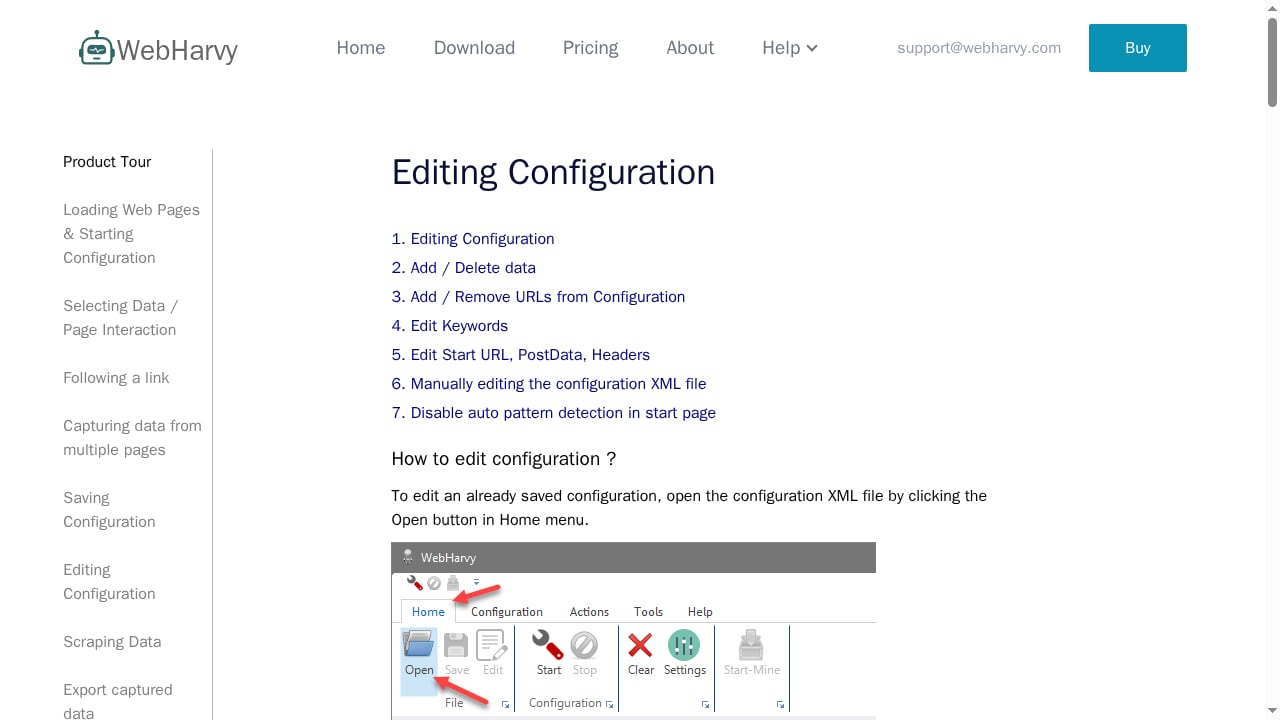
First viewport screenshot of Editing Scraper Configuration | WebHarvy User Guide.
The no-code scraping market splits into three camps, and WebHarvy sits firmly in one of them.
| Approach | Example tools | Best for | Trade-off |
|---|---|---|---|
| Desktop no-code | WebHarvy | Windows users, one-time budget, local data control | Windows-only, limited scale |
| Cloud no-code platforms | Apify, Bright Data | Teams needing scale, scheduling, and managed proxies | Subscription or usage-based cost |
| Developer frameworks | Playwright, Puppeteer, Scrapy | Full control, CI/CD integration, custom logic | Requires coding and maintenance |
If you are weighing no-code against code-first options, our comparison of AdsCrawl vs Scrapy vs Thunderbit breaks down where each approach fits. For teams that need browser-level control with cloud execution, the Playwright Node.js client guide covers setup, dynamic page handling, and scaling with cloud browsers.
It is also worth noting that the broader market is moving toward AI-driven automation. Our ranking of the top 10 AI browser automation platforms in 2026 shows how anti-bot handling, session persistence, and cost compare across the leading options.
Decision Criteria: Should You Buy WebHarvy?
Run through these questions honestly.
Buy WebHarvy if:
- You use Windows and will keep using Windows.
- Your scraping volume is in the hundreds to low thousands of pages per run.
- You want to avoid recurring subscription costs.
- You value local execution and data privacy.
- You are not a programmer and do not want to become one.
Skip WebHarvy if:
- You need macOS or Linux support.
- You require distributed, high-concurrency scraping.
- Your workflow lives inside a Python or Node.js pipeline.
- You need managed proxy rotation and CAPTCHA solving at scale.
- You want a fully cloud-hosted, zero-maintenance setup.
A middle path: many teams run WebHarvy for exploratory and moderate-volume work while keeping a cloud API for large jobs. The two are not mutually exclusive.
Related reading
- Playwright Node.js Client: Setup, Scraping, and Cloud Browsers - Learn how the Playwright Node.js client works: install, launch browsers, scrape dynamic pages, and scale with cloud browser APIs and proxies.
- Top 10 AI Browser Automation Platforms in 2026: Ranked - We ranked the top 10 AI browser automation platforms of 2026 by anti-bot handling, session persistence, cost, and scale. See which fits your stack.
- How to Use AdsCrawl with Puppeteer: Cloud Browser Guide - Connect Puppeteer to AdsCrawl's cloud Chromium over CDP. Setup, a full Node.js example, proxy routing, session cleanup, and common pitfalls.
Sources and further reading
- WebHarvy Review - Use WebHarvy, the intuitive web scraper, to extract data, images, emails, and URLs from websites easily with advanced automation features
- WebHarvy - Visual Web Scraper. Pay Once, Scrape Forever. - Easily scrape data from any website with a point-and-click user interface. No coding required.
- Best Web Scraping Services: 2026 Comparison Guide - More and more industries now depend on data to make informed choices, which means having a fast, reliable way to collect structured web data is no longer optional. It’s a core need. In this overview, we’ll examine the top web scraping services of 2026, covering what they provide, their pricing models, the users they serve best, and their unique strengths. Whether you’re growing your data infrastructure or moving on from outdated tools, this guide is here to help you make a smart, well-matched choice.
FAQ
Is WebHarvy really a one-time payment?
The vendor markets it as "pay once, scrape forever" with no monthly subscription. Older third-party reviews cited annual license pricing, so confirm the current license terms on the official site before buying.
Does WebHarvy require coding?
No. Configuration is point-and-click. Regular Expressions and custom JavaScript are available as optional advanced tools, but they are not required for standard scraping.
Can WebHarvy scrape JavaScript-heavy websites?
Yes. It uses a Chromium-based browser that renders pages before extraction, so JavaScript, AJAX, and dynamic pagination are supported.
What about CAPTCHAs and blocks?
WebHarvy can log in with saved credentials and lets you solve CAPTCHAs manually when they appear. Proxy servers, VPNs, and rotating proxy lists help reduce blocking, and request delays are configurable.
What export formats are supported?
Excel, CSV, JSON, XML, and TSV files, plus direct export to MySQL, SQL Server, PostgreSQL, and Oracle databases.
Can I run it in the cloud?
Yes, on any cloud platform that offers Windows virtual machines with Remote Desktop, such as AWS or Azure. This enables 24/7 scraping without occupying your local machine.
What are the AI and MCP features for?
The AI integration connects to local models via Ollama or LM Studio, or cloud providers like OpenAI, Anthropic, and Gemini, for summarization, sentiment analysis, and data transformation. The MCP server lets MCP-compatible clients such as Claude Desktop drive WebHarvy using natural language.
Is web scraping with WebHarvy legal?
Scraping publicly available data is generally permissible, but you should review each site's terms of service and applicable laws, and avoid collecting personal or copyrighted data without permission. The vendor states the same position.
Conclusion
WebHarvy is not trying to win a features arms race. It wins on a narrower promise: a Windows user with modest, recurring scraping needs can buy once, click through a few pages, and get clean data into Excel or a database without writing a line of code. The v8 AI and MCP additions keep it relevant in a market that has otherwise moved toward cloud and code-first tooling.
The limitations are real and predictable: Windows-only, bounded by your machine's capacity, and dependent on manual CAPTCHA solving for hostile sites. If those constraints do not touch your workflow, the one-time pricing model is genuinely attractive. If they do, a cloud scraping API or a browser automation framework will serve you better.
The sensible move is to use the 15-day trial on two or three of your actual target sites. If the pattern detection holds up on the messiest one, you have your answer.