
Top 10 Cloud-Based Anti-Detect Browser Automation Products 2026
We ranked the top 10 cloud-based anti-detect browser automation products for 2026 by fingerprint quality, automation APIs, scaling, and pricing.
Top 10 Cloud-Based Anti-Detect Browser Automation Products 2026
Cloud-based anti-detect browser automation products combine two things that used to live in separate tools: a browser that resists fingerprinting and an API that lets you drive it at scale from the cloud. In 2026, the category has matured. You can now run hundreds of isolated Chromium sessions, each with a consistent fingerprint and proxy, without maintaining a single local machine.
This review ranks the ten products that genuinely belong to this category. It is written for developers, data engineers, and QA teams who need to automate browsers that do not get blocked. We evaluated each product on fingerprint consistency, automation API quality, concurrency and scaling, proxy handling, session stability, and pricing transparency. We did not rank desktop-only antidetect browsers, and we did not include general-purpose scraping APIs that lack a real browser environment.
One adjacent tool worth knowing about is AdsCrawl, a managed cloud browser API for developers. It is not an anti-detect browser, so it does not appear in this ranking, but it is a useful complement when your anti-detect automation needs to hand off rendered content to a scraping pipeline. We mention it only where the workflow makes sense.
How We Evaluated These Products
First viewport screenshot of 7 Common Web Scraping Errors and Solutions.
Every product below was assessed against the same criteria, in this order of importance:
- Fingerprint consistency (30%): Whether canvas, WebGL, audio, fonts, timezone, and hardware signals agree with each other across sessions. A profile that changes mid-run is worse than no profile at all.
- Automation API (25%): Native support for Playwright, Puppeteer, Selenium, or CDP, plus a documented cloud API for creating and controlling sessions remotely.
- Concurrency and scaling (15%): How many simultaneous browser instances you can run, and whether the pricing model punishes you for scaling.
- Proxy handling (15%): Per-session proxy assignment, HTTP/SOCKS5 support, and whether timezone and language follow the proxy automatically.
- Session stability (10%): Crash rate over long sessions, memory footprint, and whether fingerprints drift after hours of use.
- Pricing transparency (5%): Clear public pricing, no hidden concurrency caps, and a free tier or trial that lets you test before committing.
We did not test every product in a controlled lab. Where we rely on vendor documentation or third-party comparisons, we say so. The goal is to give you enough evidence to shortlist two or three tools and run your own tests.
1. StealthBrowser
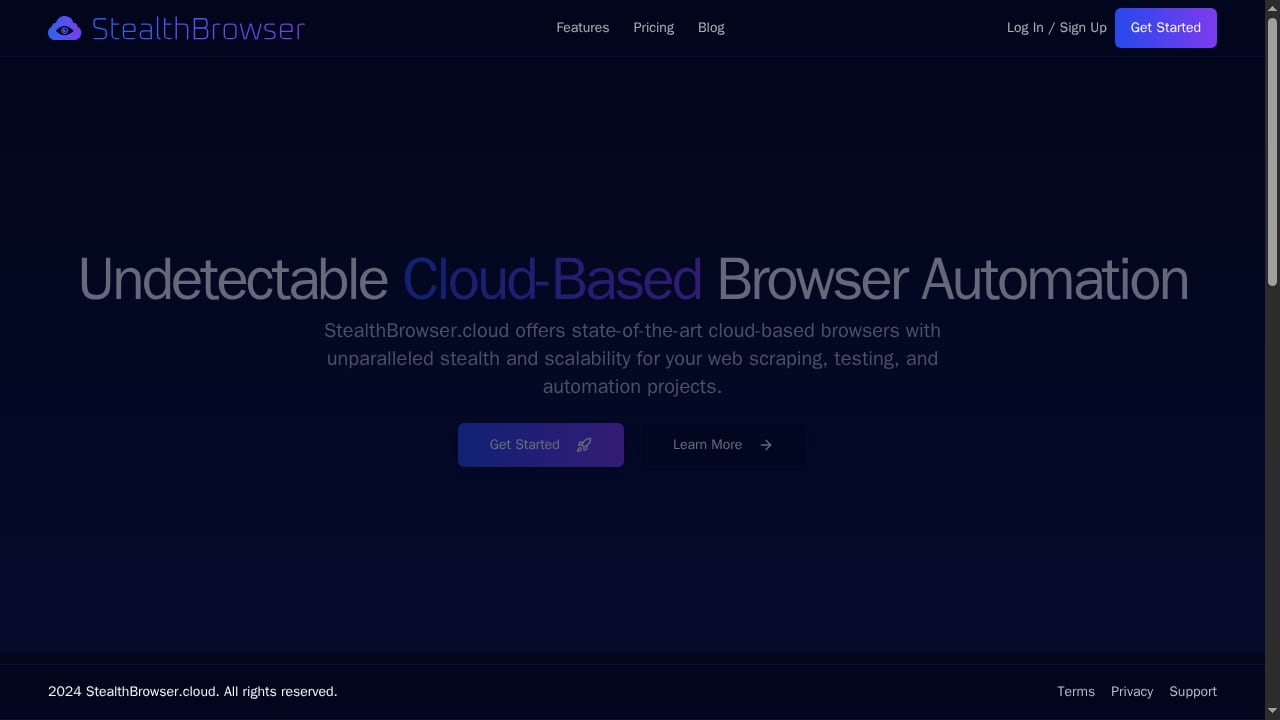
First viewport screenshot of StealthBrowser - Undetectable Cloud Browser Automation.
Best for: Developers who need undetectable Chromium at high concurrency.
StealthBrowser is a cloud-based browser automation platform built around a custom Chromium build designed from the ground up to resist fingerprinting. Each browser session runs in a dedicated virtual machine, which means your sessions are isolated from each other and from other customers. The platform supports hundreds or thousands of simultaneous browser instances, making it one of the few products in this list that treats massive concurrency as a first-class feature.
Automation is handled through an API compatible with Playwright and Puppeteer, so you can bring your existing scripts. Extended session times of up to 180 minutes on the Pro plan are useful for deep web traversal and multi-step workflows that would otherwise time out. The product targets developers, data engineers, and QA teams who need stealthy, scalable browser automation. Pricing starts at $29/month for 3 concurrent sessions, with fixed plans.
Evidence: Vendor documentation describes dedicated VMs per session, a custom Chromium build, Playwright/Puppeteer compatibility, 180-minute sessions on Pro, and $29/month starting price. The company also publishes best practices for stealth web scraping and browser fingerprinting avoidance.
Limitations: Fixed plans may not suit teams with spiky concurrency needs. The 180-minute session cap is generous but still a cap.
2. Multilogin
Best for: Teams that need the deepest fingerprint control and long, stable sessions.
Multilogin has been in the antidetect browser market longer than most of its competitors. It ships two engines: Mimic (Chromium) and Stealthfox (Firefox). Profiles are built from real device parameters rather than random noise, which is why they tend to stay consistent across restarts. For cloud-based automation, Multilogin offers a documented local and remote API, plus support for Selenium, Puppeteer, and Playwright.
Multilogin is often cited as the premium option for scraping behind logins because its profiles hold up against aggressive bot management. It also offers Android cloud phones and bundled proxy traffic, which can simplify procurement. The trade-off is price: there is no free plan, only a short trial, and paid tiers start around $11/month for 10 profiles. At scale, costs rise quickly.
Evidence: Third-party comparisons rank Multilogin as the strongest paid option for fingerprint depth and long sessions. Vendor documentation confirms Mimic and Stealthfox engines, API access from paid plans, and Selenium/Puppeteer/Playwright support.
Limitations: No free plan. API access is not available on the free tier. Higher cost per profile than most competitors.
3. GoLogin
Best for: Teams that want a cloud browser with broad platform support and a real free plan.
GoLogin runs on Windows, macOS, Linux, and Android, and also offers a cloud browser that you can open from any device. Its engine is Orbita, a Chromium fork. The free plan includes 3 profiles but no API. Paid plans start at $9/month for 10 profiles, and Enterprise costs $179/month for 1,000 profiles on monthly billing.
For automation, GoLogin supports Selenium, Puppeteer, and Playwright, plus a REST API on paid plans. Its fingerprint engine spoofs device signals at a deep level, and it handles HTTP, HTTPS, SOCKS5, and residential proxies with per-profile assignment. The cloud profile mode reduces local CPU and RAM usage, which is helpful when you are running many sessions.
Evidence: Third-party reviews note GoLogin's kernel-level fingerprint spoofing, cloud profiles, and automation support. Vendor pricing confirms free plan limits and paid tiers.
Limitations: Free plan has no API. Fingerprint depth is slightly behind Multilogin for the most aggressive anti-bot systems.
4. AdsPower
Best for: Teams that want no-code RPA alongside a well-documented local API.
AdsPower is popular with affiliate and e-commerce teams, but it also works for scraping. It has a Chromium engine and a Firefox engine, a no-code RPA builder, and a Local API that other tools often emulate. The free plan includes 2 profiles. Paid bundles start at about $9/month for 10 profiles and about $36/month for 100 profiles.
For cloud-based automation, AdsPower's API allows you to create and control profiles programmatically. It supports Selenium, Puppeteer, and MCP. The RPA builder is useful for repeatable flows that do not need custom code, such as logging in and extracting a table. However, fingerprint depth is generally considered slightly weaker than Multilogin's, especially against advanced anti-bot systems.
Evidence: Third-party comparisons rank AdsPower as best for no-code automation and note its Local API and dual-engine support. Vendor pricing is widely reported, though the official calculator may not expose prices directly.
Limitations: Free plan is only 2 profiles. Fingerprint depth is not top-tier. Cloud-based automation requires you to manage your own cloud infrastructure or use a third-party orchestrator.
5. Kameleo
First viewport screenshot of 10 Best Practices for Stealth Web Scraping in 2024.
Best for: Scraping engineers who automate with Selenium, Puppeteer, or Playwright.
Kameleo sells by concurrent running browsers instead of stored profiles. It has two engines: Chroma and Junglefox. The Local API is available on every plan, including the free one, which is unusual. The free plan allows 2 running browsers with a 300-minute usage allowance. Startup costs €59/month for 10 running browsers.
Kameleo is designed for developers. It ships Python, JavaScript, and C# SDKs, so you can create and launch profiles from your own scraper. The pricing model is friendly if you have many stored profiles but few running at once. It is not ideal for non-technical teams that open many profiles by hand, and the first paid tier is relatively expensive compared to profile-based competitors.
Evidence: Third-party reviews highlight Kameleo's local API on every plan, SDKs, and per-running-browser pricing. Vendor documentation confirms the free plan limits and engine names.
Limitations: No cloud-based session hosting by default; you run browsers locally or on your own cloud VMs. Pricing is by running browser, which can be confusing.
6. Octo Browser
Best for: Operations that run thousands of profiles on one subscription.
Octo Browser uses its own Chromium fork, Octium, and prices for volume. It has no free plan. Lite costs €10/month for 3 profiles, Base costs €79/month for 200 profiles, and Advanced costs €329/month with a very high profile limit. API access starts at the Base plan.
Fingerprints are managed at the browser-code level, which gives Octo strong control over consistency. It includes CDP support, so you can connect Playwright or Puppeteer. It is often recommended for high-protection sites. The main drawbacks are high RAM usage and the lack of a free tier, which makes testing harder.
Evidence: Third-party comparisons rank Octo Browser as best for very large fleets and note its code-level fingerprint management and CDP support. Vendor pricing confirms tiers and API availability.
Limitations: No free plan. High resource usage. Not ideal for small users.
7. Dolphin Anty
Best for: Media buying teams that also need automation.
Dolphin Anty targets ad arbitrage teams and has a scenario builder for automation. The free plan includes 5 profiles for 1 user with no API. Starter costs $10/month for up to 60 profiles. Base costs $89/month for 100 profiles, and each extra user costs $10 to $25/month.
For cloud-based automation, Dolphin Anty supports Playwright and Selenium, and it has strong proxy integration. It is a solid option for affiliate and social data scraping workflows. However, some users report occasional sync or session issues, and the per-user pricing can become expensive for growing teams.
Evidence: Third-party reviews note Dolphin Anty's scenario builder, Playwright/Selenium support, and proxy integration. Vendor pricing is publicly listed.
Limitations: No API on free plan. Per-user costs add up. Session stability is not as consistent as top-tier tools.
8. MoreLogin
Best for: Developers who want to test an API before paying.
MoreLogin has a small free plan with 2 profiles and 2 users, and it includes the Local API. Pro lists at $9/month for 10 profiles with unlimited team members. Large profile counts need a custom quote. It also sells a separate cloud phone product.
MoreLogin uses machine learning to generate realistic fingerprints based on real user data. It supports batch profile creation and clean isolation, and it works with Selenium, Puppeteer, and Playwright. The balance between fingerprint quality, performance, and cost is good, though it is less advanced against very aggressive anti-bot systems.
Evidence: Third-party comparisons note MoreLogin's ML-based fingerprints, free plan API, and automation support. Vendor pricing confirms Pro tier.
Limitations: Public pricing stops at 10 profiles; larger scales require a quote. Fingerprint depth is mid-tier.
9. Incogniton
Best for: Beginners who want a simple interface and a few persistent profiles.
Incogniton is a Chromium-based profile manager for Windows and macOS. New users get 10 profiles for 2 months, then the account drops to 3 free profiles. Starter Plus costs $19.99/month for 10 profiles, and Professional costs $79.99/month for 150 profiles and 3 seats, or $55.99/month when billed every six months.
It offers isolated browser profiles, strong fingerprint spoofing, Selenium/Puppeteer/Playwright support, per-profile proxies, and API automation. It is a good balance of automation, stability, and cost for multi-account workflows. However, fingerprint depth is less advanced than top-tier anti-detect browsers, and there is no Linux support.
Evidence: Third-party reviews describe Incogniton as a simple starter tool with automation support from the Entrepreneur plan. Vendor pricing confirms free trial and paid tiers.
Limitations: No Linux support. API starts at a higher tier. Fingerprint depth is not top-tier.
10. Linken Sphere 2
Best for: Teams facing the most advanced anti-bot systems.
Linken Sphere 2 is known for hardware-consistent fingerprints and C++ optimization. It includes a built-in proxy analyzer. It is often cited as one of the best options against advanced anti-bot systems, but it is expensive and not beginner-friendly.
For cloud-based automation, Linken Sphere 2 supports remote sessions and automation APIs, though documentation is less public than some competitors. It is a specialist tool for teams that need maximum stealth and are willing to pay for it.
Evidence: Third-party comparisons rank Linken Sphere 2 as very good against advanced anti-bot systems and note its hardware-consistent fingerprints. Pricing is not publicly listed, which is a transparency drawback.
Limitations: Expensive. Steep learning curve. Limited public documentation.
Comparison Table
| Product | Best for | Free plan | Starting price | Automation API |
|---|---|---|---|---|
| StealthBrowser | High-concurrency undetectable Chromium | No (paid from $29/mo) | $29/mo for 3 concurrent sessions | Playwright, Puppeteer |
| Multilogin | Deep fingerprint control | No (trial only) | ~$11/mo for 10 profiles | Selenium, Puppeteer, Playwright, local/remote API |
| GoLogin | Broad platform support | Yes (3 profiles, no API) | $9/mo for 10 profiles | Selenium, Puppeteer, Playwright, REST API |
| AdsPower | No-code RPA | Yes (2 profiles) | ~$9/mo for 10 profiles | Local API, Selenium, Puppeteer, MCP |
| Kameleo | Scraping engineers | Yes (2 running browsers) | €59/mo for 10 running browsers | Local API, Selenium, Puppeteer, Playwright |
| Octo Browser | Large fleets | No | €10/mo for 3 profiles | CDP, API from Base plan |
| Dolphin Anty | Media buying teams | Yes (5 profiles, no API) | $10/mo for 60 profiles | Playwright, Selenium |
| MoreLogin | API testing on free plan | Yes (2 profiles) | $9/mo for 10 profiles | Local API, Selenium, Puppeteer, Playwright |
| Incogniton | Beginners | Yes (10 profiles for 2 months) | $19.99/mo for 10 profiles | Selenium, Puppeteer, Playwright, API from Entrepreneur |
| Linken Sphere 2 | Advanced anti-bot | No | Not publicly listed | Remote sessions, automation API |
How to Choose
First viewport screenshot of StealthBrowser Blog | StealthBrowser.
Start with your concurrency needs. If you need hundreds or thousands of simultaneous sessions, StealthBrowser and Octo Browser are built for that. If you need deep fingerprint control for login-protected sites, Multilogin and Linken Sphere 2 are the specialists.
Next, check your automation stack. If you already use Playwright or Puppeteer, confirm the product supports it natively. Kameleo and StealthBrowser are developer-friendly. AdsPower and Incogniton offer no-code options if your team is less technical.
Finally, look at pricing at your expected scale. Free plans are useful for testing, but they often lack API access. Calculate the cost per profile or per concurrent session at your target volume. For a broader look at how cloud browser APIs fit into scraping pipelines, see our guide to browser task APIs.
If your anti-detect automation needs to hand off rendered HTML or screenshots to a separate extraction service, tools like AdsCrawl can complement your stack. For example, you can use an anti-detect browser for login and session management, then pass the rendered page to AdsCrawl for structured extraction. Our AdsCrawl vs WebHarvy comparison explains when a cloud scraping API makes more sense than a visual tool.
Related reading
- How to Use AdsCrawl with UptimeRobot for Free Monitoring - Combine AdsCrawl's cloud browser API with UptimeRobot's free uptime monitoring to catch JavaScript-rendered downtime and content failures.
Sources and further reading
- 10 Best Antidetect Browsers in 2026 (Free, Paid, Open Source) - The 10 best antidetect browsers in 2026, compared on real free-plan limits, price at 100 profiles, open source, automation, and team features. AliasMode is #1.
- 10 Best Antidetect Browsers for Web Scraping in 2026 - We compared 10 antidetect browsers for scraping in 2026: fingerprint quality, Selenium and Playwright support, proxy setup, pricing and free plans.
- 10 Best Anti-Detect Browsers for Multi-Account Management in 2026 - Jul 16, 2026 ... MostLogin: Anti-detect browser with cloud phone support for desktop and mobile workflows. Multilogin: Professional multi-account platform with ...
FAQ
What is a cloud-based anti-detect browser?
It is a browser that runs in the cloud, usually in an isolated virtual machine, and is designed to resist fingerprinting. You control it through an API, often with Playwright, Puppeteer, or Selenium.
Can I use these tools for web scraping?
Yes. Many teams use anti-detect browsers for scraping sites that block standard automation. The browser handles the fingerprint; you still need good proxies and respectful request rates.
Do I need a proxy with an anti-detect browser?
Yes. The browser manages the fingerprint, but the IP address is handled by the proxy. If either side is weak, the session can still be flagged.
Which product is best for high concurrency?
StealthBrowser and Octo Browser are designed for large numbers of simultaneous sessions. StealthBrowser offers dedicated VMs per session and supports hundreds or thousands of instances.
Are free plans enough for production?
Usually not. Free plans are for testing. They often lack API access and have low profile or concurrency limits.
How does AdsCrawl fit into this?
AdsCrawl is a managed cloud browser API for scraping and rendering. It is not an anti-detect browser, but it can complement one by handling structured extraction after your anti-detect session renders the page.
Conclusion
The cloud-based anti-detect browser automation market in 2026 offers strong options for every scale. StealthBrowser leads for high-concurrency undetectable automation. Multilogin remains the premium choice for fingerprint depth. GoLogin and AdsPower offer accessible entry points. Kameleo and Octo Browser serve specific developer and fleet needs.
Choose based on your concurrency, automation stack, and budget. Test with a free plan or trial before committing. And remember that fingerprinting is only half the battle: proxies, request patterns, and session behavior matter just as much.
For more on scaling browser automation, see our Scrapfly review for a different take on cloud browser APIs.