
ParseHub Review 2026: Free Web Scraper, Real Limits
Honest ParseHub review for 2026: point-and-click scraping, free tier limits, pricing, AJAX handling, setup traps, and when to switch to a cloud API.
ParseHub Review 2026: Free Web Scraping, Point-and-Click Power, and Real Limits
ParseHub is a free desktop web scraper that turns a website into a spreadsheet or API by clicking on the data you want. It handles JavaScript-heavy pages, login-gated content, and multi-page navigation without writing code. That promise is real, but it comes with a learning curve, a restrictive free tier, and a pricing jump that surprises many teams. This review breaks down who ParseHub actually fits in 2026, where it breaks, and when a cloud scraping API is the better call.
What ParseHub Is and How It Works
First viewport screenshot of Web Scraping Blog (Tips, Guides + Tutorials) | ParseHub.
ParseHub is a visual, point-and-click scraper. You install a native app for Windows, Mac, or Linux, open a target site inside ParseHub's built-in browser, and click the elements you want to extract. The tool learns the extraction pattern and applies it across the site.
Under the hood, ParseHub uses machine learning to handle pages built with AJAX, JavaScript, and cookies. It supports regex and XPath for advanced configurations, and it can navigate login-protected pages and multi-step flows. The output is a structured dataset you can download or push to an API endpoint.
Key capabilities:
- Visual selection: Click elements to build a parent-child selector tree.
- JavaScript and AJAX support: Renders dynamic content that simpler HTML parsers miss.
- Login-gated scraping: Handles authenticated sessions inside the app.
- Cross-platform desktop apps: Windows, Mac, and Linux.
- Scheduling and API access: Available on paid plans.
Who ParseHub Is Really For
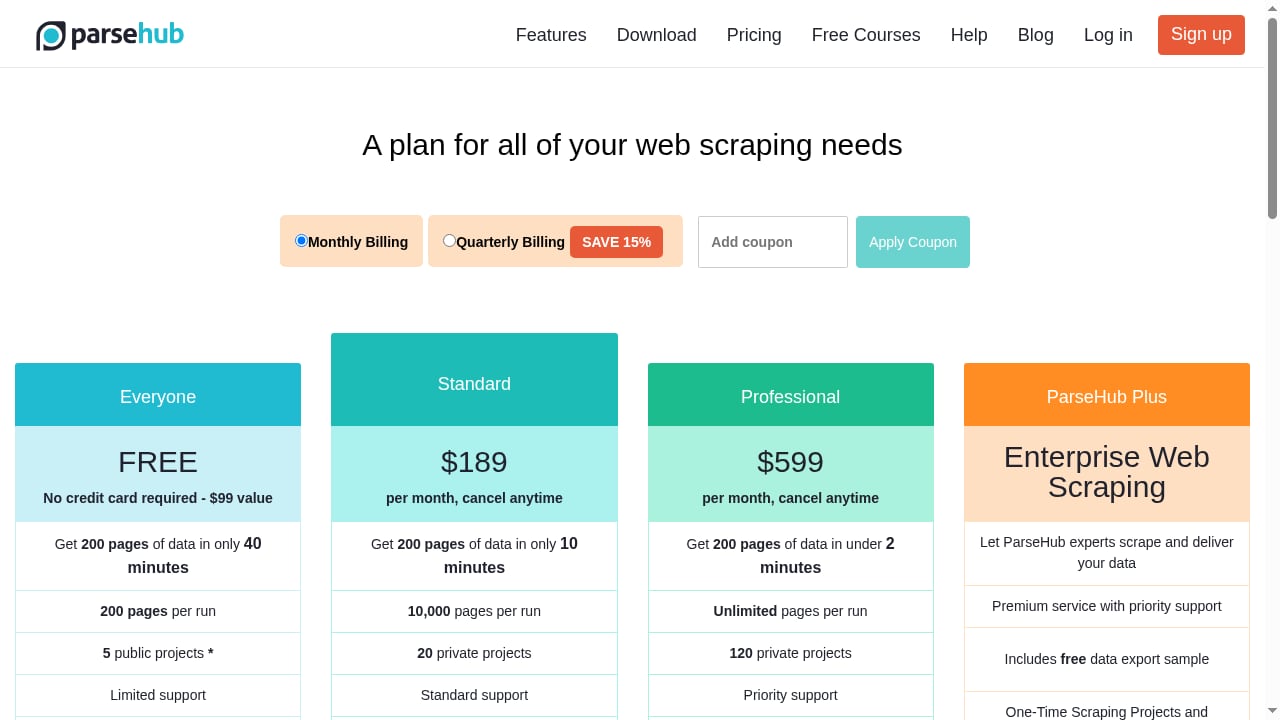
First viewport screenshot of ParseHub Pricing | Free plan and paid subscriptions.
The tool fits a specific profile better than a general audience.
Good fits:
- Non-technical users who need structured data from a handful of sites and are willing to invest a few hours learning the interface.
- Data journalists, real estate marketers, and pricing analysts pulling leads or listings from JavaScript-heavy directories.
- Linux users who want a no-code desktop scraper, since few alternatives exist on that platform.
Poor fits:
- Developers who want a clean API and no desktop dependency.
- Teams running dozens of parallel scraping jobs, because the free plan caps projects and runs.
- Anyone scraping aggressive anti-bot targets at scale, since IP rotation is a paid feature and may still need third-party proxies.
One Capterra reviewer, a real estate marketer, extracted over 10,000 leads from property directories on the free plan, though initial setup took about two focused hours. That two-hour orientation is the norm, not the exception.
Strengths: Where ParseHub Earns Its Reputation
It reaches JavaScript-heavy sites
Reviewers on G2 and Capterra consistently praise ParseHub for handling JavaScript and AJAX pages that simpler tools cannot reach. If your target site loads data dynamically, this matters more than any feature list.
The click-based model is genuinely accessible
You do not need to write selectors or scripts. You click, and ParseHub builds the pattern. For one-off or small-batch jobs, this is faster than learning a scraping framework.
It supports advanced configuration when needed
Regex and XPath support means you can refine extraction without abandoning the visual workflow. That hybrid approach suits analysts who want control without full code.
Cross-platform native apps
Windows, Mac, and Linux coverage is unusual in the no-code scraping space. If you are on Linux, ParseHub is one of very few desktop options.
Limitations: The Honest Part
First viewport screenshot of How to Offer Web Scraping Services: The Ultimate Guide | ParseHub.
The free tier is extremely limited
The free plan offers 200 pages per run and caps you at 5 projects. Free-plan jobs run at lower priority on ParseHub's servers, so wait times stretch during peak hours. It is enough to test the tool, not to run production workflows.
The pagination trap breaks first scrapers
After every click that changes the page, such as a pagination button, you must explicitly define whether it is a page change. Miss this step and the scraper silently stops or loops without an error. This is the single most common cause of a broken first scraper, and it is not obvious from the interface.
Auto-pagination is missing
Users report that auto-pagination is absent, which means manual configuration for multi-page jobs. For large sites, this adds friction that a cloud API would handle automatically.
Data extraction is not always complete
Some users report that ParseHub struggles to extract all data correctly and that empty file download errors occur. These are not universal, but they appear often enough to plan around.
Trustpilot ratings diverge from G2 and Capterra
On Trustpilot, where less technical users tend to write reviews, the rating drops to 2.9/5. That gap reflects the tool's complexity more than its quality. If you are not prepared for the learning curve, your experience will look more like Trustpilot than G2.
IP rotation is paid-only
IP rotation is a paid feature, and some users still need a third-party proxy on top for the most aggressive anti-bot targets. Budget for that if your targets are hostile.
Pricing Signals: What You Actually Pay
ParseHub's pricing as of early 2026:
- Free: 200 pages per run, 5 projects, lower priority on shared servers.
- Standard: $189/month.
- Professional: $599/month.
That jump from free to $189/month is steep for individuals. The free tier is a proof of concept, not a working plan. If your scraping needs are occasional, the free tier may be enough. If they are recurring, you are looking at a real subscription.
For comparison, API-based scrapers often start lower. ScrapingBot, for example, starts at $43/month with 100 free credits monthly for testing. That is a different model, but it matters when you are comparing total cost.
Setup: What to Expect in Your First Two Hours
- Install the desktop app. Choose your platform: Windows, Mac, or Linux.
- Create a project. Open the target URL inside ParseHub's browser.
- Click your data. Select the elements you want to extract. ParseHub builds a selector tree.
- Define page changes. After any click that navigates, explicitly mark it as a page change. This is the step most beginners miss.
- Test the run. Run on a small subset first. Watch for silent stops or loops.
- Export or connect. Download the dataset or push it to an API endpoint.
Expect about two focused hours for your first real project. After that, the parent-child selector model becomes intuitive, and you can handle nearly any site.
ParseHub vs Cloud Scraping APIs: When to Switch
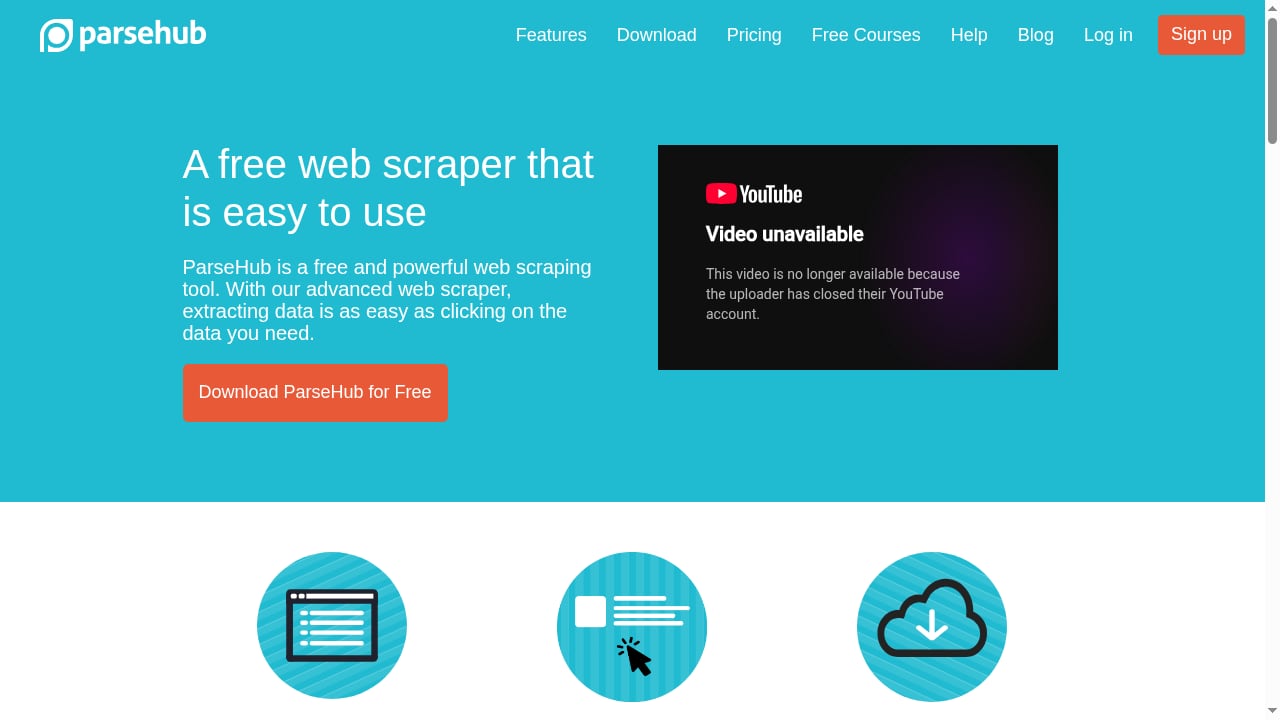
First viewport screenshot of ParseHub | Free web scraping - The most powerful web scraper.
ParseHub is a desktop tool. Cloud scraping APIs are infrastructure. The choice depends on your workflow.
Stay with ParseHub if:
- You scrape a small number of sites occasionally.
- You want a visual interface and no code.
- You are on Linux and need a no-code desktop option.
- You are comfortable with manual pagination and occasional glitches.
Switch to a cloud API if:
- You need scheduled, high-volume scraping without a desktop dependency.
- You want built-in proxy rotation and anti-bot handling.
- You need to feed rendered data into monitoring or pricing tools.
- You want to avoid the $189/month jump for moderate usage.
If you are evaluating cloud options, our comparison of AdsCrawl vs Scrape.do vs Zyte covers rendering, anti-bot success, and pricing for developers and teams. For a broader view of managed browser automation, see The Complete Guide to Browser Task APIs.
If your goal is price monitoring, pairing a cloud browser API with a monitoring platform is often more reliable than a desktop scraper. Our guide on using AdsCrawl with Price2Spy for price monitoring walks through that setup.
Decision Criteria: A Quick Checklist
Before committing to ParseHub, answer these questions:
- How many sites do you need to scrape? More than five projects pushes you to paid.
- How often? Occasional jobs fit the free tier. Recurring jobs do not.
- How dynamic are the pages? ParseHub handles JavaScript well, but so do cloud APIs.
- How hostile are the targets? If you need IP rotation, budget for paid plans plus possible third-party proxies.
- Do you need scheduling and API access? Those are paid features.
- Can you invest two hours in setup? If not, a cloud API may be faster.
Related reading
- Top 10 Cloud-Based Anti-Detect Browser Automation Products 2026 - We ranked the top 10 cloud-based anti-detect browser automation products for 2026 by fingerprint quality, automation APIs, scaling, and pricing.
- How to Use AdsCrawl with UptimeRobot for Free Monitoring - Combine AdsCrawl's cloud browser API with UptimeRobot's free uptime monitoring to catch JavaScript-rendered downtime and content failures.
- AdsCrawl vs WebHarvy: Cloud Scraping API or One-Time Visual Tool? - AdsCrawl vs WebHarvy compared: managed cloud browser API for dynamic sites vs a one-time Windows visual scraper. Pricing, limits, and fit explained.
Sources and further reading
- Parsehub Review: Best Web Scraper Tool in 2026? (Honest Review) - Let's explore ParseHub in this honest 2026 review to see if it's still the best point‑and‑click web scraper for non‑technical users. We'll dive into its abil...
- Reviews of ParseHub and ScrapingBot : r/OctoparseCommuity - This part is about ParseHub and ScrapingBot
- ParseHub Web Scraper Review - ParseHub Web Scraper ReviewBuy personal proxies at https://proxy-sale.com/Join our Telegram: https://t.me/proxy_saleJoin our Facebook: https://www.facebook.c...
FAQ
Is ParseHub really free?
Yes, there is a free tier, but it is limited to 200 pages per run and 5 projects, with lower priority on shared servers. It works for testing, not for production.
Does ParseHub handle JavaScript and AJAX sites?
Yes. It uses machine learning to extract data from pages built with AJAX, JavaScript, and cookies. Reviewers on G2 and Capterra consistently praise this capability.
Why does my ParseHub scraper stop or loop silently?
Most likely you missed defining a page change after a click that navigates, such as a pagination button. ParseHub requires you to explicitly mark page changes, and missing this step causes silent stops or loops.
How much does ParseHub cost in 2026?
The Standard plan is $189/month and the Professional plan is $599/month, as of early 2026. The free tier remains available with strict limits.
Does ParseHub include IP rotation?
IP rotation is a paid-only feature. Some users still need a third-party proxy on top for aggressive anti-bot targets.
Is ParseHub good for Linux users?
Yes. ParseHub offers native apps for Windows, Mac, and Linux, making it one of very few no-code desktop scrapers available on Linux.
When should I use a cloud scraping API instead?
When you need scheduled, high-volume scraping, built-in proxy rotation, or integration with monitoring and pricing tools. A cloud API removes the desktop dependency and the manual pagination work.
Conclusion
ParseHub is a capable point-and-click scraper that genuinely handles JavaScript-heavy and login-gated sites. For non-technical users with a few target sites and patience for a two-hour setup, it works. The free tier is a testing ground, not a production tool, and the $189/month Standard plan is a real commitment. The pagination trap and occasional extraction errors are manageable once you know they exist. If your needs grow into scheduled, high-volume, or anti-bot-heavy scraping, a cloud scraping API is the more practical path. Evaluate ParseHub against your project count, frequency, and target hostility before you commit.